Medical Device Vulnerabilities: 7 Mistakes That Leave Systems Open
Medical devices often run legacy operating systems that cannot receive security updates, forcing you to isolate them rather than patch them directly.
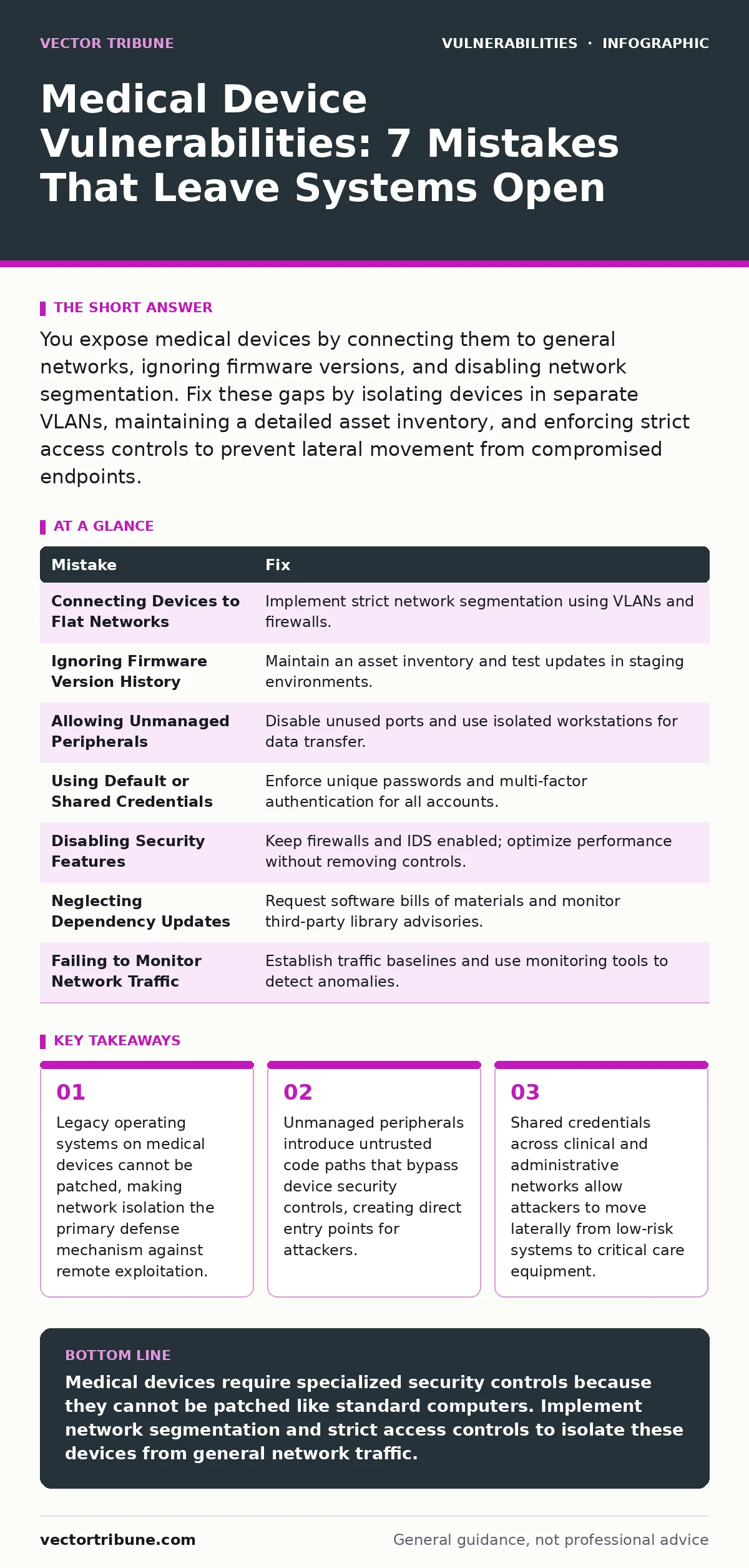
You expose medical devices by connecting them to general networks, ignoring firmware versions, and disabling network segmentation. Fix these gaps by isolating devices in separate VLANs, maintaining a detailed asset inventory, and enforcing strict access controls to prevent lateral movement from compromised endpoints.
Mistake 1: Connecting Devices to Flat Networks
Medical devices frequently operate on older operating systems that no longer receive security updates. Placing these devices on the same network segment as general staff computers or guest Wi-Fi exposes them to unauthenticated remote code execution attacks. Attackers scanning the network can identify open ports and exploit known vulnerabilities without needing credentials. This flat topology allows a compromised laptop to reach a life-support monitor directly.
Why it hurts:
Lateral movement becomes trivial when segmentation is absent. An attacker who compromises a standard workstation can pivot to medical devices because there are no network boundaries to stop the traffic. The device’s inability to patch means the vulnerability remains exploitable indefinitely. You effectively hand attackers direct access to critical infrastructure through a single point of failure.
The fix:
Implement strict network segmentation using VLANs. Isolate medical devices in a dedicated zone with a firewall that only allows necessary communication ports. Review your IT asset inventory to identify every device on the network. Ensure that traffic from general user segments cannot initiate connections to the medical device segment. This limits the blast radius of any compromise to the isolated zone.
Mistake 2: Ignoring Firmware Version History
Device vendors release firmware updates that address security flaws, but these updates often require manual installation. Many organizations install the latest firmware without reviewing the release notes or understanding the change management process. This leads to unexpected downtime or compatibility issues with other systems. You may also miss critical security fixes because you assume the device is secure by default.
Why it hurts:
Unpatched firmware contains known vulnerabilities that attackers can exploit. If you ignore the version history, you cannot prioritize patches based on severity. Emergency patch change management becomes chaotic when you do not track which devices are vulnerable. You risk exposing sensitive patient data or disrupting clinical workflows due to preventable software flaws that have been publicly disclosed for months.
The fix:
Maintain a detailed asset inventory for patching that tracks the current firmware version for every device. Subscribe to vendor security advisories to receive notifications about new releases. Test firmware updates in a staging environment before deploying them to production. Coordinate with clinical staff to schedule updates during maintenance windows. This ensures you apply security fixes without disrupting patient care or causing system instability.
Mistake 3: Allowing Unmanaged Peripherals
Medical devices often support external storage devices for data transfer or software updates. Allowing any USB drive or external hard drive to connect introduces untrusted code. Attackers can craft malicious USB devices that automatically execute scripts when plugged in. This technique bypasses network defenses entirely because the infection occurs at the physical interface. You assume the device is safe because it is physically present in a secure room.
Why it hurts:
Physical access bypasses many network-based security controls. A malicious peripheral can install rootkits or keyloggers directly onto the device’s operating system. These tools persist even after a reboot and are difficult to detect. You lose visibility into what software is running on the device. The compromise may remain hidden for months, allowing attackers to exfiltrate data or manipulate device behavior without triggering alarms.
The fix:
Disable unused USB ports on medical devices through group policy or device configuration. If peripherals are required, use a dedicated, isolated workstation for data transfer. Scan all external media with antivirus software before connecting to any clinical system. Implement application whitelisting to ensure only authorized software can run on the device. This prevents unauthorized code execution from physical media and reduces the attack surface significantly.
Mistake 4: Using Default or Shared Credentials
Many medical devices ship with default administrator passwords that are publicly documented. Some organizations create shared accounts for multiple staff members to simplify access. This practice prevents accountability and makes it impossible to revoke access for a single individual. Attackers frequently scan for these default credentials to gain initial access. You assume that physical security is sufficient to protect these accounts.
Why it hurts:
Shared credentials obscure the source of malicious activity. If an attacker uses a shared account, you cannot determine which user was compromised or if the account was stolen. Default passwords are easily guessed by automated tools. You create a single point of failure where one compromised password grants access to multiple critical systems. This undermines the principle of least privilege and exposes the entire network to credential-based attacks.
The fix:
Change all default credentials immediately upon installation. Enforce unique, strong passwords for each user account. Implement multi-factor authentication where supported by the device. Regularly rotate passwords and review access logs to detect unauthorized activity. Remove shared accounts and assign individual credentials to each staff member. This ensures you can trace actions to specific users and quickly revoke access if a credential is compromised.
Mistake 5: Disabling Security Features for Performance
Clinical staff sometimes disable security features like firewalls or intrusion detection systems to improve device performance or reduce latency. They assume that the device’s specialized function makes it immune to general network threats. This removes critical layers of defense that detect and block malicious traffic. You trade security for convenience, assuming that the risk is low because the device is not a general-purpose computer.
Why it hurts:
Disabling security features leaves the device exposed to network-based attacks. Intrusion detection systems provide visibility into suspicious activity that might indicate a breach. Without these controls, you operate blind to ongoing attacks. The device becomes an easy target for exploitation because it lacks basic protective mechanisms. You increase the likelihood of successful intrusion and reduce your ability to detect and respond to incidents in a timely manner.
The fix:
Keep all security features enabled unless there is a documented, technical reason to disable them. Work with vendors to optimize performance without removing security controls. Use network-based security tools to monitor traffic to and from the device. Conduct regular security assessments to ensure that configurations meet baseline standards. This maintains a strong defense posture while addressing legitimate performance concerns through proper tuning rather than disabling protections.
See also: Patch Prioritization: Benefits, Limits, and When to Skip It · How to Detect Rowhammer Attacks: Signs, Tools, and Blind Spots
Mistake 6: Neglecting Dependency Updates
Medical device software often relies on third-party libraries and components. These dependencies may contain vulnerabilities that are not directly addressed by the device vendor. Developers assume that the vendor is responsible for all security updates. However, if the device firmware does not include the latest version of a library, the vulnerability remains. You inherit the security posture of every component in the software stack.
Why it hurts:
Dependency confusion attacks and other supply chain vulnerabilities can compromise the device through trusted libraries. Even if the device code is secure, a vulnerable library can be exploited to gain control. This creates hidden risks that are difficult to identify without thorough analysis. You may believe the device is secure because it has not been directly targeted, but the underlying components are weak. This indirect exposure is often overlooked in standard security reviews.
The fix:
Request detailed software bills of materials from vendors to understand all dependencies. Monitor security advisories for third-party libraries used in device software. Coordinate with vendors to ensure that firmware updates include patched versions of vulnerable components. Implement a process for reviewing and approving third-party software used in medical systems. This reduces the risk of supply chain attacks and ensures that all components meet security standards.
Mistake 7: Failing to Monitor Network Traffic
Medical devices generate specific patterns of network traffic. Failing to establish a baseline for this traffic makes it difficult to detect anomalies. Attackers can blend their malicious activity with normal device communications if you do not monitor for deviations. You assume that because the device is functioning correctly, it is not compromised. This passive approach leaves you vulnerable to slow, stealthy attacks that do not cause immediate failures.
Why it hurts:
Without traffic monitoring, you lack visibility into potential breaches. Attackers can exfiltrate data or command and control the device without triggering alerts. The device continues to operate normally, masking the intrusion. You lose the ability to detect lateral movement or data theft in real-time. This delays incident response and allows attackers to maintain persistence within your network for extended periods.
The fix:
Implement network monitoring tools that analyze traffic patterns for medical devices. Establish baselines for normal communication and set alerts for deviations. Use web application firewall tuning to block suspicious requests targeting device interfaces. Regularly review logs for unusual activity or unauthorized access attempts. This proactive monitoring enables early detection of security incidents and reduces the impact of potential breaches.
| Mistake | Fix |
|---|---|
| Connecting Devices to Flat Networks | Implement strict network segmentation using VLANs and firewalls. |
| Ignoring Firmware Version History | Maintain an asset inventory and test updates in staging environments. |
| Allowing Unmanaged Peripherals | Disable unused ports and use isolated workstations for data transfer. |
| Using Default or Shared Credentials | Enforce unique passwords and multi-factor authentication for all accounts. |
| Disabling Security Features | Keep firewalls and IDS enabled; optimize performance without removing controls. |
| Neglecting Dependency Updates | Request software bills of materials and monitor third-party library advisories. |
| Failing to Monitor Network Traffic | Establish traffic baselines and use monitoring tools to detect anomalies. |
Key takeaways
- Legacy operating systems on medical devices cannot be patched, making network isolation the primary defense mechanism against remote exploitation.
- Unmanaged peripherals introduce untrusted code paths that bypass device security controls, creating direct entry points for attackers.
- Shared credentials across clinical and administrative networks allow attackers to move laterally from low-risk systems to critical care equipment.
Medical devices require specialized security controls because they cannot be patched like standard computers. Implement network segmentation and strict access controls to isolate these devices from general network traffic.
Frequently asked questions
How do I isolate medical devices without disrupting clinical workflows?
Use VLANs to separate device traffic and configure firewalls to allow only necessary communication ports. Coordinate with clinical staff to test connectivity before deployment.
What if a vendor refuses to provide firmware updates?
Implement compensating controls such as strict network isolation and application whitelisting. Consider replacing the device if it poses an unacceptable risk.
How often should I review the asset inventory for medical devices?
Review the inventory quarterly or whenever new devices are installed. Ensure all changes are documented and verified against physical counts.
Can I use standard antivirus software on medical devices?
Standard antivirus may not be compatible with specialized operating systems. Use vendor-approved security tools and network-based detection instead.
How this guide was produced: written by the Vector Tribune editorial team with AI assistance, checked against the public references listed below, and reviewed when the facts change. See our editorial policy or report an error.