Implement IT Asset Inventory: A Step-by-Step Technical Guide
Unmanaged assets create blind spots that attackers exploit before you can detect them, turning your infrastructure into an open door for unauthorized access.
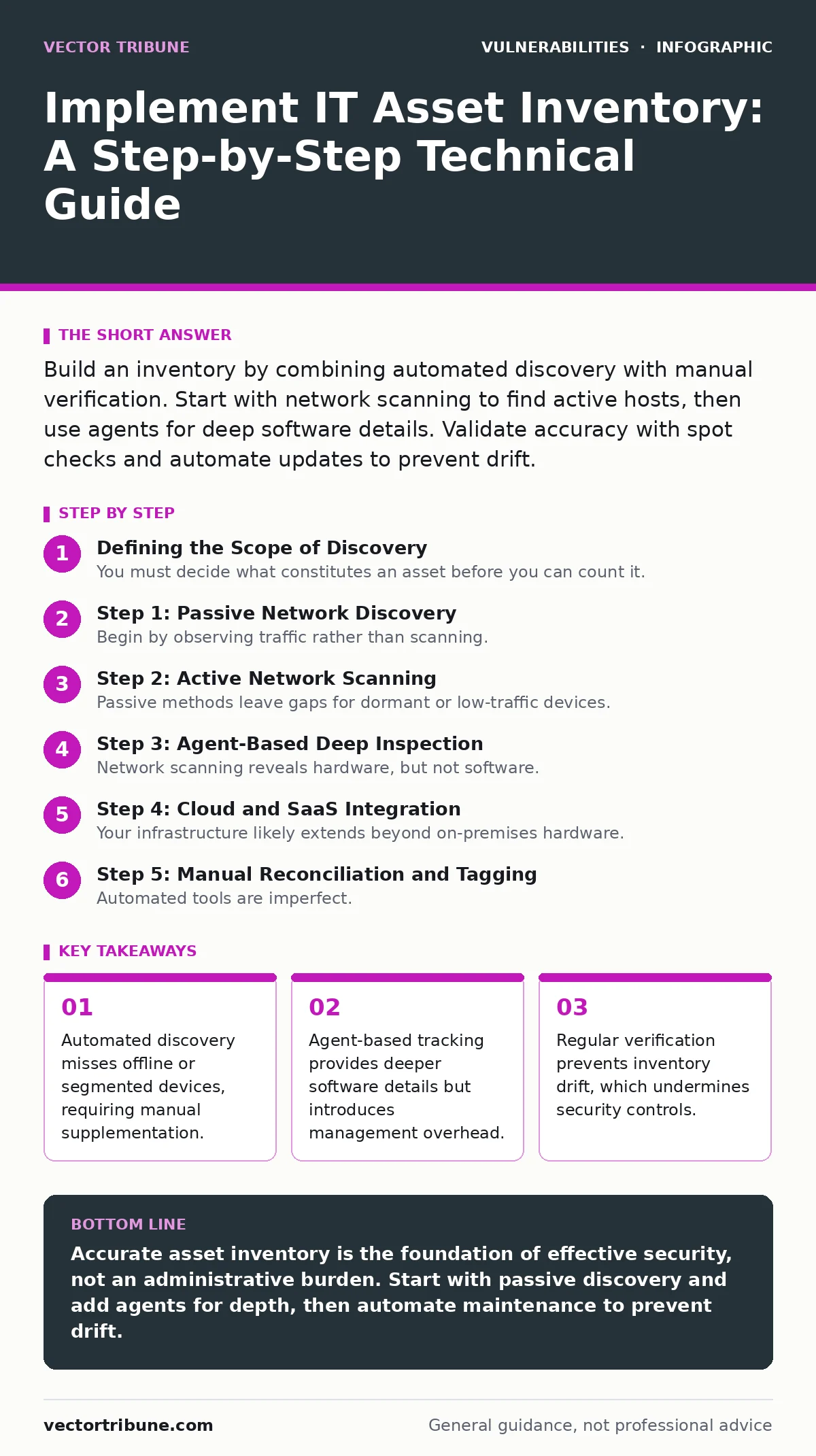
Build an inventory by combining automated discovery with manual verification. Start with network scanning to find active hosts, then use agents for deep software details. Validate accuracy with spot checks and automate updates to prevent drift.
Defining the Scope of Discovery
You must decide what constitutes an asset before you can count it. Is a temporary development laptop an asset? Is a legacy printer on a separate VLAN relevant? Without clear boundaries, your inventory becomes noisy and unactionable. Define inclusion criteria based on risk and connectivity. Assets that can communicate with your core network require tracking. Assets isolated in air-gapped segments may be excluded if the risk of cross-segment breach is negligible.
Step 1: Passive Network Discovery
Begin by observing traffic rather than scanning. Passive discovery uses existing network logs to identify hosts. This method avoids alerting intrusion detection systems and misses no offline devices, but it only sees active traffic. Configure your network monitoring tools to log source and destination IPs. Correlate these logs with DHCP lease tables. This gives you a baseline of known, active devices. You will likely find devices you forgot about, such as old test servers.
Step 2: Active Network Scanning
Passive methods leave gaps for dormant or low-traffic devices. Active scanning fills these gaps by probing IP ranges for open ports. Use standard protocols like ICMP and TCP SYN to determine host presence. This step identifies devices that are online but silent. It also reveals unexpected services running on non-standard ports. Be careful to scan during maintenance windows to avoid disrupting production services. Verify success by comparing scan results against your passive discovery list. Any new host is a candidate for your inventory.
Step 3: Agent-Based Deep Inspection
Network scanning reveals hardware, but not software. To track operating system versions, installed patches, and running applications, you need agents. Install lightweight software on critical endpoints. These agents report directly to your central management console. This provides the granularity needed to detect remote code execution vulnerabilities in specific library versions. Without agents, you cannot verify patch compliance effectively. Ensure the agent has minimal resource impact to prevent performance degradation on sensitive systems.
Step 4: Cloud and SaaS Integration
Your infrastructure likely extends beyond on-premises hardware. Cloud instances and Software-as-a-Service applications are often invisible to traditional network scanners. Integrate your inventory tool with cloud provider APIs. This allows you to pull instance metadata, security group configurations, and attached volumes. Do not ignore SaaS subscriptions. Unmanaged cloud resources are a frequent source of data leakage. Verify integration by checking if newly spun-up test environments appear in your dashboard within an hour.
See also: Alert Triage: How to Cut Noise and Find Real Threats · Security Bulletins: How to Read Them Without Misinterpreting Risk
Step 5: Manual Reconciliation and Tagging
Automated tools are imperfect. They may misidentify devices or miss manually configured systems. Conduct a manual reconciliation process. Walk through physical server rooms and check labels against your digital records. Interview system owners to confirm ownership and purpose. Tag each asset with metadata: owner, location, sensitivity level, and decommissioning date. This metadata is critical for prioritizing remediation efforts. Without it, you are just counting boxes, not managing risk.
Verifying Inventory Accuracy
An inventory that is not verified is not trusted. You must prove that your records match reality. Perform spot checks on a random sample of assets. Confirm that the software versions reported by agents match what you see via command line. Check for "ghost assets" that appear in your database but do not respond to pings. These may be decommissioned devices that were never removed. Also, check for "shadow assets" that are physically present but missing from your database. Use the verification checklist below to ensure completeness.
- All critical servers have active agent connections.
- Cloud instances match cloud provider console.
- No ghost assets remain in the database.
- Ownership tags are populated for all critical assets.
Maintaining the Inventory Over Time
An inventory is not a one-time project. It drifts as soon as you finish building it. New devices join the network, old ones are retired, and software updates change the attack surface. Automate the update process where possible. Configure your tools to run discovery scans daily. Set alerts for assets that stop reporting. Review the inventory quarterly to remove stale entries. This upkeep ensures that your security controls are applied to the correct set of devices. Neglecting upkeep turns your inventory into a historical artifact rather than a security tool.
Integrating with Security Workflows
Your inventory is useless if it sits in isolation. Connect it to your vulnerability management and incident response processes. When a new remote code execution vulnerability is disclosed, query your inventory for affected software versions. This allows you to prioritize patching based on actual exposure. During an incident, use the inventory to trace lateral movement paths. Understanding what assets exist helps you contain threats faster. Without this integration, your inventory is just a spreadsheet.
Key takeaways
- Automated discovery misses offline or segmented devices, requiring manual supplementation.
- Agent-based tracking provides deeper software details but introduces management overhead.
- Regular verification prevents inventory drift, which undermines security controls.
Accurate asset inventory is the foundation of effective security, not an administrative burden. Start with passive discovery and add agents for depth, then automate maintenance to prevent drift.
Frequently asked questions
How often should I update my IT asset inventory?
Automated tools should update daily, but a full manual reconciliation should occur at least quarterly to catch drift.
Can I use open-source tools for asset inventory?
Yes, many open-source scanners and configuration management tools can build an inventory, but they require more manual integration effort.
What is the biggest risk of an incomplete inventory?
Unmanaged assets become blind spots where attackers can hide, leading to undetected breaches and failed security controls.
How do I handle assets that cannot have agents installed?
Use passive discovery and active scanning to identify them, then rely on vendor documentation for software details.
How this guide was produced: written by the Vector Tribune editorial team with AI assistance, checked against the public references listed below, and reviewed when the facts change. See our editorial policy or report an error.