Web Application Firewall Tuning for Small Teams
Misconfigured web application firewalls block legitimate traffic and create false security, requiring ongoing tuning to remain effective.
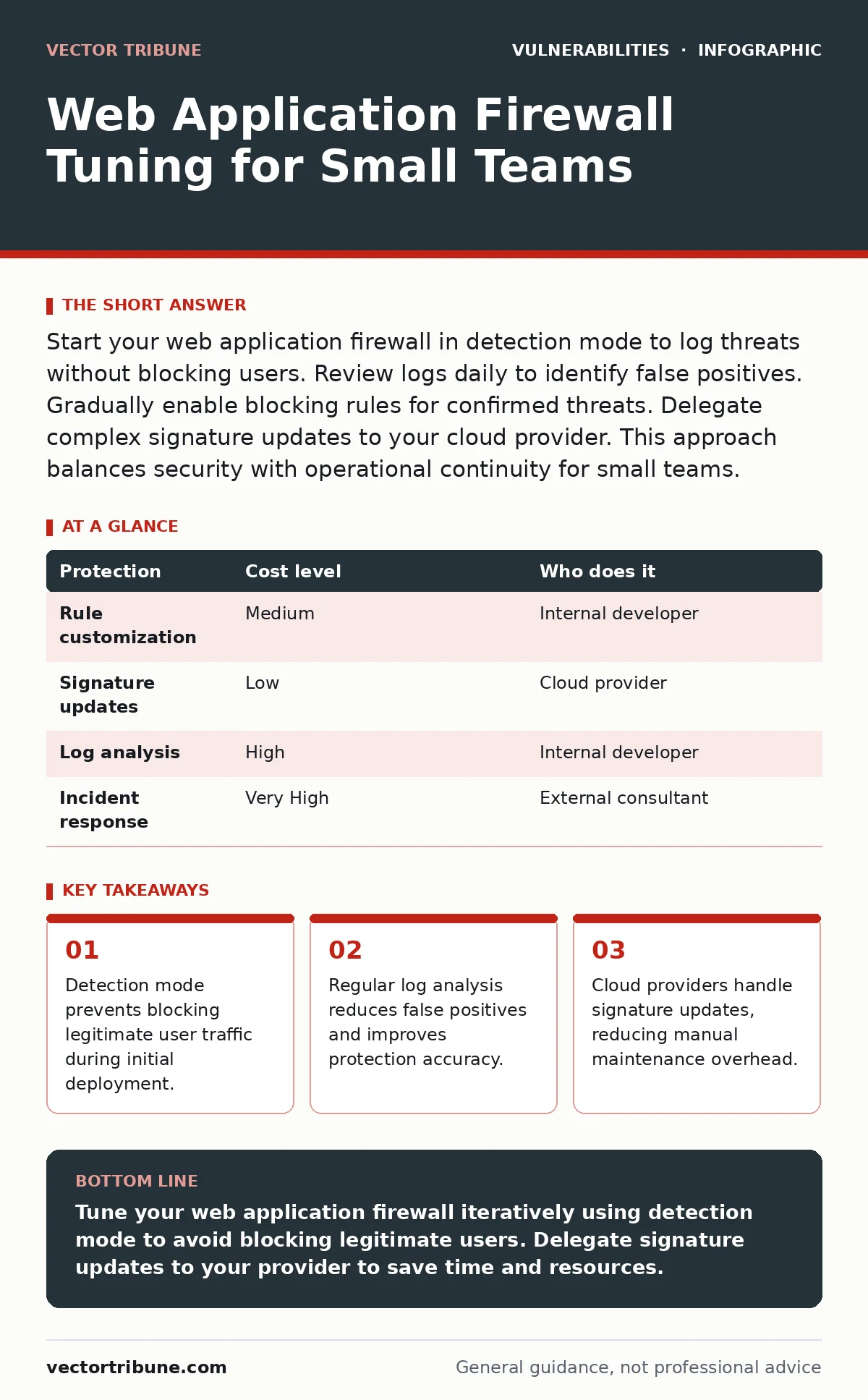
Start your web application firewall in detection mode to log threats without blocking users. Review logs daily to identify false positives. Gradually enable blocking rules for confirmed threats. Delegate complex signature updates to your cloud provider. This approach balances security with operational continuity for small teams.
Why Tuning Matters at Small Scale
Small organizations face unique constraints when securing web applications. You likely lack a dedicated security operations center. You cannot afford 24-hour monitoring staff. A misconfigured web application firewall blocks legitimate users and disrupts business. This happens when rules are too strict or outdated. Tuning ensures the firewall distinguishes between malicious attacks and normal user behavior. Without tuning, the device becomes a liability rather than a shield.
It creates alert fatigue and hides real threats. Proper configuration aligns security controls with your specific application logic. This alignment reduces friction for users while maintaining protection. You achieve this balance through iterative testing and observation. The goal is precision, not volume. Every rule must serve a clear purpose. Unused rules clutter the configuration and increase processing latency.
The Cost of Default Configurations
Default web application firewall profiles are designed for broad compatibility. They prioritize safety over performance. This means they block many common web patterns that your application might use. Imagine deploying a default profile on a modern single-page application. The firewall may block JavaScript-heavy requests or dynamic API calls. These blocks appear as errors to your users. You lose trust and potential customers. The cost extends beyond downtime.
Debugging false positives consumes engineering time. Developers must coordinate with IT to whitelist valid traffic. This coordination slows down release cycles. You pay for this inefficiency in delayed features and frustrated teams. Tuning reduces these hidden costs. It transforms the firewall from a gatekeeper into a transparent filter. You retain control over your application’s behavior. The firewall supports your business goals rather than hindering them.
| Protection | Cost level | Who does it |
|---|---|---|
| Rule customization | Medium | Internal developer |
| Signature updates | Low | Cloud provider |
| Log analysis | High | Internal developer |
| Incident response | Very High | External consultant |
Affordable Ways to Tune Your Firewall
You do not need expensive tools to tune your web application firewall. Start by enabling detection mode. This mode logs potential threats without blocking traffic. You observe what the firewall flags as suspicious. Review these logs daily. Look for patterns that match your normal user activity. If legitimate requests appear in the logs, create an exception rule. This process is manual but effective for small teams. It builds a baseline of your application’s normal behavior.
Use this baseline to refine your blocking rules. Focus on high-confidence threats first. These include known exploit patterns and malformed requests. Avoid blocking entire IP ranges unless necessary. Geographic blocking can exclude valid international users. Prioritize rules that target specific attack vectors. This targeted approach minimizes collateral damage. You achieve high protection with minimal operational overhead.
What to Delegate to Providers
Not every aspect of firewall management requires your attention. Delegate signature updates to your cloud provider. These updates address newly discovered vulnerabilities. Providers maintain large teams to analyze threats and create patches. They release updates more frequently than you can. Relying on their updates ensures you stay current with emerging threats. Do not manage custom rule sets for generic threats. Let the provider handle broad categories like SQL injection or cross-site scripting.
Focus your internal efforts on application-specific logic. Your developers understand your code better than any vendor. They can identify nuances that generic rules miss. Delegate routine maintenance tasks to free up engineering time. This division of labor maximizes efficiency. You handle what only you can handle. The provider handles what they can do at scale. This partnership strengthens your overall security posture.
Integrating with Development Workflows
Web application firewall tuning must integrate with your development process. Changes to your application code often trigger false positives. New endpoints or API methods may look like attacks to the firewall. Your developers should review firewall logs during testing. Include firewall validation in your deployment pipeline. Automate checks for common blocking patterns. This automation catches issues before they reach production.
It reduces the burden on operations teams. Developers learn to write code that behaves predictably. They avoid patterns that trigger security alerts. This collaboration improves both security and code quality. The firewall becomes a feedback mechanism for your development team. It highlights areas where the application logic is ambiguous. Clear logic reduces the need for complex firewall rules. Simpler rules are easier to maintain and audit.
See also: Server-Side Request Forgery: How SSRF Bypasses Your Network Defenses · Cloud Controls Matrix: Small Business Security Checklist
Handling Zero-Day Vulnerabilities
Zero-day vulnerabilities exploit unknown weaknesses in software. They bypass traditional signature-based detection. Your web application firewall cannot block what it does not know exists. Tuning helps mitigate the impact of zero-days. Configure the firewall to enforce strict input validation. Block requests that deviate significantly from expected patterns. This heuristic approach catches anomalous behavior. It does not identify the specific exploit.
It prevents the exploit from executing. Combine this with regular security updates. Patching known vulnerabilities reduces the attack surface. It limits the opportunities for zero-day exploits. Monitor industry news for emerging threats. Adjust your firewall rules proactively. Stay ahead of attackers by anticipating their tactics. Proactive tuning reduces reaction time when new vulnerabilities emerge. You cannot stop every zero-day attack. You can reduce the likelihood and impact.
Questions to Ask Your IT Provider
When selecting a managed security service, ask specific questions. Ensure the provider understands your application’s needs. Do not accept generic answers. Ask how they handle false positive reports. Request details on their tuning process. Inquire about their update frequency for threat signatures. Ask if they support custom rule creation. Verify their incident response capabilities.
Ensure they can communicate clearly during an emergency. Ask about data retention policies for logs. Confirm compliance with relevant regulations. These questions reveal the provider’s competence and reliability. They help you assess whether the provider aligns with your goals. A good provider acts as an extension of your team. They provide transparency and accountability. This partnership enhances your security posture.
- What is your process for creating and testing custom firewall rules?
- How frequently do you update threat signatures and detection patterns?
- Can you provide examples of how you have tuned firewalls for similar applications?
- What is your incident response protocol for a confirmed firewall breach?
Balancing Security and Performance
Web application firewalls add processing overhead to every request. This overhead can slow down your application. Tuning reduces this impact by optimizing rule evaluation. Disable unused rules to improve performance. Group similar rules to reduce processing steps. Use caching where possible to avoid redundant checks. Monitor latency metrics closely. Identify rules that cause significant delays. Refine or remove these rules as needed.
Balance security requirements with user experience. Excessive latency drives users away. They abandon slow applications. Optimize for the fastest possible response time. Maintain security without sacrificing speed. This balance requires continuous monitoring and adjustment. Regular performance audits ensure the firewall remains efficient. You achieve high security with minimal performance impact.
Related Security Practices
Web application firewall tuning works best with other security measures. Review your vulnerability disclosure policies to ensure external researchers can report issues safely. Integrate attack surface management to identify and reduce exposed endpoints. Understand zero-day vulnerabilities to prepare for unknown threats.
Read security advisory reading guides to stay informed about emerging risks. These practices complement your firewall strategy. They provide a layered defense against attacks. No single tool provides complete protection. Combine multiple controls for resilience. This holistic approach strengthens your overall security. You build a robust defense against diverse threats.
Key takeaways
- Detection mode prevents blocking legitimate user traffic during initial deployment.
- Regular log analysis reduces false positives and improves protection accuracy.
- Cloud providers handle signature updates, reducing manual maintenance overhead.
Tune your web application firewall iteratively using detection mode to avoid blocking legitimate users. Delegate signature updates to your provider to save time and resources.
Frequently asked questions
How often should I tune my web application firewall?
Tune your firewall continuously. Review logs daily and adjust rules weekly. Major application updates require immediate tuning.
Can I automate web application firewall tuning?
You can automate log collection and alerting. Rule creation and validation require human judgment. Automation supports but does not replace tuning.
What is the difference between detection and blocking mode?
Detection mode logs potential threats without blocking traffic. Blocking mode actively prevents traffic from reaching your application.
Do I need a firewall for internal applications?
Yes. Internal applications face threats from compromised insider accounts. Firewalls protect against lateral movement and data exfiltration.
How this guide was produced: written by the Vector Tribune editorial team with AI assistance, checked against the public references listed below, and reviewed when the facts change. See our editorial policy or report an error.