Emergency Patch Change Management: Benefits, Limits, and Timing
Emergency patching bypasses standard controls to stop active exploitation, but it introduces regression risks that standard change windows are designed to prevent.
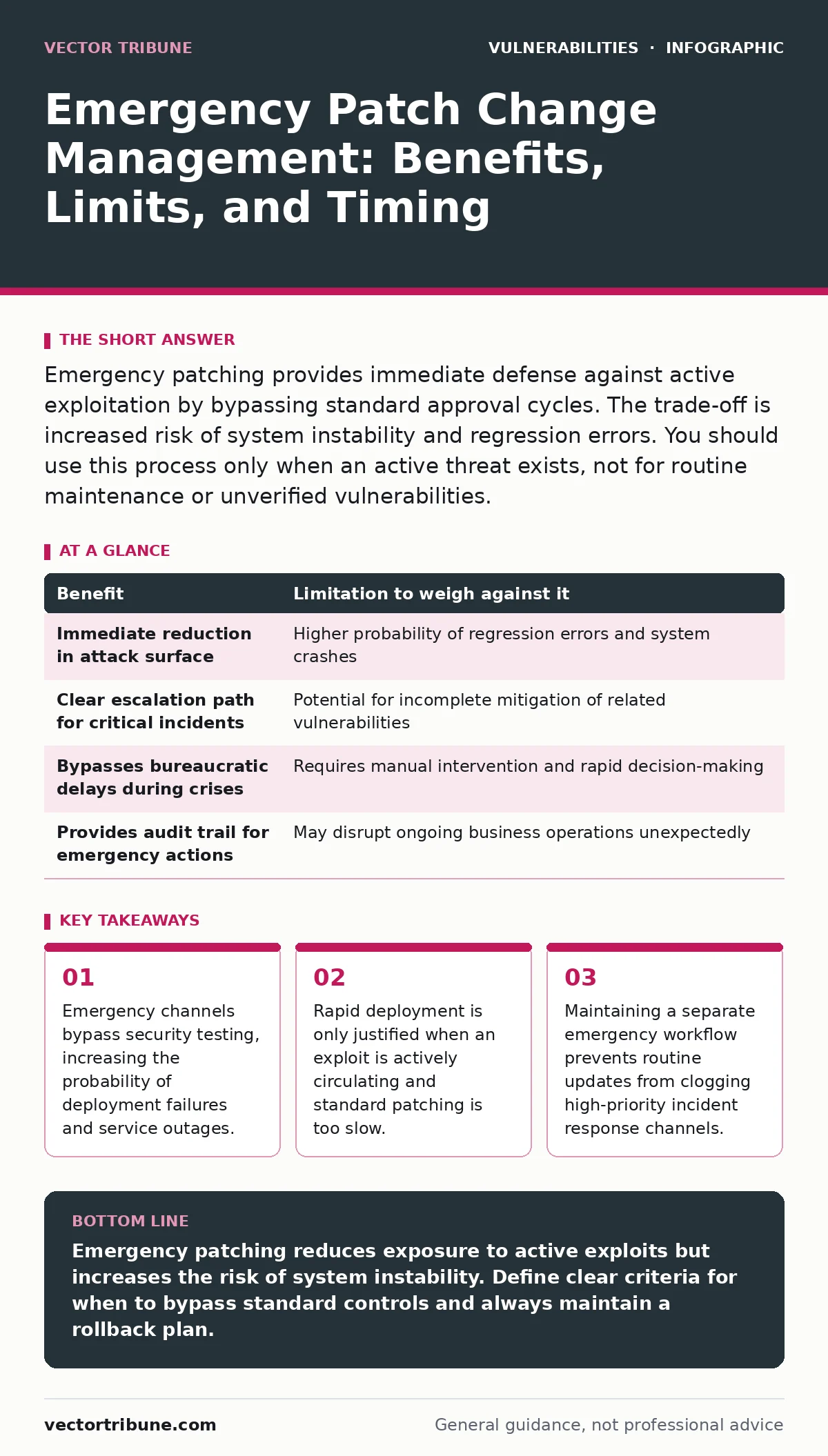
Emergency patching provides immediate defense against active exploitation by bypassing standard approval cycles. The trade-off is increased risk of system instability and regression errors. You should use this process only when an active threat exists, not for routine maintenance or unverified vulnerabilities.
The Mechanics of Emergency Patching
Emergency patch change management is a specialized workflow that bypasses standard approval cycles to deploy security fixes immediately. Standard change management requires multiple reviews, testing phases, and scheduled maintenance windows. These steps ensure stability but introduce latency. When an active exploit is circulating, that latency becomes a liability. The emergency process removes gatekeepers to reduce the time between vulnerability disclosure and mitigation.
This speed comes with a hidden cost. Standard processes include regression testing to ensure new code does not break existing functionality. Emergency patches often skip this verification or perform only superficial checks. You trade the certainty of stability for the urgency of closure. The mechanism relies on the assumption that the risk of being exploited outweighs the risk of breaking the system.
Concrete Benefits of the Emergency Path
The primary benefit is reduced exposure time. When an attacker has a working exploit, every minute without a patch increases the probability of compromise. Emergency channels allow you to apply fixes before attackers can scale their operations. This is particularly effective against vulnerabilities that are easy to exploit remotely, such as those allowing remote code execution.
Another benefit is operational clarity. By defining a specific emergency workflow, you create a clear escalation path for high-severity issues. Teams know exactly who to contact and what authority is required to bypass normal controls. This reduces decision paralysis during a crisis. The process also ensures that emergency actions are logged and tracked, providing an audit trail for post-incident review.
Honest Limitations and Hidden Costs
The most significant limitation is the increased risk of system instability. Without thorough testing, a patch may introduce new bugs or conflict with existing configurations. This can cause service outages that are more disruptive than the original vulnerability. You may solve a security problem by creating an availability problem. This trade-off is often overlooked in the rush to patch.
Another limitation is the potential for incomplete mitigation. Emergency patches are often minimal fixes designed to stop immediate exploitation. They may not address the root cause or related vulnerabilities. This can lead to a false sense of security. Attackers may find adjacent weaknesses that the emergency patch did not cover. You must plan for a more comprehensive fix in a subsequent, standard change window.
Balancing Speed and Stability
| Benefit | Limitation to weigh against it |
|---|---|
| Immediate reduction in attack surface | Higher probability of regression errors and system crashes |
| Clear escalation path for critical incidents | Potential for incomplete mitigation of related vulnerabilities |
| Bypasses bureaucratic delays during crises | Requires manual intervention and rapid decision-making |
| Provides audit trail for emergency actions | May disrupt ongoing business operations unexpectedly |
This table illustrates the core trade-off. You gain time but lose certainty. The decision to use the emergency path depends on the severity of the threat and the criticality of the system. A non-critical internal tool may not justify the risk of an outage. A public-facing server handling sensitive data may require immediate action despite the risks.
When It Is Worth It
You should use emergency patching when an active exploit is confirmed. This means attackers are successfully using the vulnerability in the wild. The threat is not theoretical; it is happening now. In this scenario, the risk of compromise exceeds the risk of system instability. The priority shifts from maintaining perfect uptime to preventing data loss or unauthorized access.
Emergency patching is also worth it for vulnerabilities that allow remote code execution without authentication. These are the most dangerous because they require no prior access. If such a vulnerability exists in a public-facing service, you must act immediately. Refer to zero-day vulnerabilities for context on how these unknown threats often force emergency responses before vendors even release official fixes.
See also: Web Application Firewall Tuning for Small Teams · Medical Device Vulnerabilities: 7 Mistakes That Leave Systems Open
When It Is Not Worth It
Do not use emergency patching for vulnerabilities that are not actively exploited. If a vulnerability is theoretical or requires complex conditions to exploit, the risk of an outage outweighs the security benefit. Use standard change management for these cases. This allows for proper testing and reduces the chance of introducing new errors.
Avoid emergency patching for low-impact systems. If a vulnerability affects an internal tool that is not accessible from the internet, the risk is contained. Use patch prioritization techniques to schedule these fixes in the next maintenance window. Emergency channels should be reserved for threats that can cause significant damage quickly. Using them for minor issues dilutes their effectiveness and trains teams to bypass controls unnecessarily.
Operationalizing the Emergency Workflow
To make emergency patching effective, you must define clear criteria for activation. Not every vulnerability qualifies. Establish a threshold based on exploit availability, attack complexity, and potential impact. This prevents teams from treating every update as an emergency. You should also maintain a IT asset inventory to know exactly which systems are affected. Patching unknown systems is a common mistake that leads to wasted effort and missed targets.
Imagine a scenario where a critical web server is vulnerable to a known exploit. The emergency team deploys a patch without full regression testing. The server becomes unresponsive, causing a business outage. This highlights the need for rollback plans. Emergency patches must include a quick way to revert to the previous state if the fix fails. This safety net is often missing in rushed deployments.
Integrating with Security Practices
Emergency patching does not replace other security measures. It is a reactive control. You should combine it with proactive measures like memory-safe programming languages to reduce the likelihood of vulnerabilities in the first place. If your code is less prone to memory errors, you will have fewer emergencies to manage. This reduces the reliance on rapid patching and improves overall system resilience.
You should also practice reading security advisory reading materials to understand the context of vulnerabilities. Not all advisories are created equal. Some describe theoretical risks, while others describe active attacks. Understanding the difference helps you decide whether to use the emergency channel. This knowledge prevents unnecessary panic and ensures that resources are focused on real threats.
Conclusion of the Process
Emergency patch change management is a tool for specific situations. It provides speed at the cost of stability. Use it when the threat is immediate and severe. Avoid it for routine updates or low-risk vulnerabilities. By balancing speed and stability, you can protect your systems without compromising their availability. The goal is not to patch everything immediately, but to patch the right things at the right time.
Key takeaways
- Emergency channels bypass security testing, increasing the probability of deployment failures and service outages.
- Rapid deployment is only justified when an exploit is actively circulating and standard patching is too slow.
- Maintaining a separate emergency workflow prevents routine updates from clogging high-priority incident response channels.
Emergency patching reduces exposure to active exploits but increases the risk of system instability. Define clear criteria for when to bypass standard controls and always maintain a rollback plan.
Frequently asked questions
How do I know if a vulnerability requires emergency patching?
Check if the vulnerability has a known, active exploit and affects a critical, publicly accessible system. If attackers are successfully using it, emergency patching is justified.
What is the biggest risk of using emergency patching?
The biggest risk is introducing new bugs or breaking existing functionality due to insufficient testing. This can cause system outages that are more disruptive than the original vulnerability.
Can I use emergency patching for internal systems?
Only if the internal system is critical and the vulnerability is actively exploited. For most internal systems, standard patching is safer and less disruptive.
How do I prevent emergency patching from becoming the norm?
Define strict criteria for emergency activation and track usage metrics. If emergency patches are frequent, you need to improve your standard change management process or reduce vulnerabilities through better coding practices.
How this guide was produced: written by the Vector Tribune editorial team with AI assistance, checked against the public references listed below, and reviewed when the facts change. See our editorial policy or report an error.