Asset Inventory for Patching: The Mechanism and Its Limits
Patching fails when the inventory relies on passive scanning, missing ephemeral containers and disconnected endpoints that attackers exploit first.
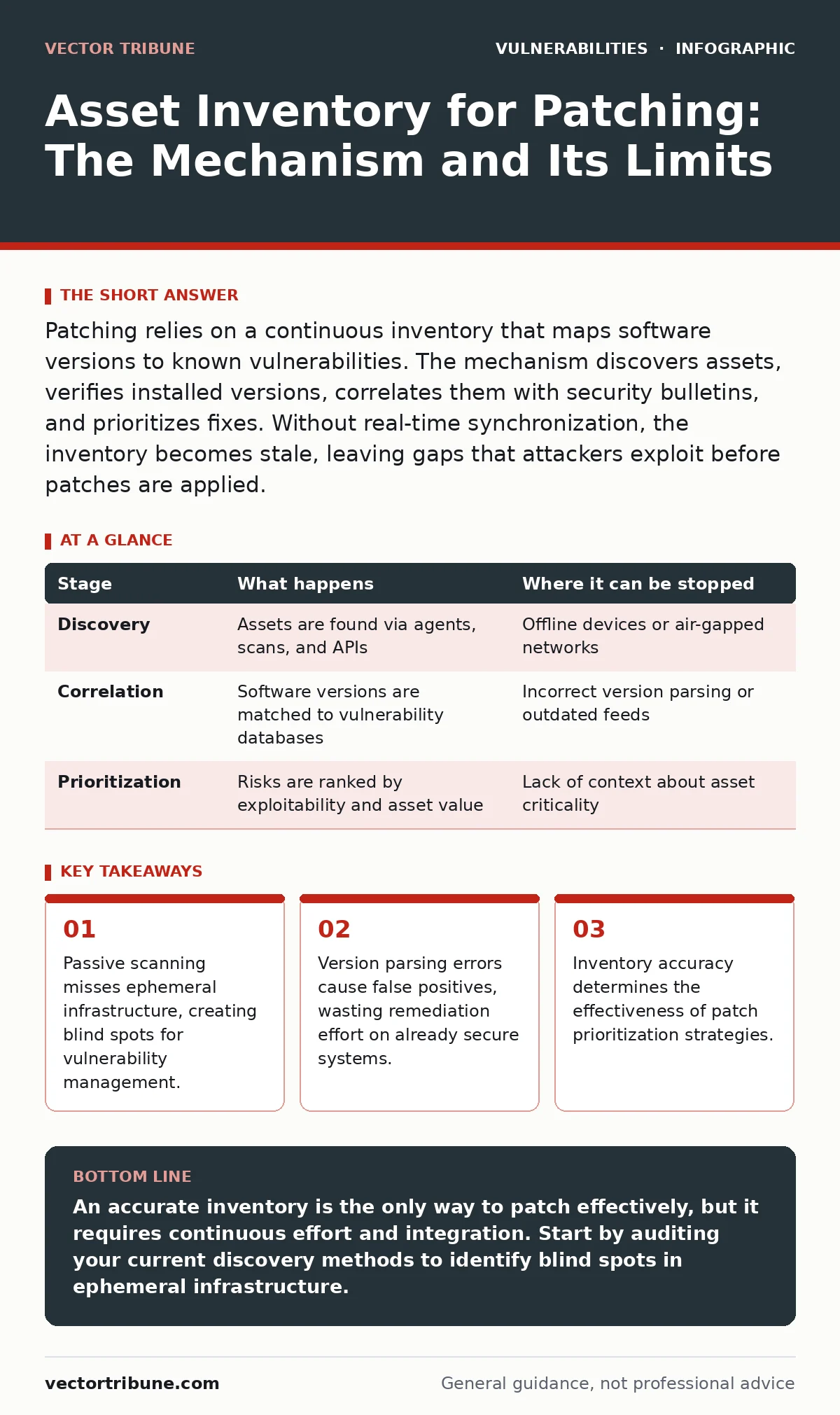
Patching relies on a continuous inventory that maps software versions to known vulnerabilities. The mechanism discovers assets, verifies installed versions, correlates them with security bulletins, and prioritizes fixes. Without real-time synchronization, the inventory becomes stale, leaving gaps that attackers exploit before patches are applied.
Discovery: Finding What You Own
Discovery identifies every device, container, and service connected to your network. Agents installed on endpoints report their status directly to a central server. Network scanners probe open ports to detect services running on unmanaged devices. Cloud APIs query infrastructure as code platforms to list virtual machines and storage buckets. This combination ensures you see both persistent servers and transient workloads.
Discovery fails when devices operate offline or behind strict firewalls. Air-gapped systems never report their status. Containers that spin up for minutes and then vanish leave no trace for traditional scanners. You must integrate discovery with your deployment pipelines to catch ephemeral assets before they become vulnerable targets.
Stage 1: Enumeration and Identification
- Agent-based collection: Software agents run on hosts, querying the operating system for installed packages, kernel versions, and running processes.
- Network scanning: Port scanners map open services and identify banner information to determine software types.
- Cloud API integration: Scripts query cloud provider endpoints to list active instances, databases, and container clusters.
| Stage | What happens | Where it can be stopped |
|---|---|---|
| Discovery | Assets are found via agents, scans, and APIs | Offline devices or air-gapped networks |
| Correlation | Software versions are matched to vulnerability databases | Incorrect version parsing or outdated feeds |
| Prioritization | Risks are ranked by exploitability and asset value | Lack of context about asset criticality |
Correlation: Matching Versions to Risks
Correlation links the discovered software versions to known vulnerabilities. The system compares the installed version against a database of Common Vulnerabilities and Exposures (CVEs). This step requires precise version parsing. A version string like "1.0.1-beta" might be misinterpreted as newer than "1.0.1-stable" if the parser does not handle pre-release tags correctly.
Correlation errors create noise. False positives occur when the system believes a vulnerable version is installed, but the patch has already been applied via a different mechanism. False negatives happen when the version string is obfuscated or the scanner cannot read the file headers. You need to validate correlations manually for critical systems to avoid wasting remediation resources.
Prioritization: Deciding What to Fix First
Prioritization ranks vulnerabilities based on risk. Not all CVEs are equal. Some are easily exploitable, while others require complex conditions. You use metrics like the Exploit Prediction Scoring System (EPSS) to estimate the likelihood of an exploit appearing in the wild. You also consider the asset's role. A public-facing web server needs faster patching than an internal development sandbox.
Prioritization fails when you rely solely on severity scores. A low-severity vulnerability on a critical database server may be more dangerous than a high-severity issue on a discarded test machine. You must integrate asset criticality data into your scoring model. Refer to patch prioritization frameworks to balance exploitability with business impact.
Remediation: Applying the Patches
Remediation applies the fixes to the vulnerable systems. Automated tools push updates to endpoints during maintenance windows. For cloud infrastructure, you update the base images or deployment templates. Manual remediation is required for legacy systems that cannot be patched automatically. You must test patches in a staging environment before deploying them to production to avoid breaking applications.
Remediation stalls when dependencies conflict. A new library version might break an application that relies on an older API. You need to coordinate with development teams to ensure compatibility. Rollback plans are necessary for every patch deployment. If a patch causes a service outage, you must revert to the previous state quickly.
Verification: Confirming the Fix
Verification ensures the patch was applied successfully. Agents report the new version back to the central server. Network scanners re-scan the host to confirm the vulnerability is no longer present. You compare the pre- and post-remediation states to identify any regression. If the vulnerability persists, you investigate why the patch failed.
Verification gaps allow vulnerabilities to linger. Some patches require a system reboot to take effect. If the system does not restart, the vulnerable code remains in memory. You must enforce reboot policies for critical updates. Continuous monitoring ensures that new vulnerabilities are detected and patched promptly.
See also: Medical Device Vulnerabilities: 7 Mistakes That Leave Systems Open · How to Detect Rowhammer Attacks: Signs, Tools, and Blind Spots
Limits: Where Inventory Fails
Inventory systems have inherent limits. They cannot see what they are not authorized to scan. Encrypted traffic hides the software versions running inside. Custom-built applications may not report their dependencies correctly. You must accept that some blind spots will always exist.
Imagine a microservice that runs in a container for only ten seconds. The scanner misses it because it disappears before the scan completes. Suppose an endpoint is disconnected from the network for maintenance. The inventory shows it as missing, but it is actually vulnerable and offline. You need to combine inventory data with other sources, such as IT asset inventory records, to fill these gaps.
Integration: Connecting the Dots
Integration connects the inventory to your broader security posture. You feed inventory data into your attack surface management platform to identify exposed assets. You use security bulletins to stay informed about new vulnerabilities that require immediate attention. You correlate inventory data with web application firewall tuning rules to ensure that WAFs protect against known exploits.
Integration reduces silos. When your inventory, patching, and monitoring systems share data, you can respond to threats faster. You can automatically block traffic to vulnerable services until they are patched. You can prioritize patches based on real-time threat intelligence. This holistic approach improves your overall security resilience.
Maintenance: Keeping It Current
Maintenance keeps the inventory accurate and useful. You update your vulnerability databases daily. You refresh your asset discovery scans regularly. You retire old assets from the inventory to reduce noise. You train your team on how to use the inventory data effectively.
Maintenance requires discipline. Neglected inventories become stale and unreliable. You must assign ownership of the inventory process to a specific team. You must define clear procedures for adding and removing assets. You must measure the accuracy of your inventory over time. A well-maintained inventory is the foundation of effective vulnerability management.
Key takeaways
- Passive scanning misses ephemeral infrastructure, creating blind spots for vulnerability management.
- Version parsing errors cause false positives, wasting remediation effort on already secure systems.
- Inventory accuracy determines the effectiveness of patch prioritization strategies.
An accurate inventory is the only way to patch effectively, but it requires continuous effort and integration. Start by auditing your current discovery methods to identify blind spots in ephemeral infrastructure.
Frequently asked questions
How often should I scan for new assets?
Scan continuously or at least daily to catch ephemeral containers and new cloud instances before they become vulnerable.
What is the biggest risk of automated patching?
The biggest risk is breaking application dependencies or causing service outages if patches are not tested in staging environments first.
How this guide was produced: written by the Vector Tribune editorial team with AI assistance, checked against the public references listed below, and reviewed when the facts change. See our editorial policy or report an error.