
SOAR vs Sore: Security Orchestration Explained Without Pain
Automated workflows reduce alert fatigue by standardizing repetitive tasks, turning chaotic incident response into a predictable, auditable process that scales with threat volume.
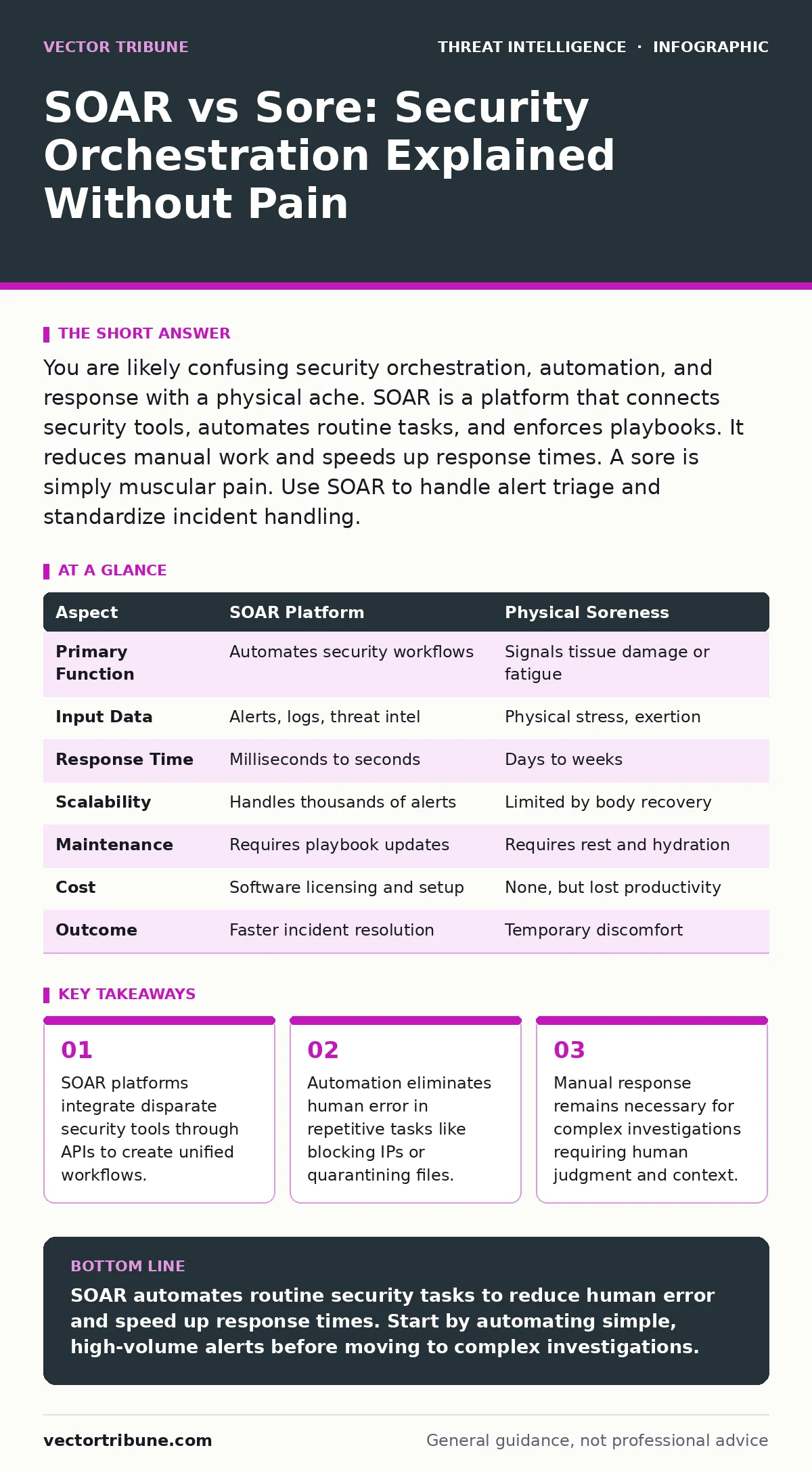
You are likely confusing security orchestration, automation, and response with a physical ache. SOAR is a platform that connects security tools, automates routine tasks, and enforces playbooks. It reduces manual work and speeds up response times. A sore is simply muscular pain. Use SOAR to handle alert triage and standardize incident handling.
SOAR vs Sore: The Core Difference
SOAR stands for Security Orchestration, Automation, and Response. It is a software platform that connects your security tools, automates repetitive tasks, and guides analysts through incident response. It turns chaotic data into structured actions. Sore is a physical sensation of pain or discomfort, usually in muscles or joints. The two share no technical relationship. If you are researching cybersecurity, you need SOAR. If you lifted heavy boxes, you might have a sore back. Confusing the two leads to buying software when you need rest, or resting when you need automation.
What SOAR Actually Does
SOAR platforms act as the central nervous system for your security operations. They ingest alerts from firewalls, endpoint detection, and identity providers. Then they execute predefined playbooks. A playbook is a set of rules that dictates what happens when a specific alert triggers. For example, if an endpoint detects malware, the SOAR platform can automatically isolate the machine, collect logs, and create a ticket. This removes the need for an analyst to log into three different consoles manually. It ensures consistency across every incident.
The Problem of Manual Response
Security teams face a constant flood of alerts. Most are false positives or low severity. Investigating each one manually is exhausting and slow. Analysts suffer from alert fatigue when they see too many warnings. This leads to missed threats because humans ignore repeated signals. Manual response also lacks consistency. One analyst might check logs first, while another checks network traffic. SOAR enforces a standard procedure. It ensures that every incident follows the same steps, regardless of who is on shift. This standardization is critical for audits and legal compliance.
How Automation Improves Accuracy
Automation handles the boring parts of security. It blocks known bad IP addresses, disables compromised accounts, and resets passwords. These tasks are simple but frequent. Humans make mistakes when repeating them hundreds of times. Software does not get tired or distracted. By automating these steps, you free up analysts to focus on complex problems. They can investigate tactics, techniques and procedures (TTPs) that require deep thinking. Automation also creates a complete audit trail. Every action is logged with a timestamp. This makes digital forensics and incident response much easier later.
SOAR vs Sore: Point-by-Point Comparison
Understanding the differences requires looking at function, cost, and outcome. SOAR is a strategic investment in efficiency. Soreness is a temporary physiological state. The table below compares their attributes to clarify why one belongs in your tech stack and the other in your recovery plan.
| Aspect | SOAR Platform | Physical Soreness |
|---|---|---|
| Primary Function | Automates security workflows | Signals tissue damage or fatigue |
| Input Data | Alerts, logs, threat intel | Physical stress, exertion |
| Response Time | Milliseconds to seconds | Days to weeks |
| Scalability | Handles thousands of alerts | Limited by body recovery |
| Maintenance | Requires playbook updates | Requires rest and hydration |
| Cost | Software licensing and setup | None, but lost productivity |
| Outcome | Faster incident resolution | Temporary discomfort |
See also: Misdirected Email Response: Containment and Recovery Steps · Alert Triage: How to Cut Noise and Find Real Threats
When to Choose SOAR
Choose a SOAR platform when your team spends more time on repetitive tasks than on actual investigation. If your analysts manually copy paste data between tools, you are wasting money. SOAR shines when you have multiple security products that do not talk to each other. It bridges the gap between them. You should also consider SOAR when you struggle with consistent response times. If your mean time to respond varies wildly, automation will stabilize it. It is also useful for scaling your team. New hires can follow automated playbooks immediately, reducing the training burden.
When Manual Response Still Wins
Automation is not a silver bullet. Some incidents require human intuition and context. If an alert involves a senior executive, you might want a human to verify before isolating their machine. Automated systems can trigger false positives. A wrong block can disrupt business operations. You need humans to review edge cases. Also, novel attacks often bypass automated rules. If you are dealing with advanced command and control traffic that looks like normal web browsing, a human analyst is needed to spot the anomaly. Manual response is better for initial setup, playbook creation, and complex decision making.
Overlap and Integration
SOAR and manual response work best together. The platform handles the volume, while humans handle the complexity. Analysts should spend their time on disinformation bot networks or sophisticated pass-the-ticket attacks. These require creativity and deep understanding. SOAR feeds them clean, enriched data. It also helps with alert triage by filtering out noise. This allows your team to focus on the few real threats. The goal is not to replace humans, but to make them more effective. You build playbooks based on your specific environment and risk tolerance.
Building Your First Playbook
Start by identifying repetitive tasks. Look for actions your team does daily. Blocking an IP, disabling a user, or sending an email notification are good candidates. Map out the steps required. Then configure your SOAR platform to perform those steps automatically. Test the playbook in a sandbox environment first. Ensure it does not cause unintended side effects. Once it works, deploy it to production. Monitor its performance. Adjust the rules as you learn more. This iterative process builds a resilient security posture over time.
Key takeaways
- SOAR platforms integrate disparate security tools through APIs to create unified workflows.
- Automation eliminates human error in repetitive tasks like blocking IPs or quarantining files.
- Manual response remains necessary for complex investigations requiring human judgment and context.
SOAR automates routine security tasks to reduce human error and speed up response times. Start by automating simple, high-volume alerts before moving to complex investigations.
Frequently asked questions
Does SOAR replace security analysts?
No, it augments them by handling repetitive tasks, allowing analysts to focus on complex investigations and strategic improvements.
Can SOAR prevent all cyber attacks?
No, it responds to detected threats. Prevention requires firewalls, patching, and user training. SOAR improves how you handle breaches that get through.
Is SOAR only for large enterprises?
No, small teams benefit from automation too. It helps them scale their capabilities without hiring more staff to handle alert volume.
How long does it take to implement SOAR?
Basic automation can start in weeks. Full integration with all tools and complex playbooks may take months of testing and refinement.
How this guide was produced: written by the Vector Tribune editorial team with AI assistance, checked against the public references listed below, and reviewed when the facts change. See our editorial policy or report an error.