
Detect Pass-the-Ticket Attacks: Early Signs and Silent Indicators
Pass-the-ticket attacks often bypass password monitoring entirely, leaving only subtle authentication anomalies and unexpected privilege escalations as the primary warning signs.
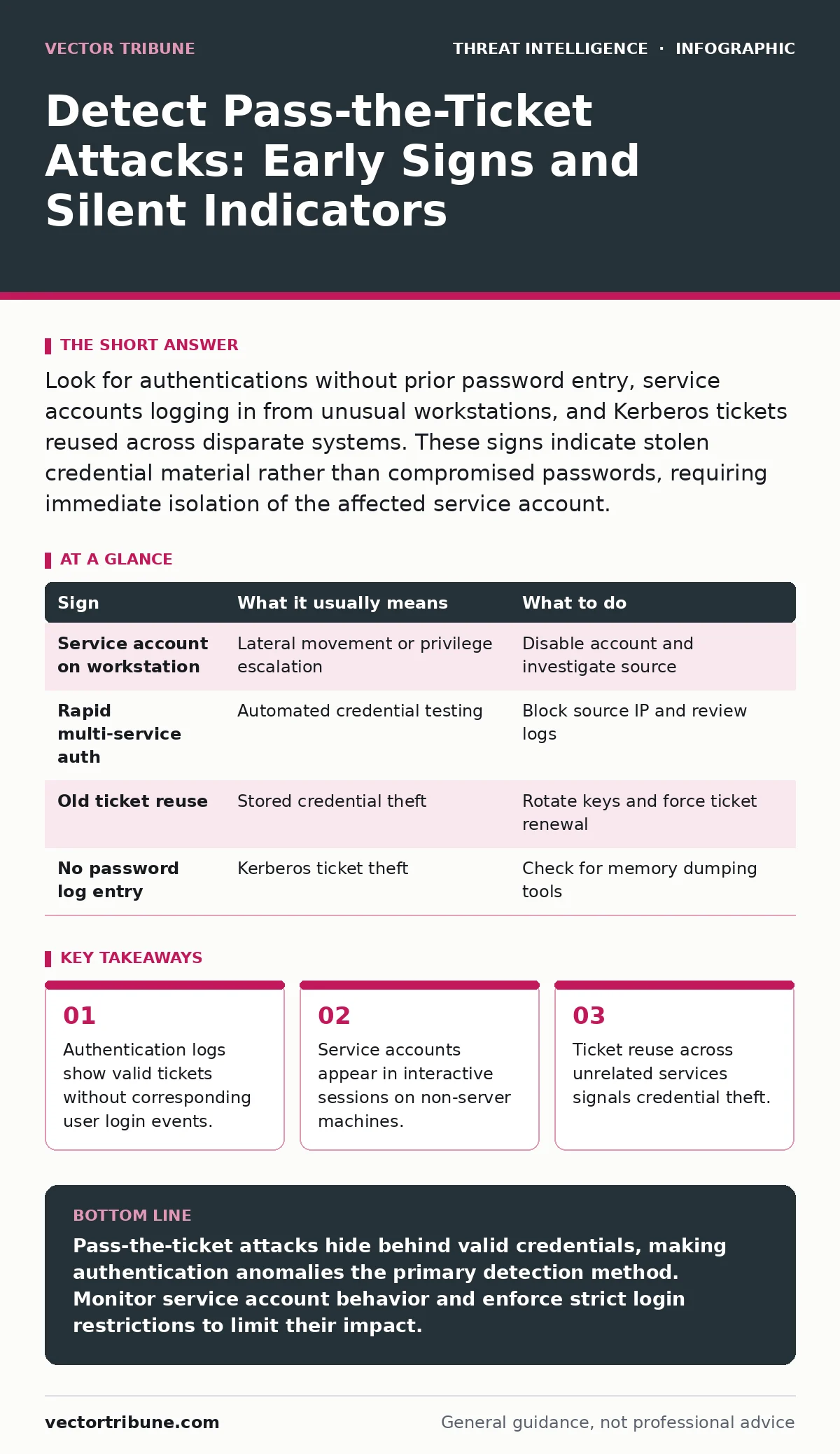
Look for authentications without prior password entry, service accounts logging in from unusual workstations, and Kerberos tickets reused across disparate systems. These signs indicate stolen credential material rather than compromised passwords, requiring immediate isolation of the affected service account.
The Mechanism Behind Ticket Theft
Pass-the-ticket attacks exploit the Kerberos protocol, which manages authentication in Windows environments. Instead of stealing a password, an attacker captures a Ticket Granting Ticket or a service ticket from memory. This stolen ticket allows the attacker to impersonate a user or service account without knowing the actual credentials. Because the ticket is valid, the system accepts the authentication as legitimate. This method bypasses many standard defenses that focus solely on password complexity or account lockout policies.
Obvious Signs of Compromise
The first signs often appear in authentication logs. You may notice a service account logging into a workstation where it has no business being. Service accounts typically run background tasks on servers, not interactive sessions on user desktops. Another clear indicator is a user account authenticating to multiple disparate services in rapid succession. Normal users rarely access a file server, a database, and a mail server within seconds of each other. These anomalies suggest an automated script is testing stolen credentials.
Subtle Indicators That Slip By
Some signs are much harder to detect. An attacker might use a stolen ticket to access a resource they already had permission to view. This creates no new access logs, only a continuation of normal activity. The timing might be slightly off, such as access occurring outside of business hours, but the action itself looks benign. Another hidden cost is the lack of a password hash capture. If you monitor for password spraying or hash dumping, you will see nothing. The attack leaves no trace of credential theft, only the result of the theft.
Interpreting Authentication Logs
To spot these attacks, you must correlate authentication events with user behavior. Look for the Service Principal Name in the logs. If a ticket is presented for a service that does not match the user’s role, flag it. For example, a standard user presenting a ticket for a domain controller service is a major red flag. You should also check the ticket issuance time. If a ticket was issued long ago but is being used now, it may have been captured and stored for later use. This technique is known as pass-the-hash when dealing with NTLM, but pass-the-ticket specifically refers to Kerberos.
Immediate Response Steps
When you suspect a pass-the-ticket attack, act quickly. Isolate the affected service account by disabling it or rotating its key. This invalidates any tickets issued for that account. Check other accounts for similar anomalies, as attackers often move laterally. Do not simply reset passwords, as this does not invalidate existing Kerberos tickets. You must force a ticket renewal or disable the account entirely. Preserve logs for later analysis, as they are critical for understanding the scope of the breach.
See also: Tactics vs Techniques vs Procedures: The Difference in Cybersecurity · Red Teaming Definition: How Adversarial Simulation Works
Detection and Prevention Table
| Sign | What it usually means | What to do |
|---|---|---|
| Service account on workstation | Lateral movement or privilege escalation | Disable account and investigate source |
| Rapid multi-service auth | Automated credential testing | Block source IP and review logs |
| Old ticket reuse | Stored credential theft | Rotate keys and force ticket renewal |
| No password log entry | Kerberos ticket theft | Check for memory dumping tools |
Long-Term Mitigation Strategies
Preventing these attacks requires limiting the scope of service accounts. Use Group Managed Service Accounts, which automatically rotate passwords and restrict where the account can log on. Implement Least Privilege by ensuring accounts only have the permissions they strictly need. Monitor for memory dumping tools, which are often used to extract tickets. Regularly review access controls and remove unnecessary permissions. This reduces the value of any ticket an attacker might steal.
Correlating with Other Threats
Pass-the-ticket attacks often follow other compromise methods. You may see signs of Active Directory attacks that precede the ticket theft. Attackers might use Kerberoasting to target service accounts with weak encryption types. Look for indicators of attack that suggest memory access or process injection. These techniques help attackers extract the tickets in the first place. Understanding the full chain helps you detect the attack earlier.
Key takeaways
- Authentication logs show valid tickets without corresponding user login events.
- Service accounts appear in interactive sessions on non-server machines.
- Ticket reuse across unrelated services signals credential theft.
Pass-the-ticket attacks hide behind valid credentials, making authentication anomalies the primary detection method. Monitor service account behavior and enforce strict login restrictions to limit their impact.
Frequently asked questions
Does two-factor authentication stop pass-the-ticket attacks?
No, because the attack uses a valid Kerberos ticket, not a password. The ticket bypasses the initial authentication check where 2FA would normally be required.
How long do stolen Kerberos tickets remain valid?
Tickets have a limited lifetime, usually eight hours, but can be renewed. If the attacker captures a Ticket Granting Ticket, they can generate new service tickets for the duration of the TGT’s life.
Can I detect this with standard antivirus software?
Antivirus may detect the tools used to steal the ticket, but it cannot detect the ticket itself. You need specialized monitoring for authentication logs and unusual service account activity.
What is the difference between pass-the-hash and pass-the-ticket?
Pass-the-hash uses NTLM hashes to authenticate, while pass-the-ticket uses Kerberos tickets. Kerberos is the default in modern Windows domains, making pass-the-ticket more common in those environments.
How this guide was produced: written by the Vector Tribune editorial team with AI assistance, checked against the public references listed below, and reviewed when the facts change. See our editorial policy or report an error.