
Extended Detection and Response (XDR) Explained: How It Works
XDR connects isolated security tools into a single system that spots threats across your entire network, not just on individual devices.
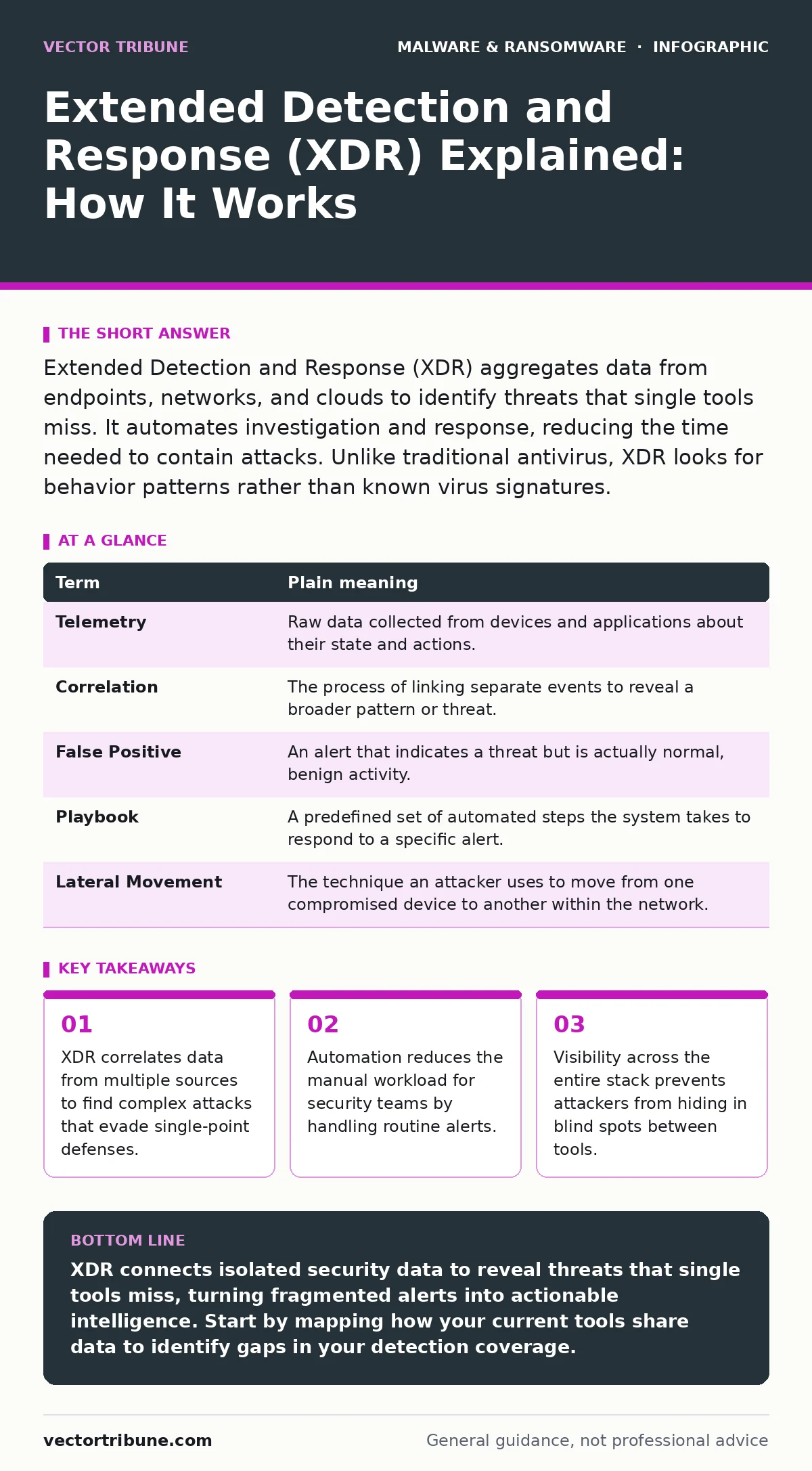
Extended Detection and Response (XDR) aggregates data from endpoints, networks, and clouds to identify threats that single tools miss. It automates investigation and response, reducing the time needed to contain attacks. Unlike traditional antivirus, XDR looks for behavior patterns rather than known virus signatures.
The Security Control Room
Imagine a large hospital with separate monitoring stations for heart rate, blood pressure, and brain activity. Each station works perfectly on its own. However, a patient might have a normal heart rate while their blood pressure drops dangerously low. If the stations do not share data, the nurses miss the full picture of the patient’s decline.
Extended Detection and Response (XDR) acts as the central control room for this hospital. It does not just watch one vital sign. It pulls data from every monitor, correlates the signals, and alerts staff when the combination of readings indicates a serious problem, even if each individual reading looks acceptable in isolation.
This approach changes how you view security. You stop looking for a single broken lock. You start looking for the pattern of behavior that suggests an intruder is already inside.
Core Mechanics of XDR
Traditional security tools often operate in silos. An endpoint detection tool watches the laptop. A firewall watches the network traffic. A cloud security tool watches the server logs. XDR breaks down these walls. It ingests telemetry, which is detailed operational data, from all these sources into a single platform.
The system then applies analytics to find connections. For example, it might notice that a user logged in from a new country at 3 a.m. while simultaneously accessing a sensitive database. Alone, these events might seem minor. Together, they signal a compromised account.
This correlation is the primary value of XDR. It reduces noise by filtering out false positives that isolated tools would flag individually. It also speeds up response times because the system has already linked the related events.
Key Terms Defined
Understanding XDR requires familiarity with specific industry terminology. These terms describe how the system collects, analyzes, and reacts to data.
| Term | Plain meaning |
|---|---|
| Telemetry | Raw data collected from devices and applications about their state and actions. |
| Correlation | The process of linking separate events to reveal a broader pattern or threat. |
| False Positive | An alert that indicates a threat but is actually normal, benign activity. |
| Playbook | A predefined set of automated steps the system takes to respond to a specific alert. |
| Lateral Movement | The technique an attacker uses to move from one compromised device to another within the network. |
The Hidden Cost of Visibility
XDR provides deep visibility, but this comes with a trade-off. Collecting telemetry from every device generates massive amounts of data. If you do not configure the system carefully, you will drown in alerts. This is known as alert fatigue.
Security teams may ignore warnings if they receive hundreds of false positives daily. To prevent this, you must tune the detection rules. This tuning takes time and expertise. You must teach the system what normal behavior looks like for your specific environment.
If you skip this tuning phase, the tool becomes a burden rather than a benefit. It will flag routine software updates as suspicious activity. This is similar to how security regression testing ensures that new code does not break existing features. You must test your detection rules to ensure they do not break your daily operations.
Automation and Response
Detection is only half the job. Response is the other. XDR platforms include automation capabilities. When the system identifies a high-confidence threat, it can execute a playbook. This might involve isolating the infected device from the network or disabling a compromised user account.
This automation happens in seconds. A human analyst might take hours to verify and act. By the time a human responds, the attacker may have already encrypted your files or exfiltrated data.
However, automation requires careful oversight. If the system makes a mistake, it could lock out legitimate users or shut down critical servers. You must review automated actions regularly. This is where concepts like memory forensics become relevant. If an automated response fails to clear a threat, you need deep forensic tools to understand what the malware did in the system memory before it was removed.
See also: Potentially Unwanted Programs: How Hidden Tools Compromise Security
Integrating with Existing Tools
XDR does not always replace your current security stack. Often, it sits on top of existing tools. It connects to your antivirus, firewall, and identity management systems. This integration is key to its effectiveness.
If you rely solely on Microsoft Defender Antivirus, you are protected against known malware signatures. But XDR adds a layer of behavioral analysis on top of that. It looks for actions that antivirus might miss, such as fileless malware that runs only in memory and leaves no trace on the disk.
This layered approach is necessary because no single tool catches everything. Attackers constantly evolve their techniques. They might use cryptojacking scripts that mine cryptocurrency using your company’s resources. These scripts often look like normal web traffic. XDR correlates the high CPU usage with the unusual network traffic to spot the anomaly.
First Practical Step
You do not need to buy a new suite of software to start thinking like an XDR user. You can begin by auditing your current alert sources. List every tool that sends you security notifications.
Next, identify which of these tools can export data in a standard format. If your firewall, email gateway, and endpoint agents can all send logs to a central place, you have the foundation for XDR.
Finally, pick one common threat scenario. For example, choose "phishing." Map out how an alert would flow from email detection to endpoint isolation. If the tools do not talk to each other, you have a gap. Closing that gap is the first step toward true extended detection and response.
Beyond Perimeter Defense
The old model of security focused on the perimeter. You built a high wall and watched the gates. XDR assumes the wall has already been breached. It focuses on what happens inside.
This shift is critical. Attackers often sit inside your network for months before being detected. They move slowly, stealing data bit by bit. Traditional tools might not see this slow drip. XDR looks for the cumulative effect of these small actions.
It also helps with potentially unwanted programs. These are applications that are not strictly malicious but can weaken security. XDR can identify when these programs are installed in unusual clusters, suggesting a coordinated attack rather than random user behavior.
Maintaining the System
XDR is not a set-and-forget solution. It requires ongoing maintenance. You must update the correlation rules as your business changes. New applications, new remote work policies, and new cloud services all change the baseline of normal behavior.
If you do not update these baselines, the system will generate more false positives. This leads back to alert fatigue. Teams will start ignoring the alerts, rendering the tool useless.
Regular reviews are necessary. You should analyze the alerts that were dismissed as false positives. Were they truly benign? Or did they indicate a new type of attack? This continuous learning process is what keeps the system effective.
Key takeaways
- XDR correlates data from multiple sources to find complex attacks that evade single-point defenses.
- Automation reduces the manual workload for security teams by handling routine alerts.
- Visibility across the entire stack prevents attackers from hiding in blind spots between tools.
XDR connects isolated security data to reveal threats that single tools miss, turning fragmented alerts into actionable intelligence. Start by mapping how your current tools share data to identify gaps in your detection coverage.
Frequently asked questions
Does XDR replace antivirus software?
No, XDR typically works alongside antivirus. It adds behavioral analysis and correlation to the signature-based detection that antivirus provides, creating a layered defense.
Is XDR only for large enterprises?
While originally designed for large organizations, cloud-based XDR solutions are now available for small and medium-sized businesses. The complexity depends on how many data sources you choose to integrate.
How does XDR handle privacy concerns?
XDR collects telemetry data, which can include user activity. You must configure data retention policies and access controls to ensure that sensitive personal information is protected and only accessible to authorized security staff.
What is the difference between XDR and SIEM?
SIEM (Security Information and Event Management) focuses on collecting and logging data for analysis. XDR goes further by including automated response capabilities and deeper integration with endpoint and cloud security tools.
How this guide was produced: written by the Vector Tribune editorial team with AI assistance, checked against the public references listed below, and reviewed when the facts change. See our editorial policy or report an error.