
Potentially Unwanted Programs: How Hidden Tools Compromise Security
These programs operate in the shadows, consuming resources and opening backdoors that standard security tools often ignore by design.
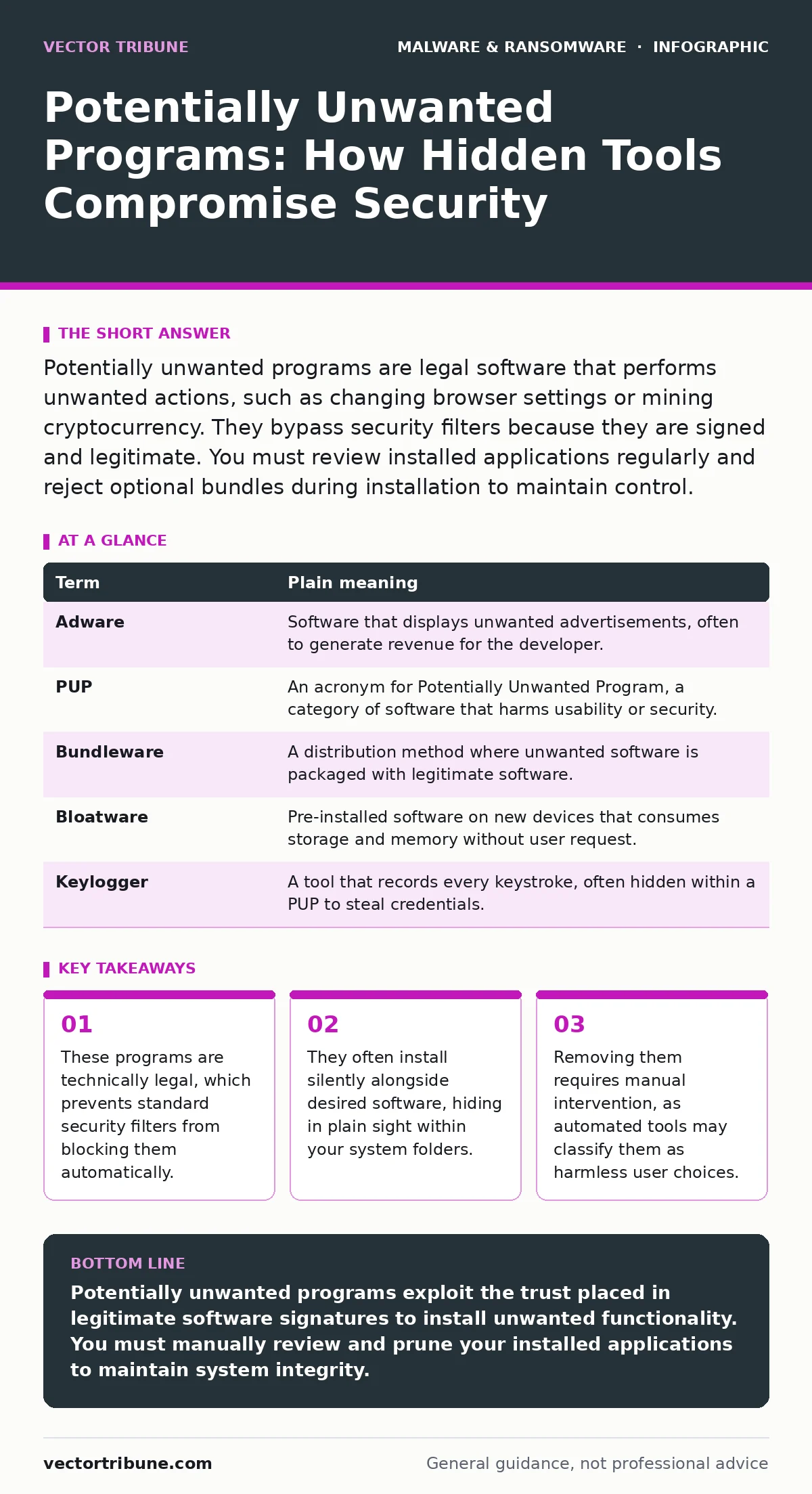
Potentially unwanted programs are legal software that performs unwanted actions, such as changing browser settings or mining cryptocurrency. They bypass security filters because they are signed and legitimate. You must review installed applications regularly and reject optional bundles during installation to maintain control.
The Uninvited Contractor Analogy
Imagine you hire a contractor to build a deck. You sign a contract for the wood and labor. While working, the contractor installs a satellite dish on your roof. You did not ask for it, and it blocks your sunlight. However, the contract was vague enough that the contractor claims they have the right to install "communications equipment." You cannot easily sue them because the work was technically within the broad scope of the agreement. This is how potentially unwanted programs operate. They arrive with your permission, but they do work you never requested.
Defining the Gray Area
A potentially unwanted program is software that installs on your device without your clear, informed consent. It is not a virus or a worm. It does not replicate itself. Instead, it relies on social engineering or hidden checkboxes to gain entry. These programs often provide a function, such as a toolbar or a download manager, but they bundle adware, trackers, or system modifiers. The line between useful tool and unwanted program is drawn by behavior, not by code signature.
| Term | Plain meaning |
|---|---|
| Adware | Software that displays unwanted advertisements, often to generate revenue for the developer. |
| PUP | An acronym for Potentially Unwanted Program, a category of software that harms usability or security. |
| Bundleware | A distribution method where unwanted software is packaged with legitimate software. |
| Bloatware | Pre-installed software on new devices that consumes storage and memory without user request. |
| Keylogger | A tool that records every keystroke, often hidden within a PUP to steal credentials. |
Why Security Tools Ignore Them
Standard security solutions rely on signatures. A signature is a unique digital fingerprint of a known threat. Because potentially unwanted programs are often commercially sold and digitally signed by their creators, they do not trigger these alerts. The security software sees a valid signature and assumes the user wants the program. This creates a blind spot. The program is legitimate in the eyes of the defender, but malicious in its impact on the user. This is why Microsoft Defender Antivirus may leave these programs alone. It follows the principle of least intervention, trusting the user to manage their own installed applications.
The Hidden Costs of Convenience
These programs extract value from you in ways that are not immediately obvious. They may redirect your search queries to specific partners, generating ad revenue for the developer. They might collect browsing habits and sell them to data brokers. In more severe cases, they install components that facilitate cryptojacking, using your computer’s processing power to mine cryptocurrency without your knowledge. This slows down your system and increases electricity costs. The damage is not always a stolen bank account. It is often a slow erosion of performance and privacy.
The Risk of Silent Persistence
Once installed, these programs often modify system settings to ensure they remain active. They may add entries to the startup sequence, ensuring they run every time you boot your device. They can change your default browser homepage or install extensions that are difficult to remove. If you try to uninstall them, they may leave residual files or registry entries that continue to track activity. This persistence makes them harder to remove than simple files. They integrate into the operating system’s fabric, requiring careful removal to avoid breaking other functions.
See also: Microsoft Defender Antivirus: Core Mechanics, Limits, and Integration
Manual Defense Strategies
You are the primary line of defense against these programs. Automated tools are not designed to catch them. You must adopt a habit of scrutiny during installation. When installing free software, always choose the custom or advanced installation option. This reveals the bundled offers. Read every screen. Uncheck boxes that offer additional toolbars, search engines, or trial software. This extra minute of effort prevents hours of troubleshooting later.
Cleaning Up the Mess
If you suspect a potentially unwanted program is present, start with the operating system’s uninstaller. Look for programs with generic names or misspelled titles. Run a dedicated cleanup tool if necessary, but be cautious. Some removal tools are themselves potentially unwanted programs. Stick to reputable, open-standard solutions. After removal, reset your browser settings to default. This clears out any lingering extensions or homepage changes. Check your disaster recovery plans to ensure you have a backup of your data, in case the removal process destabilizes your system.
Try This Now
- Open your system settings and navigate to the list of installed applications. Sort the list by installation date.
- Identify any programs installed on days when you did not actively install new software. Research these names online.
- Uninstall any unrecognized programs and restart your computer to clear temporary files and memory caches.
Key takeaways
- These programs are technically legal, which prevents standard security filters from blocking them automatically.
- They often install silently alongside desired software, hiding in plain sight within your system folders.
- Removing them requires manual intervention, as automated tools may classify them as harmless user choices.
Potentially unwanted programs exploit the trust placed in legitimate software signatures to install unwanted functionality. You must manually review and prune your installed applications to maintain system integrity.
Frequently asked questions
Are potentially unwanted programs illegal?
No, they are often legal products sold by legitimate companies. They rely on ambiguous licensing terms to justify their installation.
Can antivirus software remove them?
Standard antivirus focuses on malware. It may not flag PUPs because they are signed and legal. You often need manual removal or specialized cleanup tools.
Do they steal money directly?
Rarely. They usually generate revenue through ads or data sales. However, they can create vulnerabilities that other attackers exploit to steal money.
How do I prevent them from returning?
Always use custom installation options for software. Keep your operating system updated. Avoid downloading software from unofficial third-party sites.
How this guide was produced: written by the Vector Tribune editorial team with AI assistance, checked against the public references listed below, and reviewed when the facts change. See our editorial policy or report an error.