Microsoft Defender Antivirus: Core Mechanics, Limits, and Integration
Microsoft Defender Antivirus operates as a native kernel-level filter that intercepts file operations before they execute, providing protection that external scanners often miss.
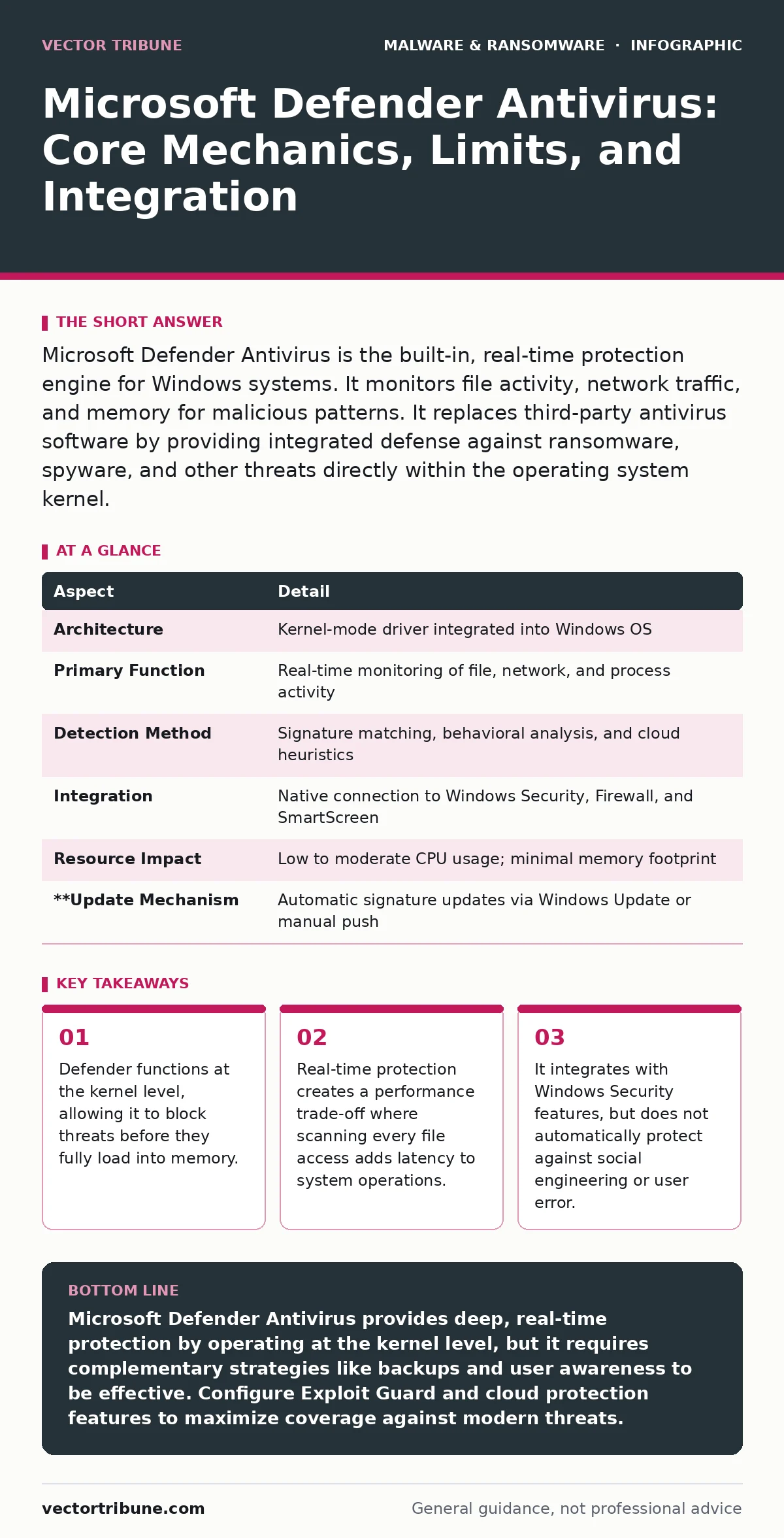
Microsoft Defender Antivirus is the built-in, real-time protection engine for Windows systems. It monitors file activity, network traffic, and memory for malicious patterns. It replaces third-party antivirus software by providing integrated defense against ransomware, spyware, and other threats directly within the operating system kernel.
The Kernel-Level Gatekeeper
Imagine a bouncer at a club who checks every guest’s ID before they cross the threshold. Now imagine that bouncer is embedded in the door frame itself, not standing nearby. This is how Microsoft Defender Antivirus functions. It is not a separate application that runs in the background. It is a component of the Windows operating system kernel, the core part of the OS that manages hardware and software resources.
Because it lives at this low level, Defender can inspect files as they are read from the disk or written to memory. Most third-party antivirus programs operate at a higher level, often missing threats that hide in kernel drivers or use advanced obfuscation. Defender sees these actions because it helps manage them. This architectural choice provides deeper visibility but also means Defender has privileged access to your entire system.
| Aspect | Detail |
|---|---|
| Architecture | Kernel-mode driver integrated into Windows OS |
| Primary Function | Real-time monitoring of file, network, and process activity |
| Detection Method | Signature matching, behavioral analysis, and cloud heuristics |
| Integration | Native connection to Windows Security, Firewall, and SmartScreen |
| Resource Impact | Low to moderate CPU usage; minimal memory footprint |
| **Update Mechanism | Automatic signature updates via Windows Update or manual push |
The Problem It Solves
The core problem Defender solves is the lag between threat discovery and protection. Traditional antivirus software relied on signatures, which are unique digital fingerprints of known malware. If a new virus appeared, you had to wait for the vendor to analyze it, create a signature, and push an update. This window could last days or weeks.
Defender reduces this window by combining local signatures with cloud-based heuristics. Heuristics are rules that predict malicious behavior based on characteristics, not exact matches. If a file tries to encrypt your documents rapidly, Defender flags it as ransomware-like behavior, even if the specific file has never been seen before. This allows for protection against zero-day threats, which are exploits for vulnerabilities that have no known patch or signature.
However, this speed comes with a cost. Behavioral analysis is less precise than signature matching. It looks for patterns of intent rather than known bad actors. This leads to the next section on how the system actually decides what is dangerous.
Main Components of Defense
Defender is not a single tool but a suite of mechanisms working in parallel. You must understand each part to know where your exposure lies.
Real-time Protection is the continuous monitor. It watches every file operation. If you open a file, Defender scans it. If it matches a known bad signature or exhibits suspicious behavior, it blocks the action. This is the most resource-intensive feature because it happens constantly.
Cloud-Delivered Protection sends suspicious files to Microsoft’s cloud for analysis. If the local engine is unsure, it queries the cloud. This requires an internet connection. If you are offline, Defender relies solely on its local signatures and heuristics, which may be outdated.
Automatic Sample Submission sends copies of detected threats to Microsoft. This helps improve the global database. You can disable this, but doing so slows down the community’s ability to detect new threats.
Exploit Guard is a critical layer. It protects against vulnerabilities in software by restricting how applications can behave. For example, it can prevent a web browser from executing code in memory, a technique known as code injection. This stops attackers who exploit flaws in legitimate programs.
Integration with Other Defences
Defender does not work in isolation. It fits into a broader security model. You should view it as the foundation, not the entire house. It works closely with potentially unwanted programs detection, which flags software that is not strictly malicious but may be risky, such as adware or toolbars.
It also integrates with extended detection and response (XDR) platforms for enterprise environments. XDR aggregates data from endpoints, networks, and cloud services. Defender provides the endpoint telemetry that XDR analyzes for broader attack patterns. For individual users, this integration is less visible, but the principle remains: Defender provides the raw data that other security tools use.
You must also consider fileless malware. These attacks live entirely in memory, leaving no files on the disk for traditional scanners to find. Defender’s memory scanning features help here, but they are not perfect. Understanding memory forensics is useful for advanced users who need to investigate how these attacks bypassed initial detection.
Common Misconceptions
Many users believe that having Defender enabled means they are fully protected. This is a dangerous assumption. Defender protects against known technical threats, but it cannot protect you from social engineering. If you voluntarily give away your credentials through shoulder surfing or a phishing email, Defender cannot stop the resulting access.
Another misconception is that Defender replaces the need for disaster recovery plans. If ransomware encrypts your files before Defender can block it, or if Defender fails to detect a novel strain, you need backups. Defender is a preventive control. Backups are a corrective control. They serve different purposes.
Finally, users often think Defender slows down their computer significantly. While there is a performance cost, modern versions are optimized. The real slowdown often comes from conflicting third-party antivirus software. Running two real-time scanners causes file locking issues and system instability. Defender is designed to be the sole real-time protector.
See also: Detecting Cryptojacking: Signs, Logs, and Blind Spots
Trade-offs and Edge Cases
Using Defender requires accepting certain trade-offs. The primary trade-off is privacy versus protection. Cloud-delivered protection and automatic sample submission require sending data to Microsoft. While this data is anonymized and used for security, some organizations have strict data residency requirements that prevent this.
Another edge case involves software development. Developers often create code that uses techniques similar to malware, such as code packing or obfuscation. Defender may flag these legitimate files as threats. This is a false positive. You must have a process to submit these files for review and add exclusions if necessary. However, adding too many exclusions weakens your security posture.
Imagine you are deploying a new application that uses a novel compression algorithm. Defender might see the compressed data as suspicious entropy, a statistical measure of randomness often found in encrypted malware. You must balance the need for the software to run with the need to keep the scanner active.
Conclusion of Mechanics
Microsoft Defender Antivirus is a sophisticated, integrated defense system. It leverages its position in the kernel to provide real-time protection that external tools struggle to match. It solves the problem of detection lag through cloud heuristics and behavioral analysis. However, it is not a silver bullet. It requires proper configuration, understanding of its limits, and integration with other security practices like backups and user training.
Key takeaways
- Defender functions at the kernel level, allowing it to block threats before they fully load into memory.
- Real-time protection creates a performance trade-off where scanning every file access adds latency to system operations.
- It integrates with Windows Security features, but does not automatically protect against social engineering or user error.
- False positives can occur when legitimate software uses packing techniques similar to malware obfuscation.
Microsoft Defender Antivirus provides deep, real-time protection by operating at the kernel level, but it requires complementary strategies like backups and user awareness to be effective. Configure Exploit Guard and cloud protection features to maximize coverage against modern threats.
Frequently asked questions
Does Microsoft Defender Antivirus replace the need for a third-party antivirus?
Yes, for most users, Defender provides sufficient protection when configured correctly. Running additional real-time scanners can cause conflicts and reduce performance.
How does Defender handle offline threats?
Offline, Defender relies on its local signature database and heuristic rules. It cannot query the cloud for new threat intelligence, so its effectiveness depends on how recently it was updated.
Can I exclude specific folders from Defender scans?
Yes, you can configure exclusions for folders, files, or processes. However, exclusions should be used sparingly, as they create blind spots that malware can exploit.
Does Defender protect against phishing emails?
Defender includes SmartScreen technology, which helps block phishing sites and malicious downloads. However, it does not scan email content directly for social engineering attempts.
How this guide was produced: written by the Vector Tribune editorial team with AI assistance, checked against the public references listed below, and reviewed when the facts change. See our editorial policy or report an error.