
How to Read Security Advisories: Prioritization and Application
Most teams waste hours analyzing text when the real work lies in mapping advisory metadata to your specific asset inventory and dependency tree.
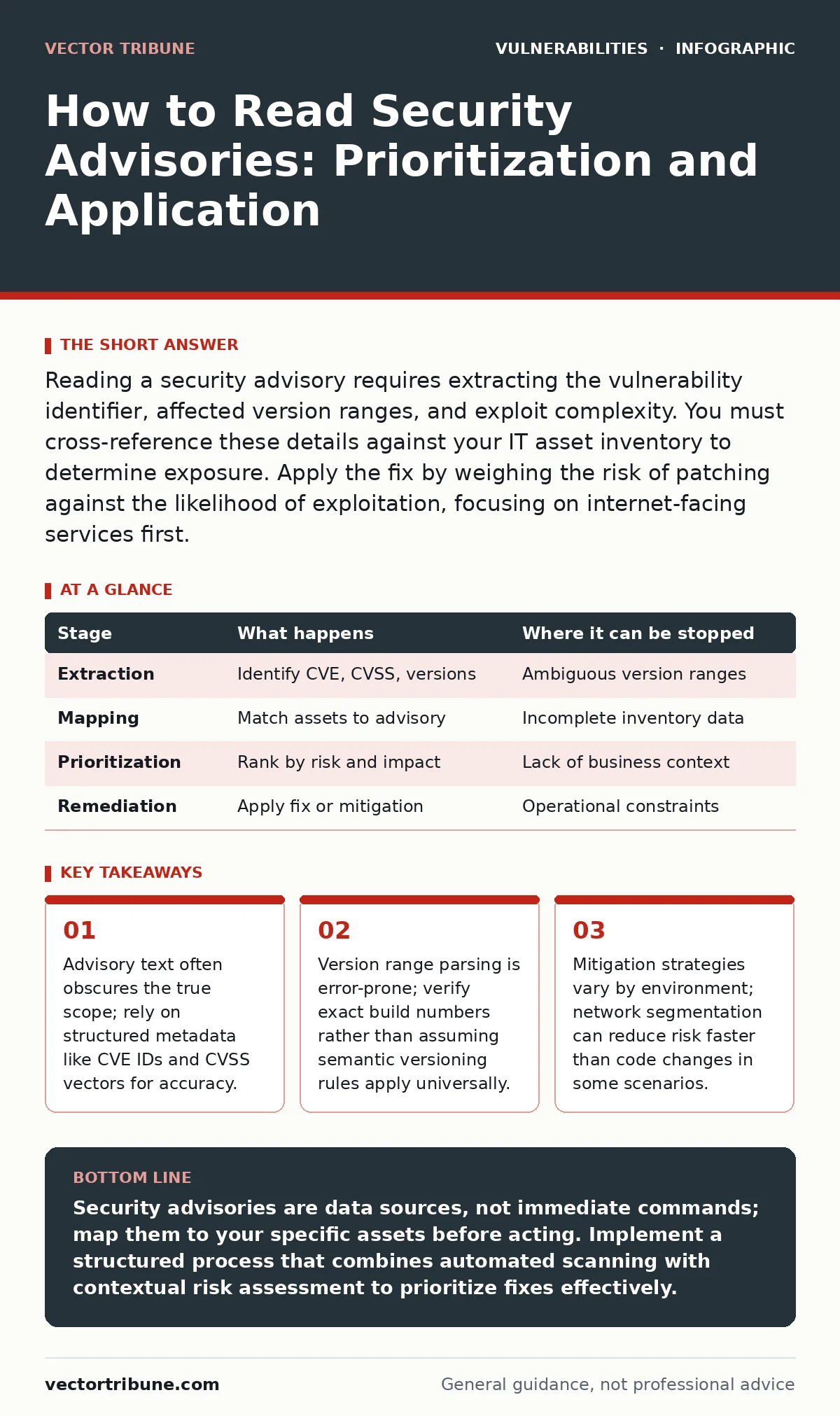
Reading a security advisory requires extracting the vulnerability identifier, affected version ranges, and exploit complexity. You must cross-reference these details against your IT asset inventory to determine exposure. Apply the fix by weighing the risk of patching against the likelihood of exploitation, focusing on internet-facing services first.
The Anatomy of a Security Advisory
A security advisory is a structured document that describes a flaw in software, hardware, or a configuration. It serves as the primary communication channel between vendors and users regarding risks. You must understand its components before you can act on it. The document typically contains a unique identifier, a severity rating, affected products, and remediation steps.
The unique identifier, often a Common Vulnerabilities and Exposures (CVE) ID, allows you to track the issue across different databases. The severity rating provides a standardized measure of risk, usually derived from a Common Vulnerability Scoring System (CVSS) vector. This vector breaks down the attack complexity, required privileges, and potential impact. Affected products list the specific versions that contain the flaw. Remediation steps describe how to fix or mitigate the issue.
Stage 1: Extraction and Validation
The first stage involves extracting key data points from the advisory text. You need to identify the exact vulnerability identifier and the severity score. Do not rely on the vendor’s marketing language. Look for the technical details that define the flaw. Check if the advisory references known exploit code or proof-of-concept demonstrations. The presence of public exploit code significantly increases the immediate risk.
You must validate the affected version ranges carefully. Vendors sometimes use ambiguous language like "prior to version 5.0" or "including hotfix 123". Verify these ranges against your own records. If the advisory is vague, consult secondary sources or community discussions for clarification. This step prevents false positives and false negatives in your risk assessment.
Stage 2: Asset Mapping and Exposure Analysis
After extraction, you must map the vulnerability to your environment. This requires a current and accurate IT asset inventory. Without knowing what software you run, you cannot determine if you are affected. Check your servers, containers, and library dependencies for the affected versions. Focus on internet-facing systems first, as they are most exposed to external attackers.
Consider the context of the deployment. A vulnerability in a backend database may be low risk if the database is not directly accessible from the internet. However, the same vulnerability becomes critical if the database listens on a public port. Evaluate the attack path. Can an attacker reach the vulnerable component? What intermediate controls, such as a web application firewall tuning, might block the attack?
| Stage | What happens | Where it can be stopped |
|---|---|---|
| Extraction | Identify CVE, CVSS, versions | Ambiguous version ranges |
| Mapping | Match assets to advisory | Incomplete inventory data |
| Prioritization | Rank by risk and impact | Lack of business context |
| Remediation | Apply fix or mitigation | Operational constraints |
Stage 3: Risk Prioritization and Contextualization
Not all vulnerabilities require immediate action. You must prioritize based on risk, not just severity. A high-severity flaw in an unused module poses less risk than a medium-severity flaw in a critical login system. Use patch prioritization strategies to decide which fixes to apply first. Consider the exploitability of the flaw. Does it require user interaction? Does it need authentication?
Context matters. A vulnerability in a medical device vulnerabilities context may have different implications than one in a web server. Evaluate the potential business impact. Would exploitation lead to data loss, service interruption, or regulatory fines? This contextual analysis helps you allocate resources effectively. It ensures you address the most dangerous threats first, rather than chasing every reported issue.
Stage 4: Remediation Strategy Selection
Once you have prioritized the risk, choose a remediation strategy. The ideal solution is to apply the vendor’s patch. However, patches can introduce new issues or break compatibility. Test patches in a non-production environment before deploying them widely. If a patch is not available, consider mitigation strategies. Network segmentation, access controls, or input validation can reduce the attack surface.
For some vulnerabilities, such as those related to dependency confusion attacks, removing the vulnerable component is the best fix. In other cases, like server-side request forgery (SSRF), you may need to implement additional validation logic. Choose the strategy that offers the best balance of security and stability. Document your decision and the rationale behind it. This creates an audit trail and helps future teams understand the choices made.
See also: Security Bulletins: How to Read Them Without Misinterpreting Risk · Patch Prioritization: Benefits, Limits, and When to Skip It
Stage 5: Implementation and Verification
Implement the chosen remediation strategy. Deploy the patch or apply the mitigation controls. Monitor the system for any unexpected behavior or performance degradation. Verify that the vulnerability is actually fixed. Use scanning tools or manual testing to confirm the absence of the flaw. Do not assume the fix works just because the vendor says it does.
Verification is critical. Some patches are incomplete or introduce new vulnerabilities. Check for any follow-up advisories or errata. Ensure that your monitoring systems are configured to detect exploitation attempts for this specific vulnerability. This provides early warning if the fix fails or if attackers find a bypass. Continuous verification ensures that your security posture remains strong.
Stage 6: Documentation and Feedback
Document the entire process. Record the advisory details, the assets affected, the risk assessment, and the remediation steps taken. Store this information in a central repository. This documentation serves as a reference for future incidents and audits. It helps you identify patterns and improve your processes over time.
Provide feedback to your vendors and internal teams. If the advisory was unclear or the patch was problematic, let the vendor know. Share lessons learned with your development and operations teams. This feedback loop helps improve the quality of future advisories and patches. It also fosters a culture of security awareness and continuous improvement within your organization.
Understanding Memory Safety and Language Choices
Some vulnerabilities stem from fundamental flaws in how code handles memory. Buffer overflow vulnerabilities are a classic example. These occur when a program writes data beyond the boundaries of a buffer. They can lead to code execution or crashes. While patches fix specific instances, the underlying risk remains if the codebase is not secure by design.
Consider using memory-safe programming languages for new projects. Languages like Rust or Go prevent many common memory errors at compile time. This reduces the likelihood of buffer overflows and other memory-related flaws. While migrating existing codebases is difficult, adopting safer languages for new components improves long-term security. This proactive approach reduces the volume of advisories you need to process in the future.
The Role of Automated Tools
Manual advisory reading is time-consuming and error-prone. Automated tools can help extract metadata and match it against your inventory. These tools can scan your dependencies and infrastructure for known vulnerabilities. They provide a consolidated view of your exposure. However, tools are not perfect. They may miss context or generate false positives.
Use tools to accelerate the initial stages of extraction and mapping. But always apply human judgment for risk prioritization and remediation strategy. Tools can tell you what is vulnerable, but they cannot tell you what matters to your business. Combine automated scanning with manual analysis for the best results. This hybrid approach ensures accuracy and efficiency in your security operations.
Key takeaways
- Advisory text often obscures the true scope; rely on structured metadata like CVE IDs and CVSS vectors for accuracy.
- Version range parsing is error-prone; verify exact build numbers rather than assuming semantic versioning rules apply universally.
- Mitigation strategies vary by environment; network segmentation can reduce risk faster than code changes in some scenarios.
Security advisories are data sources, not immediate commands; map them to your specific assets before acting. Implement a structured process that combines automated scanning with contextual risk assessment to prioritize fixes effectively.
Frequently asked questions
How do I handle advisories for software I no longer use?
Decommission the software if possible. If you cannot remove it, isolate it from the network to prevent exploitation. Document the residual risk.
What if a vendor does not provide a patch?
Implement compensating controls like network segmentation or strict access controls. Monitor for exploitation attempts. Consider migrating to a different product.
How often should I check for new advisories?
Check daily for critical systems and weekly for less critical ones. Use automated feeds to stay updated without manual effort.
Can I ignore low-severity advisories?
Only if the asset is not exposed and the business impact is negligible. Document the decision and review it periodically. Context determines relevance.
How this guide was produced: written by the Vector Tribune editorial team with AI assistance, checked against the public references listed below, and reviewed when the facts change. See our editorial policy or report an error.