
Mobile Security Architecture: 8 Practices for Device Integrity
Most mobile breaches bypass the screen lock entirely by exploiting unencrypted data stores and insecure inter-process communication channels within the device.
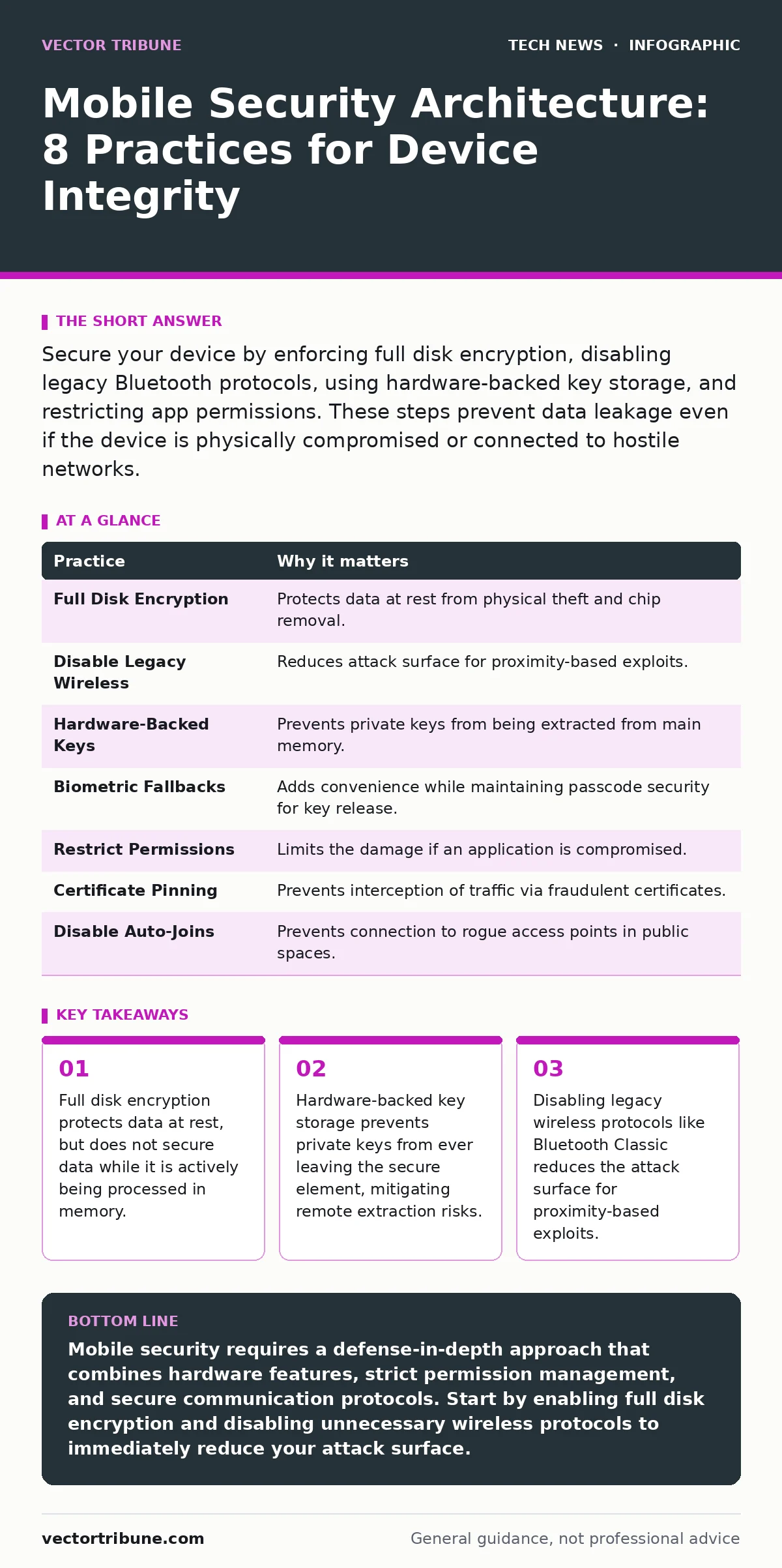
Secure your device by enforcing full disk encryption, disabling legacy Bluetooth protocols, using hardware-backed key storage, and restricting app permissions. These steps prevent data leakage even if the device is physically compromised or connected to hostile networks.
The Physical Layer Defense
Your mobile device is a pocket-sized server that rarely receives the same scrutiny as a backend infrastructure node. Physical access often grants an attacker the ability to bypass software controls if the hardware is not configured to resist tampering. You must assume that any device lost or stolen will be subjected to automated extraction tools within hours.
1. Enforce Full Disk Encryption
Full disk encryption transforms readable data into ciphertext using a cryptographic key. Without this key, the storage medium is just noise. Most modern operating systems handle this automatically, but you must ensure the feature is active and that the encryption key is tied to the device hardware, not just a user password. This prevents an attacker from removing the storage chip and reading it on another device.
Tip: Verify that your device uses hardware-backed encryption. If the operating system relies solely on software encryption, the key may reside in main memory longer than necessary, increasing the window for cold-boot attacks.
2. Disable Legacy Wireless Protocols
Bluetooth and Wi-Fi are convenience features that also serve as persistent entry points. Older versions of Bluetooth, specifically Bluetooth Classic, have known vulnerabilities in their pairing mechanisms. Even if you do not use these features daily, leaving them enabled allows an attacker to probe your device from a distance.
Tip: Turn off Bluetooth entirely when not in active use. If you require connectivity, use Bluetooth Low Energy only for trusted peripherals, as it has a smaller attack surface and different security requirements than the classic protocol.
Identity and Access Control
Credentials are the gatekeepers of your digital identity. Storing them in plain text or weakly encrypted databases invites theft. The goal is to ensure that identity verification happens in a secure environment that the main operating system cannot easily inspect.
3. Use Hardware-Backed Key Storage
Software-based key storage means the private key exists in the device's main memory. An attacker with root access can dump this memory and extract the key. Hardware-backed key storage, often implemented via a Secure Element or Trusted Execution Environment, keeps the key isolated. The key never leaves this secure chip; instead, cryptographic operations happen inside it.
Tip: When configuring authentication methods, prioritize those that utilize the device's secure hardware. For login credentials, consider integrating with passkeys standards, which leverage this hardware isolation to prevent phishing and credential stuffing.
4. Implement Biometric Fallbacks with Caution
Biometrics offer convenience, but they are not secrets in the traditional sense. You cannot change your fingerprint if it is compromised. Furthermore, biometric sensors can be spoofed with high-resolution images or 3D models. Using biometrics as a sole factor of authentication weakens your security posture because the "something you are" can be replicated.
Tip: Always pair biometric authentication with a strong passcode. The biometric scan should unlock the device for convenience, but the underlying encryption key release should still require the passcode after a certain period of inactivity or after a reboot.
Application and Data Integrity
Applications are the primary vector for malware. They request permissions, access the network, and store data. Trusting an application implicitly is a critical error. You must treat every app as a potential threat until proven otherwise.
5. Restrict Application Permissions
Applications often request more permissions than they need. A flashlight app does not need access to your contacts or location. Granting unnecessary permissions expands the attack surface. If the app is compromised, the attacker inherits all the permissions the app holds.
Tip: Audit app permissions regularly. Revoke access to sensitive data like the microphone, camera, and location for apps that do not explicitly require it for their core function. Use the operating system's privacy dashboard to monitor which apps are accessing sensitive sensors.
Network and Communication Security
Data in transit is vulnerable to interception. Even if the connection is encrypted, the endpoints may be compromised. You must ensure that the communication channel is secure and that the device does not trust unverified network infrastructure.
6. Verify Certificate Pinning and HTTPS
Many apps use HTTPS to encrypt data in transit. However, standard HTTPS relies on public certificate authorities. An attacker with a compromised root certificate installed on your device can intercept and decrypt this traffic. Certificate pinning binds the app to a specific certificate or public key, rejecting any other certificate even if it is valid.
Tip: When developing or selecting applications, ensure they implement certificate pinning. This prevents man-in-the-middle attacks where an attacker presents a fraudulent but technically valid certificate to intercept your data.
7. Disable Automatic Network Joins
Mobile devices often remember Wi-Fi networks and automatically connect to them when in range. This behavior is dangerous in public spaces. An attacker can set up a rogue access point with the same name as a trusted network, tricking your device into connecting. Once connected, the attacker can monitor all unencrypted traffic.
Tip: Disable the setting that allows automatic connections to open or previously known networks in public areas. Manually select networks and verify the SSID carefully. For broader network security, refer to best practices for firewall rules to restrict outbound connections from your device.
System Hardening and Updates
The operating system is the foundation of security. Vulnerabilities in the OS kernel or libraries can be exploited to gain root access. Outdated software contains known flaws that attackers can easily exploit.
8. Enable Secure Boot and Regular Updates
Secure Boot ensures that only trusted software loads during the startup process. It prevents bootkits and rootkits from loading before the operating system starts. Regular updates patch known vulnerabilities in the OS and drivers. Delaying updates leaves your device exposed to exploits that have been public for months.
Tip: Ensure that Secure Boot is enabled in your device settings. Check for operating system updates weekly. If you develop your own applications, follow secure software development practices to minimize vulnerabilities within your codebase.
See also: Is End-to-End Encryption Safe? The Real Risks and Limits · WPA3 Personal Transition: Secure Wi-Fi Without Breaking Legacy Devices
Summary of Practices
| Practice | Why it matters |
|---|---|
| Full Disk Encryption | Protects data at rest from physical theft and chip removal. |
| Disable Legacy Wireless | Reduces attack surface for proximity-based exploits. |
| Hardware-Backed Keys | Prevents private keys from being extracted from main memory. |
| Biometric Fallbacks | Adds convenience while maintaining passcode security for key release. |
| Restrict Permissions | Limits the damage if an application is compromised. |
| Certificate Pinning | Prevents interception of traffic via fraudulent certificates. |
| Disable Auto-Joins | Prevents connection to rogue access points in public spaces. |
| Secure Boot | Ensures only trusted software loads during the startup process. |
The Hidden Cost of Convenience
Security is often viewed as a barrier to productivity. However, the cost of a breach far exceeds the inconvenience of proper configuration. The hidden cost lies in the assumption that "good enough" security is sufficient. In reality, attackers automate their tools. A small misconfiguration, such as leaving debug mode enabled or using a weak encryption algorithm, can be exploited at scale.
Imagine you develop an application that stores sensitive user data. You rely on the operating system's default security features. However, you fail to restrict the app's permissions or implement certificate pinning. An attacker intercepts the traffic on a public Wi-Fi network and exfiltrates the data. The breach occurs not because of a complex exploit, but because of a lack of defense-in-depth.
Integrating Broader Security Strategies
Mobile security does not exist in a vacuum. It is part of a larger ecosystem. Your mobile device interacts with servers, networks, and other devices. Security measures on one end must align with measures on the other.
For instance, implementing post-quantum cryptography in your server infrastructure is moot if your mobile device uses weak local encryption. Similarly, network monitoring can detect anomalous traffic, but it cannot prevent an attacker from stealing data that is already in plaintext on your device. You must view mobile security as a component of a holistic security strategy.
Key takeaways
- Full disk encryption protects data at rest, but does not secure data while it is actively being processed in memory.
- Hardware-backed key storage prevents private keys from ever leaving the secure element, mitigating remote extraction risks.
- Disabling legacy wireless protocols like Bluetooth Classic reduces the attack surface for proximity-based exploits.
Mobile security requires a defense-in-depth approach that combines hardware features, strict permission management, and secure communication protocols. Start by enabling full disk encryption and disabling unnecessary wireless protocols to immediately reduce your attack surface.
Frequently asked questions
Does full disk encryption protect my data if my phone is stolen?
Yes, full disk encryption ensures that the data on your storage chip is unreadable without the correct decryption key. This protects your data even if the thief removes the storage chip or bypasses the screen lock.
Is it safe to use public Wi-Fi for sensitive transactions?
No, public Wi-Fi is inherently insecure. Even with HTTPS, there are risks of man-in-the-middle attacks and rogue access points. Use a cellular data connection or a trusted VPN for sensitive transactions.
How often should I update my mobile operating system?
You should install security updates as soon as they are available. Delaying updates leaves your device vulnerable to known exploits that attackers can easily automate.
Can a strong password protect my mobile device?
A strong password is necessary but not sufficient. You must also enable full disk encryption and hardware-backed key storage to ensure that the password effectively protects your data from physical access attacks.
How this guide was produced: written by the Vector Tribune editorial team with AI assistance, checked against the public references listed below, and reviewed when the facts change. See our editorial policy or report an error.