Secure Boot Mechanism: Step-by-Step Verification and Limits
Secure Boot prevents unauthorized code execution by chaining cryptographic signatures from the firmware to the operating system kernel.
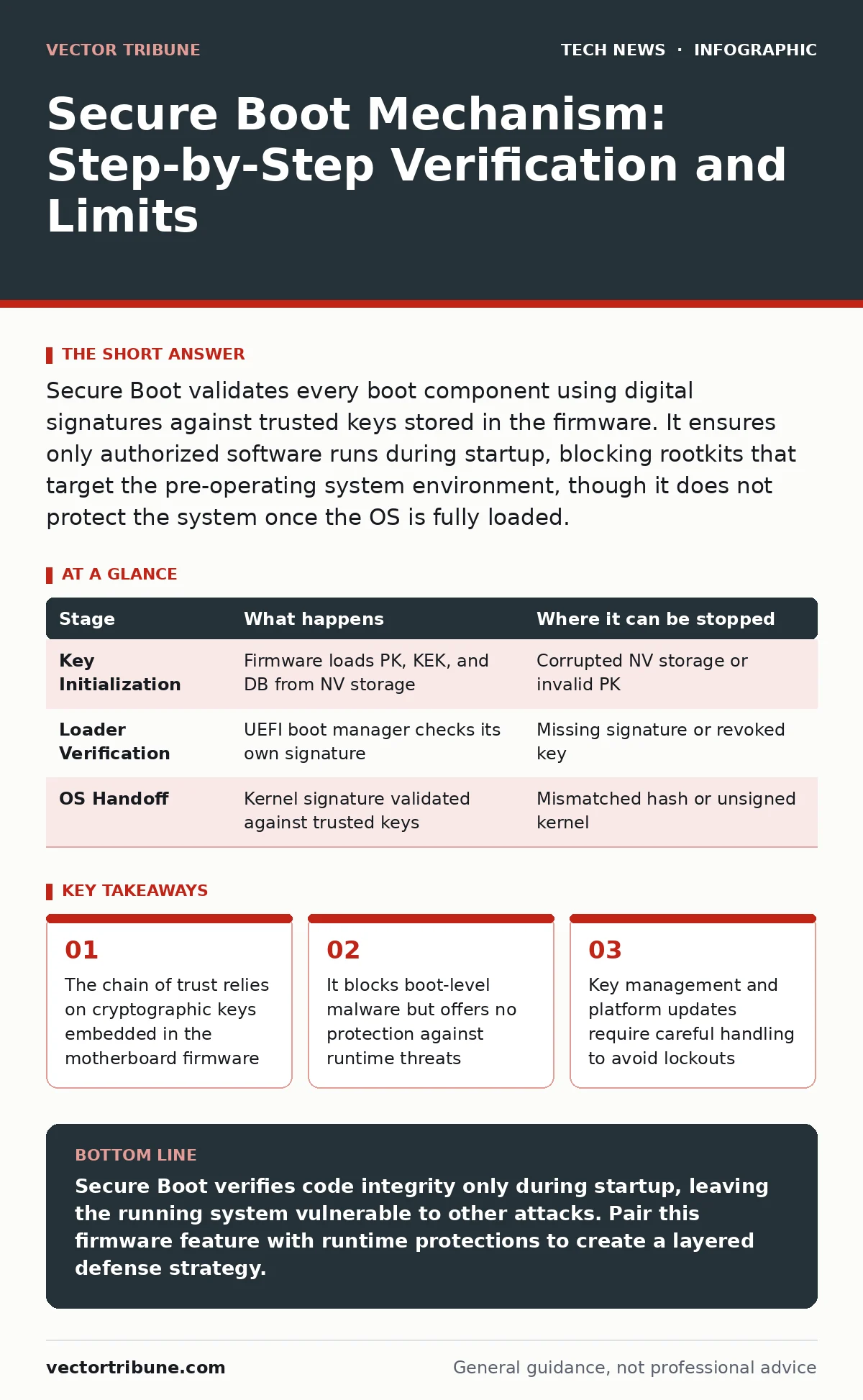
Secure Boot validates every boot component using digital signatures against trusted keys stored in the firmware. It ensures only authorized software runs during startup, blocking rootkits that target the pre-operating system environment, though it does not protect the system once the OS is fully loaded.
The Firmware Foundation
Secure Boot operates within the Unified Extensible Firmware Interface, or UEFI. This interface replaces the older Basic Input/Output System with a more flexible environment that supports complex hardware initialization. Before the operating system loads, the firmware executes a series of checks to verify the integrity of the boot process. This mechanism ensures that the hardware trusts the software it is about to run.
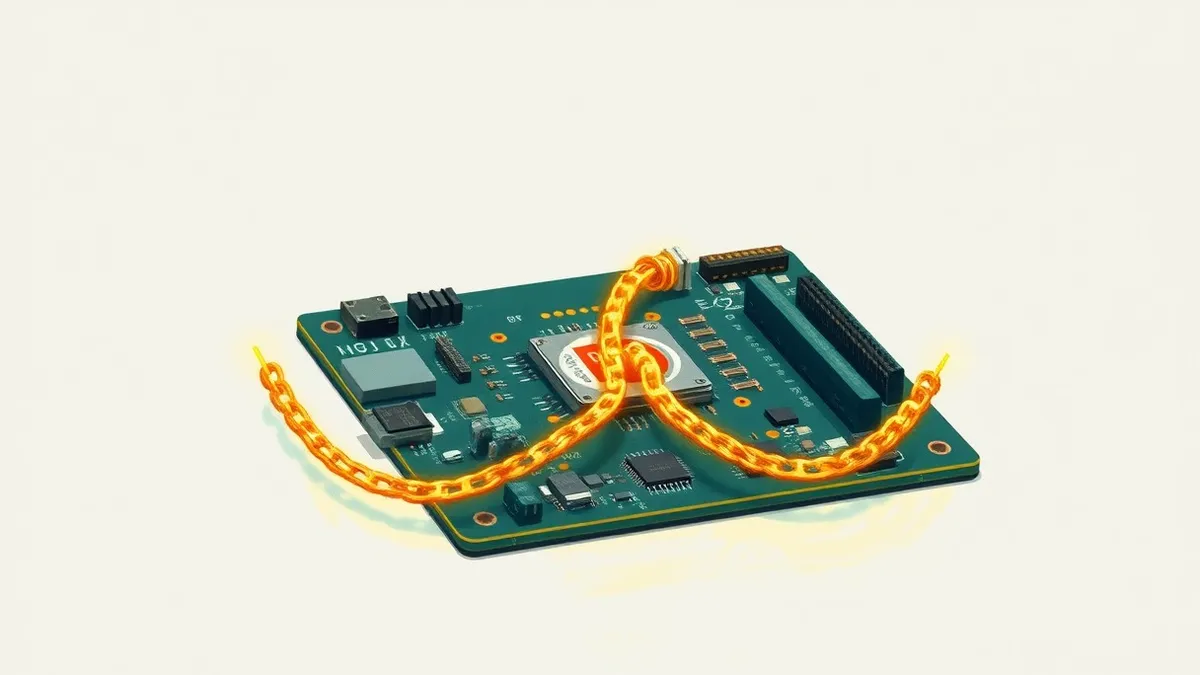
The core concept is a chain of trust. Each component in the boot sequence signs the next one. If any link in this chain is broken or unsigned, the firmware halts the process. This prevents an attacker from injecting malicious code before the operating system’s security features are active. Understanding this chain requires looking at how keys are stored and verified.
Stage 1: Key Initialization and Storage
The process begins with the firmware accessing its Non-Volatile Storage. This storage area contains three sets of cryptographic keys: the Platform Key, the Key Exchange Keys, and the Signature Database. The Platform Key is the root of trust for the device. It signs the other key sets, ensuring that only authorized changes can be made to the boot configuration.
The Key Exchange Keys allow manufacturers or administrators to update the Signature Database. This database lists the public keys of trusted software publishers. If a boot component is signed by a key in this database, the firmware allows it to execute. The Signature Database also includes a blacklist of revoked keys, preventing compromised certificates from being used.
| Stage | What happens | Where it can be stopped |
|---|---|---|
| Key Initialization | Firmware loads PK, KEK, and DB from NV storage | Corrupted NV storage or invalid PK |
| Loader Verification | UEFI boot manager checks its own signature | Missing signature or revoked key |
| OS Handoff | Kernel signature validated against trusted keys | Mismatched hash or unsigned kernel |
Stage 2: The Boot Manager Validation
Once the keys are loaded, the UEFI boot manager initializes. This component is responsible for presenting the boot menu and selecting the active boot entry. The firmware verifies the signature of the boot manager itself using the Platform Key. If this verification fails, the system cannot proceed, as the foundation of the boot process is considered untrusted.
This step is critical because it establishes the first verified executable. If an attacker modifies the boot manager, the signature check will fail. The firmware does not attempt to repair the code; it simply refuses to execute it. This strict approach prevents silent modifications that could redirect the boot process to malicious code.
Stage 3: Operating System Handoff
The boot manager then locates the operating system loader. This loader is a small program that prepares the environment for the full kernel. The firmware verifies the loader’s digital signature against the keys in the Signature Database. This ensures that the loader comes from a trusted source and has not been altered since it was signed.
If the loader is valid, the firmware hands over control. The loader then performs its own verification of the kernel. This creates a nested chain of trust. The kernel must be signed by a key that the loader trusts. This delegation allows different operating systems to manage their own security requirements while still adhering to the firmware’s baseline rules.
Limits of Boot-Time Security
Secure Boot only protects the system during the startup phase. It does not monitor or restrict code execution after the operating system is running. Once the kernel is loaded, the firmware steps back. Malware that gains access through a network exploit or a vulnerable application can operate freely. This is why Secure Boot must be combined with other security measures, such as secure software development practices, to protect the system at runtime.
Additionally, Secure Boot relies on the integrity of the firmware itself. If an attacker can modify the firmware, they can alter the keys or the verification logic. This is why firmware updates must be carefully managed. The process of updating firmware is a separate security challenge that requires its own safeguards.
See also: Operating System Hardening Techniques for Secure Infrastructure · Domain Name System Security: Protecting DNS From Cache Poisoning and Hijacking
Key Management and Revocation
Managing the keys in the Signature Database is a complex task. Organizations often need to add their own drivers or applications to the whitelist. This requires generating a key pair and adding the public key to the database. If a private key is compromised, the corresponding public key must be revoked. Revocation involves adding the key to the blacklist, which prevents any code signed by that key from running.
This process can be risky. If you revoke a key that is still needed for a critical driver, the system may fail to boot. You must have a recovery plan in place, such as a USB key with administrative privileges, to restore access. This highlights the hidden cost of Secure Boot: it adds administrative overhead and potential lockout scenarios.
Integration with Other Defenses
Secure Boot is most effective when used alongside other security controls. For instance, combining it with HTTPS ensures that the software packages you install are delivered securely over the network. You should also consider how firewall rules limit the attack surface that malware might exploit to bypass boot-level protections.
The principles of Secure Boot align with broader security frameworks. Just as infrastructure-as-code scanning checks for vulnerabilities in deployment scripts, Secure Boot checks for integrity in boot scripts. Both aim to prevent unauthorized changes before they cause harm. Understanding these parallels helps you design a more cohesive security strategy.
Troubleshooting Common Issues
Users often encounter boot failures after hardware changes or OS updates. These failures are usually due to signature mismatches. The firmware detects that the new component is not signed by a trusted key. To resolve this, you may need to update the Signature Database or switch to a different boot mode.
Some systems allow you to disable Secure Boot temporarily. This is useful for troubleshooting but reduces security. You should only do this in controlled environments. For production systems, it is better to identify the missing signature and add the appropriate key. This maintains the chain of trust while resolving the issue.
Key takeaways
- The chain of trust relies on cryptographic keys embedded in the motherboard firmware
- It blocks boot-level malware but offers no protection against runtime threats
- Key management and platform updates require careful handling to avoid lockouts
Secure Boot verifies code integrity only during startup, leaving the running system vulnerable to other attacks. Pair this firmware feature with runtime protections to create a layered defense strategy.
Frequently asked questions
Does Secure Boot protect against viruses?
No, it only prevents unauthorized code from running during the boot process. It does not scan for or remove viruses that operate within the operating system.
Can I disable Secure Boot for older operating systems?
Yes, most firmware allows you to disable it. However, this removes the boot-time protection and may leave the system vulnerable to pre-boot malware.
How do I add a custom driver to the whitelist?
You must sign the driver with a key that is added to the Signature Database. This requires generating a key pair and enrolling the public key in the firmware settings.
Is Secure Boot compatible with all hardware?
It requires UEFI firmware. Older systems with legacy BIOS do not support it. Most modern computers include UEFI and Secure Boot capability by default.
How this guide was produced: written by the Vector Tribune editorial team with AI assistance, checked against the public references listed below, and reviewed when the facts change. See our editorial policy or report an error.