
Operating System Hardening Techniques for Secure Infrastructure
Hardening reduces the attack surface by removing unnecessary services, but it often breaks compatibility with legacy applications that expect default permissions.
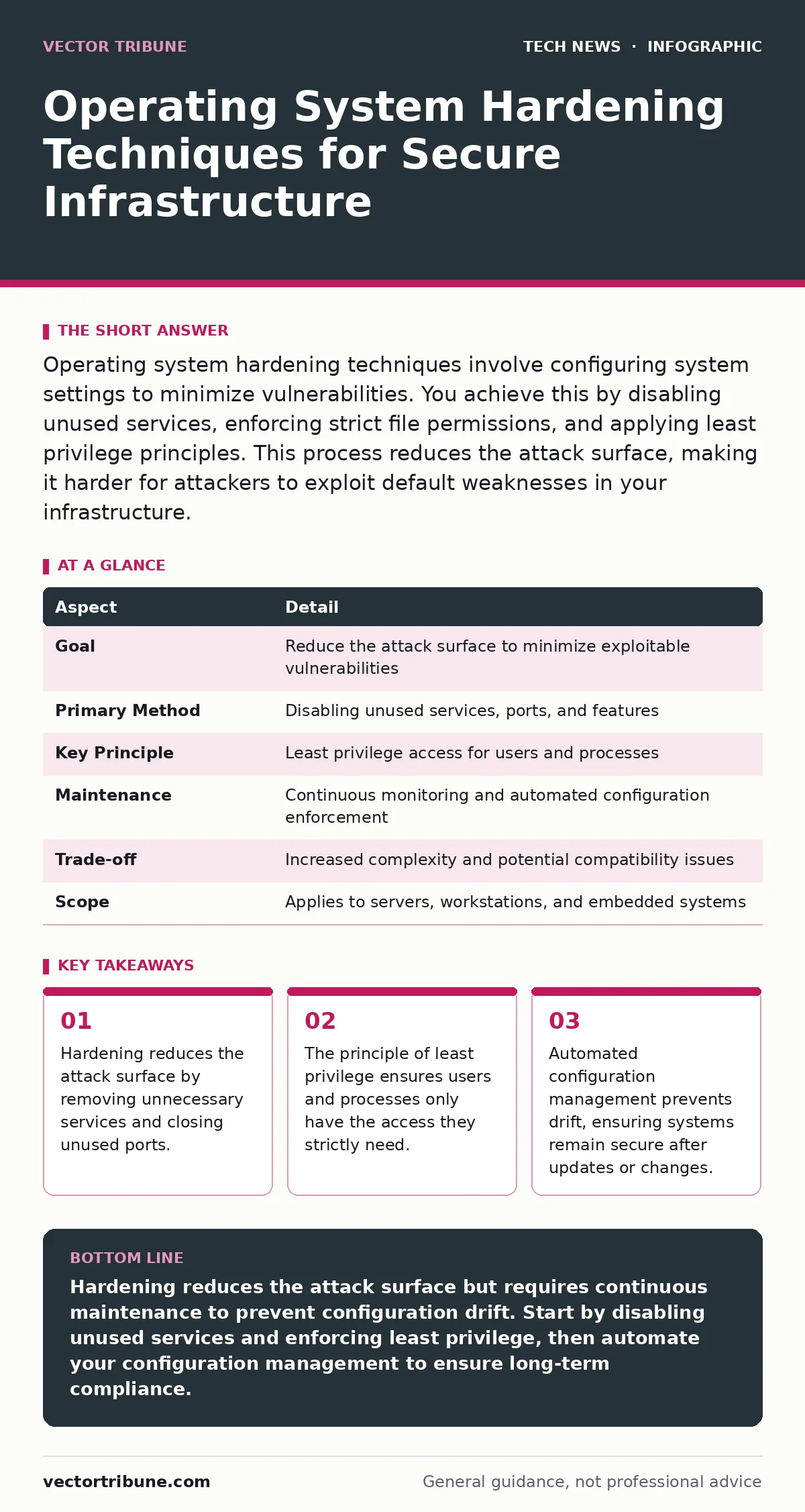
Operating system hardening techniques involve configuring system settings to minimize vulnerabilities. You achieve this by disabling unused services, enforcing strict file permissions, and applying least privilege principles. This process reduces the attack surface, making it harder for attackers to exploit default weaknesses in your infrastructure.
Understanding Operating System Hardening Techniques
Operating system hardening techniques are the specific measures you take to secure a computer's core software by reducing its attack surface. You achieve this security posture by disabling unnecessary features, applying strict access controls, and ensuring the system runs with the minimum required privileges. This process transforms a generic, out-of-the-box installation into a specialized, resistant environment.
Imagine a house with every window open and the front door unlocked. Hardening is the act of boarding up unused windows, installing deadbolts, and removing the spare key from under the mat. You are not adding new walls; you are removing the easy entry points an attacker might use. The goal is to make exploitation difficult enough that the effort outweighs the potential reward.
| Aspect | Detail |
|---|---|
| Goal | Reduce the attack surface to minimize exploitable vulnerabilities |
| Primary Method | Disabling unused services, ports, and features |
| Key Principle | Least privilege access for users and processes |
| Maintenance | Continuous monitoring and automated configuration enforcement |
| Trade-off | Increased complexity and potential compatibility issues |
| Scope | Applies to servers, workstations, and embedded systems |
How Hardening Works in Practice
Hardening works by shifting the system from a default state of convenience to a state of restriction. Most operating systems ship with many services enabled by default to support a wide variety of use cases. These default services often run with high privileges and listen on network ports, creating unnecessary entry points. You harden the system by identifying which services are truly required for your specific workload and disabling everything else.
You also enforce strict file permissions. By default, some files are readable by all users. Hardening restricts these permissions so that only the owner or specific system processes can access sensitive data. This limits the damage if an attacker gains access to a low-privileged user account. They cannot read configuration files or execute privileged commands because the file system denies them permission.
Network isolation is another critical mechanism. You configure firewalls to block all inbound traffic by default, then explicitly allow only the specific ports and protocols required for your application. This prevents attackers from scanning for open services that you do not intend to use. It also limits lateral movement if an attacker compromises one part of your network.
Who Is Affected by Hardening Measures
Hardening affects every component of your infrastructure, from the kernel to the applications running on top. System administrators bear the immediate burden of implementation and maintenance. They must understand the dependencies of each service they disable to avoid breaking critical functionality. Developers are also affected because their applications must run within these restricted environments. Code that relies on default permissions or unused system features will fail.
End users experience the impact through changed behaviors. Features they might expect to work out of the box, such as certain printing capabilities or media codecs, may be unavailable. This requires clear communication and documentation. If users cannot perform their jobs, they may seek workarounds that bypass security controls, creating new vulnerabilities.
Security teams benefit from a reduced noise floor. With fewer services running and stricter logging enabled, alerts become more meaningful. It is easier to distinguish between normal operations and malicious activity when the baseline behavior is well-defined and minimal. This improves incident response times and reduces the risk of missed detections.
Common Mistakes in Implementation
People usually get wrong the assumption that hardening is a one-time task. Systems change over time. Updates introduce new services, and requirements evolve. Without continuous monitoring and automated enforcement, configurations drift back to insecure defaults. You must treat hardening as an ongoing process, not a checkbox to complete before deployment.
Another common error is over-restricting without testing. Disabling a service that an application depends on can cause outages. You must validate your hardening profile in a staging environment that mirrors production. This ensures that security measures do not introduce instability. Balance is key; you want to reduce risk without breaking functionality.
Many also neglect the kernel. While application-level hardening is common, the kernel itself can be misconfigured. Parameters that control memory management, network behavior, and process isolation often have insecure defaults. Tuning these parameters can prevent certain classes of attacks, such as buffer overflows or denial-of-service attempts. Ignoring the kernel leaves a significant portion of the attack surface exposed.
Integrating Related Security Practices
Hardening does not exist in isolation. It works best when combined with other security disciplines. For instance, Secure Boot ensures that the operating system kernel has not been tampered with before it loads. This protects the integrity of the hardened system from boot-level attacks. Without Secure Boot, an attacker with physical access could replace the kernel with a malicious version, bypassing all your hardening efforts.
Network security protocols also play a role. IPv6 security requires specific configuration to prevent neighbor discovery attacks and other layer-2 threats. If your hardened system supports IPv6, you must ensure that firewall rules and routing protocols are secure. Similarly, HTTPS ensures that data in transit is encrypted, preventing eavesdropping on the traffic your hardened system generates.
Secure software development practices reduce the need for deep hardening. If applications are written securely, they are less likely to exploit system vulnerabilities. However, you cannot rely solely on secure coding. Hardening provides a defense-in-depth layer that protects against zero-day vulnerabilities in software. It assumes that some application will eventually be compromised and limits the blast radius.
See also: Domain Name System Security: Protecting DNS From Cache Poisoning and Hijacking
Maintaining Security Over Time
Maintaining a hardened system requires automation. Manual configuration is prone to error and drift. You should use configuration management tools to enforce your hardening baseline. These tools can detect when a system deviates from the desired state and automatically correct it. This ensures that updates or user changes do not introduce vulnerabilities.
Regular audits are also necessary. You must review your hardening profile periodically to ensure it remains effective. New vulnerabilities may emerge that require additional controls. Conversely, some controls may become obsolete or cause performance issues. Audits help you identify these changes and adjust your strategy accordingly.
Logging and monitoring are critical for detecting attempts to bypass your hardening. You should enable detailed logging for all security-relevant events. Analyze these logs to identify patterns of suspicious activity. If an attacker is trying to exploit a disabled service, you should see failed connection attempts. These alerts provide early warning of active attacks.
The Trade-offs of Restriction
Hardening introduces complexity. Managing a highly restricted system requires more expertise and effort than managing a default installation. You must document every deviation from the standard configuration and justify each restriction. This documentation is vital for troubleshooting and compliance. Without it, you risk creating a fragile system that is difficult to maintain.
Performance can also be impacted. Some security controls, such as strict memory isolation or extensive logging, consume system resources. You must monitor performance metrics to ensure that hardening does not degrade user experience or application throughput. In some cases, you may need to optimize your hardware or application code to compensate for the overhead.
Finally, hardening can limit flexibility. A highly specialized system may not support new applications or features without significant reconfiguration. You must balance security with business needs. If a new application requires a service that you have disabled, you must evaluate the risk of enabling it. Sometimes, the business value outweighs the security risk, but you must document this decision and implement compensating controls.
Key takeaways
- Hardening reduces the attack surface by removing unnecessary services and closing unused ports.
- The principle of least privilege ensures users and processes only have the access they strictly need.
- Automated configuration management prevents drift, ensuring systems remain secure after updates or changes.
Hardening reduces the attack surface but requires continuous maintenance to prevent configuration drift. Start by disabling unused services and enforcing least privilege, then automate your configuration management to ensure long-term compliance.
Frequently asked questions
Does hardening guarantee my system is secure?
No hardening measure guarantees complete security. It reduces the likelihood of successful attacks by minimizing exploitable vulnerabilities, but new threats and zero-day exploits can still emerge.
How often should I review my hardening profile?
You should review your hardening profile after every major system update or change in business requirements. Regular quarterly audits are also recommended to detect drift and new vulnerabilities.
Can hardening slow down my applications?
Yes, some security controls consume system resources. Strict memory isolation, extensive logging, and encryption can impact performance. You must monitor metrics and optimize where necessary.
Is hardening different for servers and workstations?
Yes, servers typically require stricter hardening due to their exposure to the internet and critical data. Workstations can be slightly more permissive to support user productivity, but still need core protections.
How this guide was produced: written by the Vector Tribune editorial team with AI assistance, checked against the public references listed below, and reviewed when the facts change. See our editorial policy or report an error.