WPA3 Personal Transition: Secure Wi-Fi Without Breaking Legacy Devices
WPA3 personal transition mode allows modern devices to use stronger encryption while older devices connect using weaker methods, creating a mixed-security environment that requires careful management.
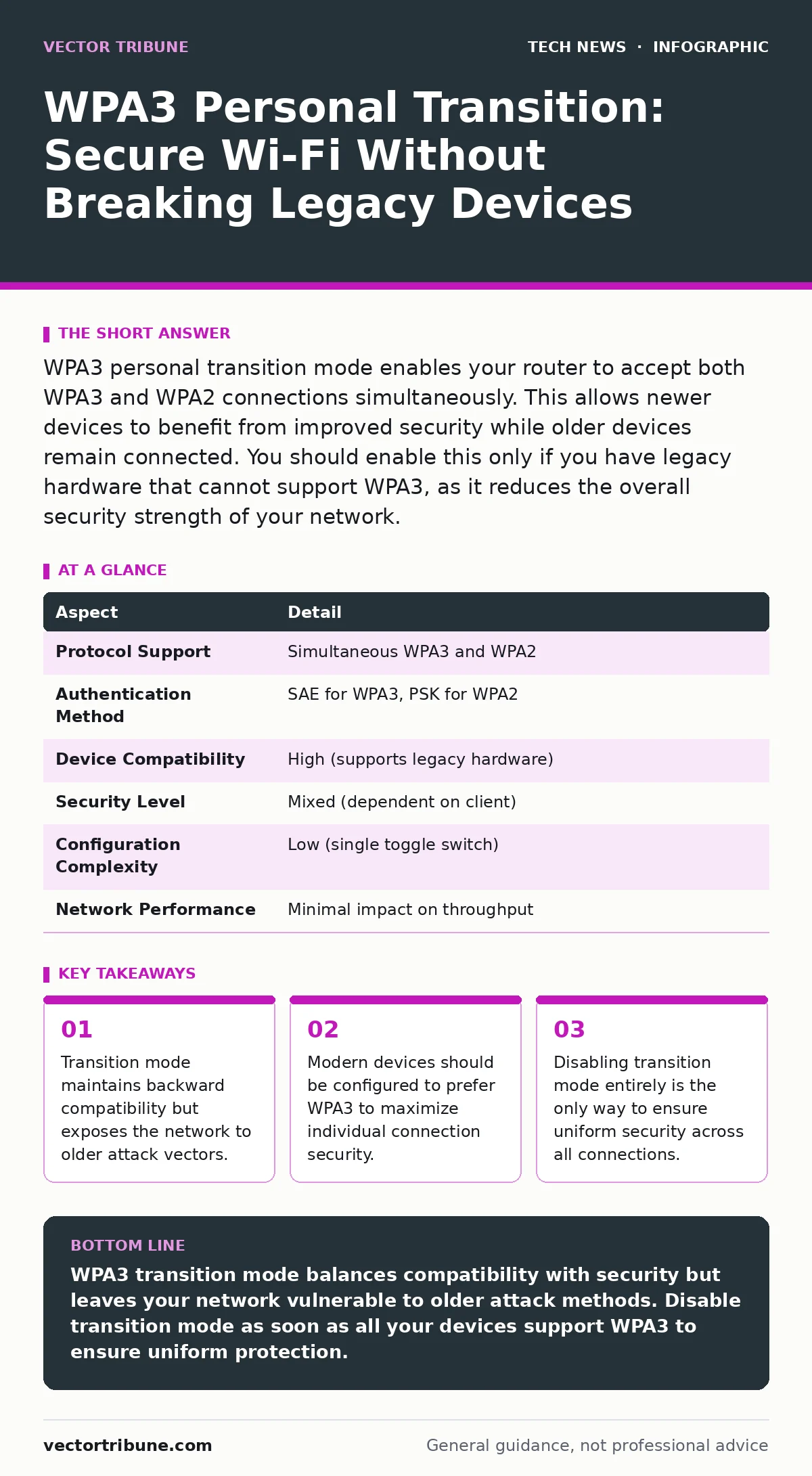
WPA3 personal transition mode enables your router to accept both WPA3 and WPA2 connections simultaneously. This allows newer devices to benefit from improved security while older devices remain connected. You should enable this only if you have legacy hardware that cannot support WPA3, as it reduces the overall security strength of your network.
How WPA3 Personal Transition Works
WPA3 Personal transition mode is a configuration setting on wireless access points that allows the network to broadcast both WPA3 and WPA2 authentication capabilities. When you enable this setting, the router advertises support for both protocols in its beacon frames. Devices capable of WPA3 will negotiate a WPA3 connection, while older devices will fall back to WPA2. This mechanism ensures continuity of service during the upgrade cycle. The router manages two distinct security states simultaneously on the same radio frequency. This creates a heterogeneous environment where security levels vary per device.
| Aspect | Detail |
|---|---|
| Protocol Support | Simultaneous WPA3 and WPA2 |
| Authentication Method | SAE for WPA3, PSK for WPA2 |
| Device Compatibility | High (supports legacy hardware) |
| Security Level | Mixed (dependent on client) |
| Configuration Complexity | Low (single toggle switch) |
| Network Performance | Minimal impact on throughput |
The core benefit is that you do not need to replace every device in your home or office immediately. The trade-off is that the network’s security floor is determined by the weakest connected device. If one device connects via WPA2, the network retains the vulnerabilities associated with WPA2. This includes susceptibility to offline dictionary attacks against the pre-shared key. Understanding this mechanic is vital for managing risk. You are effectively running two networks on one physical interface.
Why You Should Care About WPA3
WPA3 replaces the Pre-Shared Key (PSK) handshake of WPA2 with Simultaneous Authentication of Equals (SAE). SAE provides forward secrecy, meaning that if an attacker captures your Wi-Fi password later, they cannot decrypt previously captured traffic. WPA2 lacks this property. An attacker who records your Wi-Fi traffic can try to crack the password offline at their own pace. If they succeed, all past traffic becomes readable. WPA3 makes this specific attack vector computationally infeasible. This change significantly raises the barrier for passive eavesdropping.
This improvement affects anyone who transmits sensitive data over Wi-Fi. Even if you use HTTPS for web browsing, the initial handshake and other unencrypted protocols can leak information. WPA3 protects the link layer, ensuring that data cannot be read even if the application layer encryption fails. It also strengthens protection against brute-force attacks. SAE resists offline guessing attempts by making each guess require an active interaction with the router. This slows down attackers and makes detection easier.
The Risk of Transition Mode
Transition mode introduces a specific security paradox. You gain compatibility but lose the uniform security guarantee of WPA3. When a device connects using WPA2, it uses the older 4-way handshake. This handshake is vulnerable to offline dictionary attacks. An attacker can capture the handshake and attempt to crack the password offline. The strength of your network password becomes the sole defense. If your password is weak, the transition mode setting does not help.
Furthermore, some implementations of transition mode have been found to have bugs. These bugs can sometimes allow an attacker to downgrade a WPA3-capable device to WPA2. This forces the device into the less secure protocol. Even if the device prefers WPA3, the router’s configuration or firmware flaws can override this preference. This undermines the benefit of having modern hardware. You must verify that your router firmware is up to date. Firmware updates often patch these downgrade vulnerabilities.
What People Usually Get Wrong
Many users believe that enabling WPA3 on the router automatically secures all devices. This is incorrect. The security of each connection is negotiated individually. A WPA3-capable laptop will use WPA3, but an old tablet will use WPA2. The network is only as secure as its weakest link. You cannot assume that turning on WPA3 protects legacy devices. You must treat WPA2 connections as insecure by default.
Another common misconception is that transition mode is a temporary fix that can be left on indefinitely. It is not a long-term security strategy. As new devices are added, the proportion of WPA2 connections should decrease. Once all devices support WPA3, you should disable transition mode. Leaving it on unnecessarily increases the attack surface. It signals to attackers that weaker protocols are available. This invites attempts to exploit those weaker protocols.
How to Configure WPA3 Transition
Configuring WPA3 transition mode involves accessing your router’s wireless settings. Look for a security mode option that lists WPA3/WPA2-Personal or WPA3 Transition. Select this option. You will then set a single pre-shared key. This key is used for both WPA3 and WPA2 connections. Ensure the key is long and complex. A strong password mitigates the risk of offline dictionary attacks on the WPA2 portion.
After enabling transition mode, check your connected devices. Most modern operating systems will automatically negotiate WPA3. Older devices will connect using WPA2. You can verify the connection type in your device’s Wi-Fi settings. If a modern device is connecting via WPA2, check for firmware updates on the device. Sometimes, outdated drivers cause devices to fall back to WPA2 unnecessarily. Updating drivers can force the device to use WPA3.
- Log into your router’s administration interface.
- Navigate to the wireless security settings.
- Select WPA3/WPA2-Personal or Transition Mode.
- Set a strong, complex pre-shared key.
- Save the settings and reboot the router.
- Verify connections on your devices.
See also: Post-Quantum Crypto Mistakes and How to Fix Them · Mobile Security Architecture: 8 Practices for Device Integrity
Managing Legacy Devices
Legacy devices that do not support WPA3 pose a persistent challenge. You have three options: upgrade the device, isolate it, or accept the risk. Upgrading is the best option. Many old devices can be replaced with newer, more secure models. If replacement is not possible, consider isolating the device on a separate VLAN. This limits the damage if the device is compromised.
Isolation requires a router that supports VLANs or guest networks. You can create a guest network with WPA3 only and place legacy devices on a separate, less secure network. This prevents a compromised legacy device from accessing your primary devices. It is a form of segmentation. This approach adds complexity but improves overall security. It ensures that the failure of one device does not compromise the entire network.
Moving Beyond Transition Mode
The goal is to move away from transition mode entirely. As your devices age out or are replaced, the need for WPA2 compatibility diminishes. Once all devices support WPA3, disable transition mode. This forces all devices to use the more secure protocol. It eliminates the risk of downgrade attacks and offline dictionary attacks on the WPA2 handshake.
This process takes time. Plan for a gradual transition. Prioritize upgrading high-value devices first. Monitor your network for WPA2 connections. When the number of WPA2 connections drops to zero, switch to WPA3-only mode. This ensures a smooth transition without disrupting service. It also ensures that your network remains secure against evolving threats.
Related Security Considerations
Wi-Fi security is just one layer of defense. You should also consider other security measures. HTTPS encrypts data between your device and websites, protecting it even if the Wi-Fi is compromised. However, HTTPS does not protect against local network attacks. WPA3 protects the local link. Combining both provides deeper protection.
Secure Boot ensures that your device boots with trusted software. This prevents malware from loading at the system level. It complements Wi-Fi security by securing the endpoint. Operating system hardening reduces the attack surface of your device. It makes it harder for attackers to exploit vulnerabilities. These measures work together to create a robust security posture.
Post-quantum cryptography is an emerging field. It aims to protect against future quantum computers. While not directly related to WPA3, it highlights the need for forward-looking security. As technology evolves, so do the threats. Staying informed about new standards is important. Domain name security protects against phishing and spoofing. It ensures that you are connecting to the correct website. Mobile device security is also critical. Mobile devices are often used on public Wi-Fi. Understanding WPA3 helps you secure your home network, which is the foundation of your digital life.
Key takeaways
- Transition mode maintains backward compatibility but exposes the network to older attack vectors.
- Modern devices should be configured to prefer WPA3 to maximize individual connection security.
- Disabling transition mode entirely is the only way to ensure uniform security across all connections.
WPA3 transition mode balances compatibility with security but leaves your network vulnerable to older attack methods. Disable transition mode as soon as all your devices support WPA3 to ensure uniform protection.
Frequently asked questions
Can I use WPA3 transition mode with a strong password?
Yes, but a strong password only mitigates the risk of offline dictionary attacks on the WPA2 portion. It does not eliminate other vulnerabilities associated with WPA2.
Do I need to change my Wi-Fi password when enabling WPA3?
No, you can keep the same password. However, you should ensure it is strong enough to resist attacks against both WPA3 and WPA2.
Will WPA3 slow down my Wi-Fi speed?
No, WPA3 does not significantly impact Wi-Fi speed. The overhead is minimal. Any perceived slowdown is likely due to other factors.
How this guide was produced: written by the Vector Tribune editorial team with AI assistance, checked against the public references listed below, and reviewed when the facts change. See our editorial policy or report an error.