
Dynamic Malware Analysis: Mechanism, Limits, and Hidden Traps
Dynamic analysis reveals malware behavior in real-time, but advanced threats use environment checks to remain dormant, requiring careful sandbox configuration to avoid false negatives.
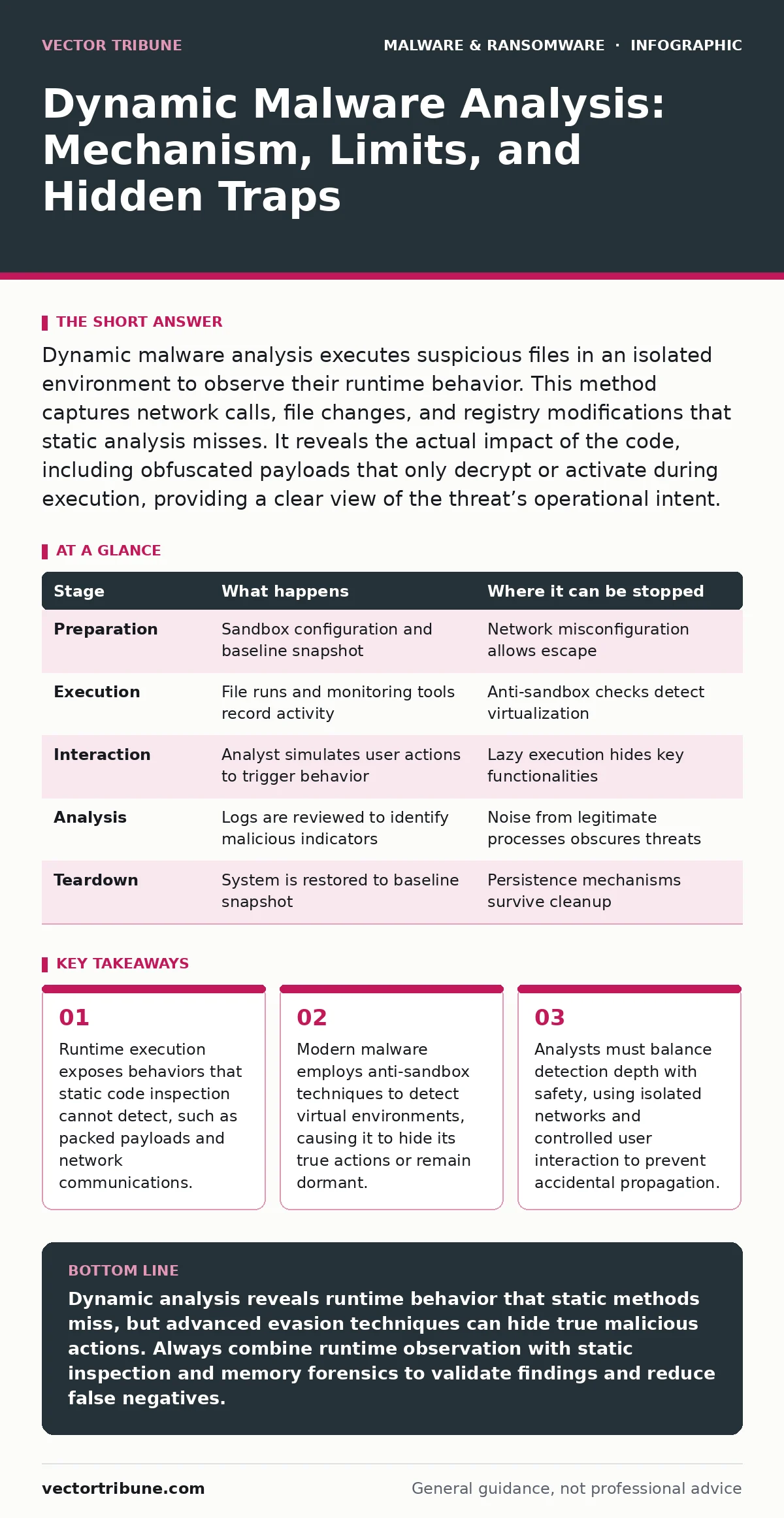
Dynamic malware analysis executes suspicious files in an isolated environment to observe their runtime behavior. This method captures network calls, file changes, and registry modifications that static analysis misses. It reveals the actual impact of the code, including obfuscated payloads that only decrypt or activate during execution, providing a clear view of the threat’s operational intent.
The Core Mechanism of Runtime Inspection
Dynamic malware analysis operates by executing a suspicious file within a controlled, isolated environment. This approach contrasts with static analysis, which examines code without running it. By observing the program as it runs, you capture the actual actions it performs rather than just interpreting its structure. This method reveals the true intent of the code, including behaviors that are hidden through encryption or packing.
The process relies on monitoring system calls, memory changes, and network traffic in real time. You gain insight into how the malware interacts with the operating system and external resources. This runtime visibility is critical for understanding complex threats that change their behavior based on environmental conditions. The isolation ensures that any damage remains contained within the sandbox, protecting the host system from infection.
Stage 1: Environment Preparation and Isolation
Before execution begins, you must prepare a dedicated sandbox environment. This setup includes a virtual machine or container with a known baseline state. The system should mirror the target environment of the potential victim, including operating system version, installed software, and user permissions. Network isolation is critical. You connect the sandbox to a segmented network that prevents outbound connections to the internet or internal corporate resources.
This containment stops the malware from phoning home or spreading to other systems. You also install monitoring tools that capture system events. These tools record file creations, registry modifications, and process injections. The preparation phase ensures that every action the malware takes is visible and traceable. You verify the baseline snapshot to allow easy restoration after the analysis.
| Stage | What happens | Where it can be stopped |
|---|---|---|
| Preparation | Sandbox configuration and baseline snapshot | Network misconfiguration allows escape |
| Execution | File runs and monitoring tools record activity | Anti-sandbox checks detect virtualization |
| Interaction | Analyst simulates user actions to trigger behavior | Lazy execution hides key functionalities |
| Analysis | Logs are reviewed to identify malicious indicators | Noise from legitimate processes obscures threats |
| Teardown | System is restored to baseline snapshot | Persistence mechanisms survive cleanup |
Stage 2: Execution and Passive Monitoring
You place the suspicious file into the prepared sandbox and execute it. The monitoring tools begin recording every system interaction. The malware may attempt to drop additional files, modify system settings, or establish network connections. You observe these actions without interfering. This passive phase captures the initial behavior of the malware. Many samples perform immediate checks to determine if they are in a sandbox.
If they detect virtualization hardware or specific sandbox tools, they may halt execution. You must ensure the environment is sufficiently transparent to avoid triggering these defenses. The logs generated during this phase provide the first layer of evidence. You look for unusual process creation, unexpected file writes, or attempts to access sensitive directories. This stage reveals the malware’s immediate footprint on the system.
Stage 3: Active Interaction and Triggering
Some malware requires user interaction to activate its malicious payload. Simple execution may not trigger the full behavior. You simulate user actions such as clicking buttons, opening documents, or saving files. This active interaction forces the malware to perform its intended tasks. For instance, a malicious document may only execute its macro code when the user enables content.
By triggering these actions, you reveal the deeper functionality of the threat. This stage is particularly important for fileless malware, which may reside only in memory and require specific commands to execute. You must carefully plan the interaction sequence to avoid missing critical behaviors. Document every action taken and the corresponding system response. This detailed record helps correlate user actions with malicious outcomes.
Stage 4: Deep Inspection and Memory Analysis
After the initial execution, you perform a deeper inspection of the system state. This involves analyzing memory dumps and checking for persistence mechanisms. The malware may have injected code into legitimate processes or created scheduled tasks to survive reboot. You examine the system memory for signs of fileless malware, which often leaves no traces on the disk. Memory forensics techniques help uncover these hidden artifacts.
You also review network logs for any outbound communication attempts. Even if the network was isolated, the malware may have attempted to connect to specific IP addresses or domains. These indicators are valuable for identifying the infrastructure used by the threat actor. This stage ensures that no residual components remain on the system. You verify that the malware has not modified core system files or installed drivers.
Stage 5: Teardown and Restoration
Once the analysis is complete, you must thoroughly clean the sandbox environment. You delete all files created by the malware and revert the system to its baseline snapshot. This restoration ensures that the environment is ready for the next analysis. You also archive the collected logs and artifacts for further investigation. Proper teardown is critical to prevent cross-contamination between samples.
If the malware has persistence mechanisms that survive snapshot restoration, you must manually remove them. This step requires a thorough understanding of the operating system’s internals. You verify that no processes are running and no network connections are active. The goal is to return the system to a pristine state. This disciplined approach maintains the integrity of the analysis environment.
Limits and Anti-Analysis Techniques
Dynamic analysis is not infallible. Advanced malware employs sophisticated techniques to evade detection. These anti-analysis methods can render the sandbox ineffective. Understanding these limits is crucial for interpreting the results accurately. You must assume that the malware may not have revealed its full capabilities.
The environment itself can be a source of false negatives. If the malware detects the sandbox, it may behave differently than it would on a real system. This discrepancy limits the reliability of the analysis. You must combine dynamic analysis with other methods to get a complete picture. Relying solely on runtime behavior can miss threats that are designed to remain dormant.
Evading Sandbox Detection
Modern malware includes checks for virtualization and sandbox environments. These checks look for specific hardware signatures, driver names, or system properties. If the malware detects these indicators, it may refuse to execute or perform benign actions. This behavior is known as sandbox evasion. You must configure the sandbox to mimic a real user environment as closely as possible.
This includes enabling realistic timing, mouse movements, and user activity. Some tools attempt to spoof these checks, but malware developers constantly update their detection methods. You must stay informed about the latest evasion techniques. This ongoing cat-and-mouse game requires constant adaptation of the analysis environment.
Handling Lazy and Timed Execution
Some malware uses delay mechanisms to avoid detection. These samples may wait for a specific amount of time or condition before executing their payload. This lazy execution makes short analysis sessions ineffective. If you stop the analysis before the trigger condition is met, you miss the malicious behavior entirely. You must configure the sandbox to allow for extended runtime.
This can be resource-intensive and time-consuming. You also need to identify potential triggers such as specific dates, file names, or user actions. By understanding the malware’s logic, you can design an analysis session that captures the delayed behavior. This requires patience and careful observation of the system state over time.
Integrating with Defense Strategies
Dynamic analysis provides valuable indicators for defense strategies. The network addresses, file hashes, and registry keys identified during analysis can be used to update security tools. You can integrate these indicators into your Microsoft Defender Antivirus rules or firewall policies. This helps block similar threats in the future.
The behavioral patterns observed can also inform business continuity planning by highlighting potential system disruptions. Understanding how the malware operates allows you to design more effective incident response procedures. You can use the insights to improve your disaster recovery plans by anticipating the types of damage that may occur. This proactive approach strengthens your overall security posture.
See also: Extended Detection and Response (XDR) Explained: How It Works
Complementary Analysis Methods
Dynamic analysis should not be used in isolation. It works best when combined with static analysis and memory forensics. Static analysis can reveal code structures and strings that dynamic analysis might miss. Memory forensics can uncover hidden processes and injected code that do not leave disk traces. By combining these methods, you gain a more complete understanding of the threat.
This multi-layered approach reduces the risk of missing critical behaviors. You also cross-reference findings to validate results. If static analysis indicates a network connection, dynamic analysis should confirm it. This consistency check improves the reliability of your conclusions. You build a comprehensive profile of the malware’s capabilities and limitations.
Key takeaways
- Runtime execution exposes behaviors that static code inspection cannot detect, such as packed payloads and network communications.
- Modern malware employs anti-sandbox techniques to detect virtual environments, causing it to hide its true actions or remain dormant.
- Analysts must balance detection depth with safety, using isolated networks and controlled user interaction to prevent accidental propagation.
Dynamic analysis reveals runtime behavior that static methods miss, but advanced evasion techniques can hide true malicious actions. Always combine runtime observation with static inspection and memory forensics to validate findings and reduce false negatives.
Frequently asked questions
Why does dynamic analysis sometimes fail to detect malware?
Advanced malware includes anti-sandbox checks that detect virtual environments, causing the code to remain dormant or behave benignly, hiding its true malicious intent from monitoring tools.
How long should a dynamic analysis session run?
Sessions should run long enough to trigger delayed execution mechanisms, which may take hours or days, depending on the malware’s specific timing logic and required user interactions.
Can dynamic analysis detect fileless malware?
Yes, by monitoring memory and process injection in real-time, dynamic analysis can identify fileless threats that do not write to the disk, though it requires careful memory inspection techniques.
Is dynamic analysis safe for all types of malware?
No, some malware may escape poorly configured sandboxes, requiring strict network isolation and robust containment measures to prevent accidental infection of the host system or network.
How this guide was produced: written by the Vector Tribune editorial team with AI assistance, checked against the public references listed below, and reviewed when the facts change. See our editorial policy or report an error.