
Business Continuity Planning: The Mechanics of Operational Survival
Business continuity planning forces you to treat data as a perishable asset, exposing that most failures stem from untested restoration logic rather than missing backups.
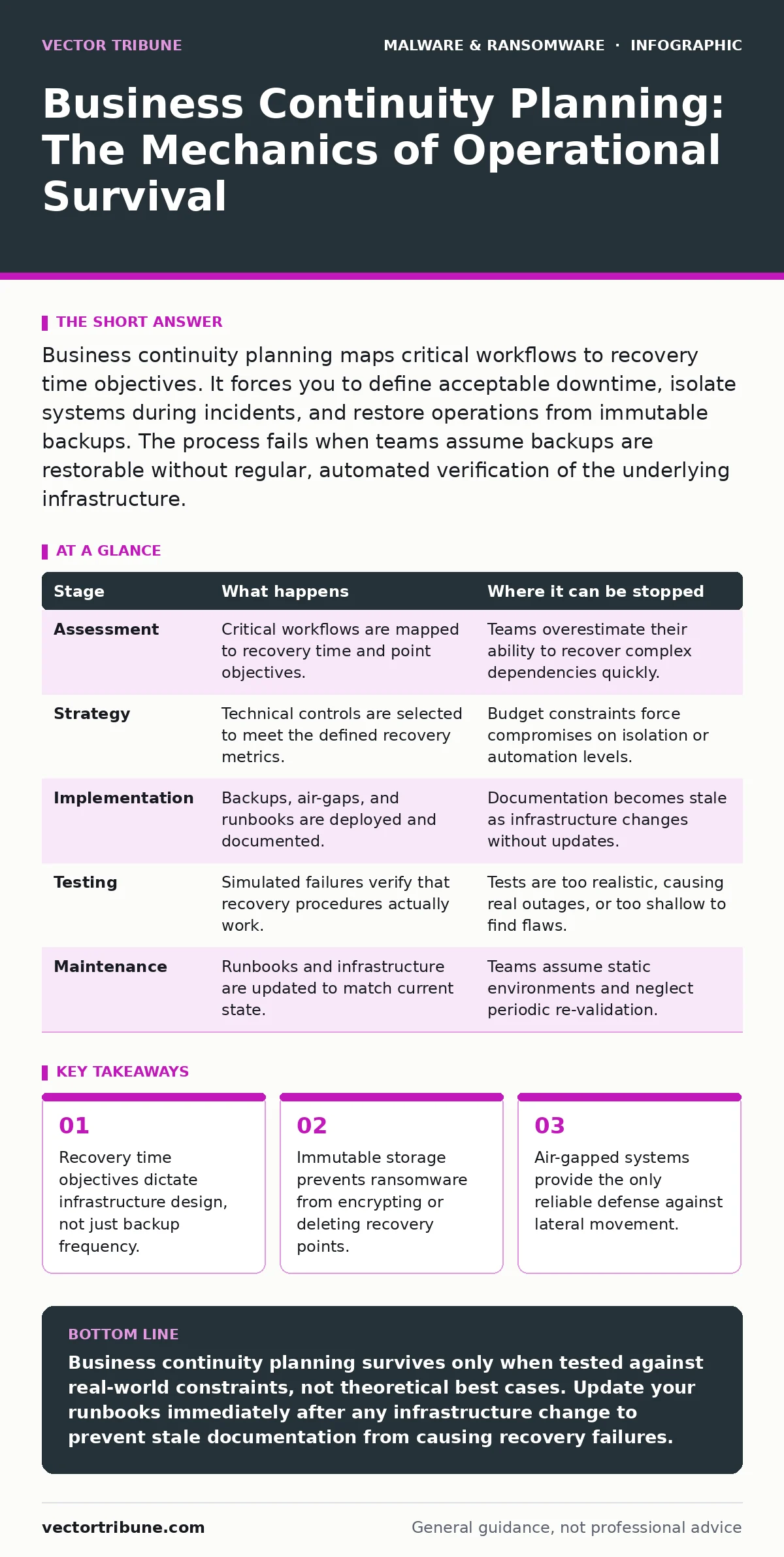
Business continuity planning maps critical workflows to recovery time objectives. It forces you to define acceptable downtime, isolate systems during incidents, and restore operations from immutable backups. The process fails when teams assume backups are restorable without regular, automated verification of the underlying infrastructure.
Defining Critical Workflows and Recovery Targets
Business continuity planning begins by identifying which systems keep the organization alive. You must distinguish between nice-to-have tools and core revenue generators. This distinction determines your recovery time objective, which is the maximum time a system can be offline before business impact becomes unacceptable. You also define the recovery point objective, which is the maximum amount of data loss you can tolerate. These two metrics drive every technical decision that follows.
Most teams fail here by applying a single recovery time objective to all systems. A customer database might need a recovery time objective of one hour, while an internal wiki can tolerate twenty-four hours. Treating them equally wastes resources on over-provisioned backups for low-value data. You map each application to its specific tolerance levels. This mapping creates the blueprint for your response.
| Stage | What happens | Where it can be stopped |
|---|---|---|
| Assessment | Critical workflows are mapped to recovery time and point objectives. | Teams overestimate their ability to recover complex dependencies quickly. |
| Strategy | Technical controls are selected to meet the defined recovery metrics. | Budget constraints force compromises on isolation or automation levels. |
| Implementation | Backups, air-gaps, and runbooks are deployed and documented. | Documentation becomes stale as infrastructure changes without updates. |
| Testing | Simulated failures verify that recovery procedures actually work. | Tests are too realistic, causing real outages, or too shallow to find flaws. |
| Maintenance | Runbooks and infrastructure are updated to match current state. | Teams assume static environments and neglect periodic re-validation. |
Designing Isolation and Immutable Storage
Once targets are set, you design the technical controls to meet them. The primary goal is preventing malware from reaching your recovery assets. You implement immutable storage, which allows data to be written but not altered or deleted for a fixed period. This stops ransomware from encrypting backups after a breach. You also segment your network to limit lateral movement. If an attacker compromises a workstation, they should not reach the backup server.
This stage often reveals a hidden cost: performance. Immutable storage usually requires separate hardware or specialized cloud configurations that increase latency and cost. You must balance security with the speed needed to meet your recovery time objective. If the backup system is too slow to restore, the immutability is useless. You choose storage solutions that align with your specific recovery speed requirements.
Building and Documenting Runbooks
A runbook is a step-by-step technical guide for restoring services. It must be precise enough for a junior engineer to follow under stress. It includes commands, account credentials (referenced, not stored), and decision trees for common failure modes. You do not rely on tribal knowledge. If the only person who knows how to restore the database is on vacation, your plan has failed. The runbook becomes the single source of truth for recovery actions.
Runbooks often omit the "why" behind certain steps. This omission causes errors during high-stress incidents. You include context for each step, explaining what to look for if a command fails. You also define clear escalation paths. If a step takes longer than expected, the runbook tells you who to call and what information to provide. This clarity reduces panic and speeds up resolution.
Testing Recovery Procedures Regularly
Documentation is theory; testing is proof. You schedule regular tests to verify that your backups are restorable and your runbooks are accurate. These tests should range from simple file restores to full system rebuilds in isolated environments. You measure the actual time taken against your recovery time objective. If the test fails to meet the target, you adjust the infrastructure or the process.
Testing reveals dependencies you did not know existed. A service might rely on a specific DNS record or a third-party API that you assumed was always available. When you test in an isolated environment, these hidden dependencies surface. You update your runbooks and infrastructure to address these gaps. Regular testing ensures that your plan evolves with your technology stack.
Maintaining the Plan Over Time
Business continuity planning is not a one-time project. Infrastructure changes, new applications are deployed, and staff roles shift. You must update your runbooks and recovery targets whenever the environment changes. An outdated runbook is worse than no runbook because it gives a false sense of security. You integrate plan updates into your change management process. Every infrastructure change triggers a review of the relevant continuity procedures.
This maintenance phase is often neglected due to operational pressure. Teams prioritize new features over documentation updates. This neglect accumulates technical debt. When an incident occurs, the team relies on outdated instructions, leading to confusion and extended downtime. You treat documentation as code: versioned, reviewed, and updated frequently. This discipline keeps the plan viable.
See also: Detecting Cryptojacking: Signs, Logs, and Blind Spots
Integrating with Detection and Response
Your continuity plan does not operate in a vacuum. It must integrate with your detection and response capabilities. When extended detection and response (XDR) systems alert on suspicious activity, the continuity plan defines the immediate isolation steps. You pre-define which systems to cut off and which to preserve. This integration reduces the time between detection and containment.
Consider how fileless malware operates in memory, often evading traditional signature-based detection. Your continuity plan must account for the possibility that your primary systems are compromised at the application layer. You design your restoration process to verify the integrity of the source code and configuration before bringing systems back online. This verification step prevents re-infection.
Limitations and Hidden Costs
No plan guarantees zero downtime. There is always a trade-off between security and availability. Air-gapping systems improves security but increases recovery time. Immutable storage prevents deletion but may slow down writes. You must accept these trade-offs explicitly. Your plan defines the maximum acceptable loss, not the elimination of risk.
Another limitation is human error. Even the best runbook fails if the person executing it is inexperienced or panicked. Training is as important as technology. You invest in regular drills to build muscle memory. The plan also cannot protect against physical destruction. If the data center burns down, your local backups are lost. You rely on geographic redundancy to mitigate this risk.
Final Verification and Improvement
After each test or incident, you conduct a post-mortem. You analyze what worked, what failed, and why. You update the runbooks and infrastructure based on these findings. This feedback loop is critical for continuous improvement. You do not wait for a real incident to discover flaws. You proactively seek out weaknesses through rigorous testing and review.
This process ensures that your business continuity planning remains relevant. Technology changes, threats evolve, and business needs shift. Your plan must adapt. You treat continuity as an ongoing discipline, not a static document. This mindset prepares you for unexpected challenges and minimizes the impact of inevitable disruptions.
Key takeaways
- Recovery time objectives dictate infrastructure design, not just backup frequency.
- Immutable storage prevents ransomware from encrypting or deleting recovery points.
- Air-gapped systems provide the only reliable defense against lateral movement.
- Runbooks must be updated after every infrastructure change to remain valid.
Business continuity planning survives only when tested against real-world constraints, not theoretical best cases. Update your runbooks immediately after any infrastructure change to prevent stale documentation from causing recovery failures.
Frequently asked questions
How often should I test my business continuity plan?
Test critical systems at least quarterly and full infrastructure annually. Increase frequency after major changes or incidents. Regular testing ensures that recovery procedures remain accurate and effective.
Can cloud backups replace on-premise continuity planning?
Cloud backups provide off-site storage but do not replace the need for isolation and runbooks. You still need to define recovery time objectives and verify that cloud restoration meets your speed requirements.
What is the biggest mistake in continuity planning?
Assuming backups are restorable without verification. Many organizations discover during an incident that their backups are corrupted or incompatible with
How this guide was produced: written by the Vector Tribune editorial team with AI assistance, checked against the public references listed below, and reviewed when the facts change. See our editorial policy or report an error.