
Prevent Cloud Misconfigurations: A Developer Checklist
Most cloud breaches stem from overlooked permission settings rather than complex exploits, making configuration hygiene the primary defense for infrastructure security.
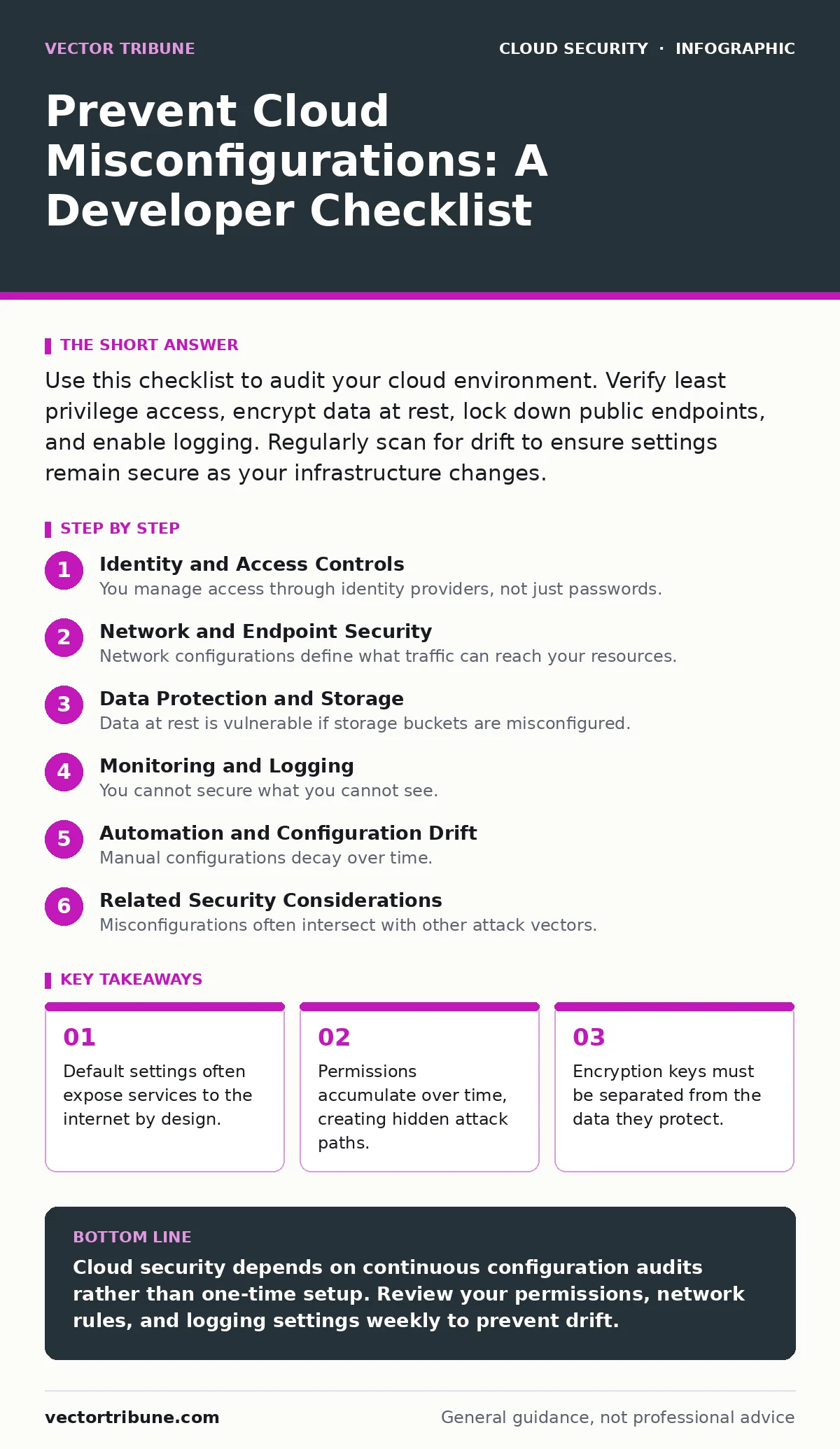
Use this checklist to audit your cloud environment. Verify least privilege access, encrypt data at rest, lock down public endpoints, and enable logging. Regularly scan for drift to ensure settings remain secure as your infrastructure changes.
Identity and Access Controls
You manage access through identity providers, not just passwords. Misconfigurations here grant attackers immediate entry.
- Enforce multi-factor authentication for all users: single passwords are easily compromised via phishing or credential stuffing attacks.
- Apply the principle of least privilege: users should only have permissions required for their specific tasks, reducing the blast radius of a breach.
- Rotate long-lived access keys regularly: static credentials remain valid even if a developer leaves the organization or their device is stolen.
- Remove unused service accounts immediately: dormant accounts are invisible targets that attackers exploit to maintain persistent access.
Imagine a developer leaves a project but their administrative keys remain active. An attacker who compromises that developer’s email can use those keys to pivot into your core systems. This is why identity hygiene matters more than perimeter firewalls.
Network and Endpoint Security
Network configurations define what traffic can reach your resources. Open ports invite scanning and exploitation.
- Restrict public internet access to endpoints: only expose services that must be publicly available, blocking all other inbound traffic.
- Use private subnets for backend services: keep databases and internal tools behind a firewall, accessible only through approved gateways.
- Disable default administrative ports: standard ports like SSH or RDP are the first targets for automated brute-force attacks.
- Implement security groups with explicit deny rules: block all traffic by default and allow only specific, necessary connections.
Default cloud templates often open ports to the entire internet for convenience. You must close these holes before deploying production workloads. If you leave a database port open, automated bots will attempt to access it within minutes.
Data Protection and Storage
Data at rest is vulnerable if storage buckets are misconfigured. Public access settings are the most common failure point.
- Encrypt all storage buckets by default: encryption ensures that stolen data remains unreadable without the corresponding decryption keys.
- Block public access to object storage: disable settings that allow anonymous users to list or read files in your storage containers.
- Enable versioning for critical data: this allows you to restore previous file states if an attacker modifies or deletes records.
- Separate encryption keys from stored data: use a dedicated key management service to control who can decrypt sensitive information.
Storing sensitive files in a publicly accessible bucket is a frequent error. Attackers scan for these open buckets to harvest personal data or intellectual property. Encryption adds a layer of protection, but it does not stop the data from being stolen. It only prevents its use.
Monitoring and Logging
You cannot secure what you cannot see. Logging misconfigurations hide evidence of intrusion.
- Enable detailed access logging for all services: record who accessed what resource and when, creating an audit trail for forensic analysis.
- Centralize logs in an immutable storage system: attackers often delete local logs to cover their tracks, so send them to a separate, write-once system.
- Set up alerts for privilege escalation events: notify security teams immediately when users attempt to elevate their permissions.
- Monitor for unusual data exfiltration patterns: large outbound transfers from internal services often indicate data theft.
Without centralized logging, you rely on fragmented records that attackers can tamper with. Refer to our guide on cloud logging and monitoring for detailed implementation steps. If logs are stored in the same account as the production environment, a compromised admin account can erase the evidence of the breach.
Automation and Configuration Drift
Manual configurations decay over time. Settings change, and security controls weaken without active maintenance.
- Use infrastructure as code templates: define your security settings in code to ensure consistent application across all environments.
- Scan for configuration drift regularly: automated tools detect when live settings diverge from your secure baseline configurations.
- Validate changes in a staging environment: test configuration updates in a non-production environment before applying them to live systems.
- Integrate security checks into CI/CD pipelines: block deployments that contain insecure settings before they reach production.
Configuration drift occurs when manual changes bypass your security standards. Over time, these small deviations create significant vulnerabilities. You must treat configuration files as code, with reviews and tests.
See also: Attack Surface Management Mistakes and How to Fix Them · Difference Between Logging and Monitoring: Cloud Security Architecture
Related Security Considerations
Misconfigurations often intersect with other attack vectors. Understanding these connections strengthens your overall defense.
- Secure API endpoints against misuse: misconfigured APIs can expose data or allow unauthorized actions, as detailed in insecure cloud APIs.
- Protect metadata services from SSRF attacks: serverside request forgery can exploit metadata services to steal credentials, a risk covered in cloud metadata service attacks.
- Isolate container workloads properly: poor isolation leads to container escape, allowing attackers to move from a container to the host system.
- Maintain reliable recovery options: if misconfigurations lead to data loss, your cloud backup and cloud disaster recovery plans must function correctly.
These areas require specific attention beyond general configuration checks. A misconfigured API might allow an attacker to bypass authentication entirely. Similarly, improper container isolation can turn a minor vulnerability into a full system compromise.
Key takeaways
- Default settings often expose services to the internet by design.
- Permissions accumulate over time, creating hidden attack paths.
- Encryption keys must be separated from the data they protect.
Cloud security depends on continuous configuration audits rather than one-time setup. Review your permissions, network rules, and logging settings weekly to prevent drift.
Frequently asked questions
How often should I review cloud permissions?
Review permissions at least quarterly or whenever a team member changes roles. Frequent audits prevent permission creep and reduce the risk of insider threats.
Can I automate misconfiguration detection?
Yes, use infrastructure as code tools and automated scanning platforms to check settings against security baselines continuously. This catches drift before it becomes a vulnerability.
What is the biggest risk of public storage buckets?
Public storage buckets can expose sensitive data to the entire internet. Attackers scan for these buckets to harvest credentials, personal data, and intellectual property.
Do managed services eliminate configuration risks?
No, managed services reduce operational overhead but still require secure configuration. You remain responsible for access controls, network settings, and data encryption policies.
How this guide was produced: written by the Vector Tribune editorial team with AI assistance, checked against the public references listed below, and reviewed when the facts change. See our editorial policy or report an error.