
Cloud Backup Scams: How to Spot Fake Recovery Services
Attackers impersonate legitimate backup providers to steal credentials, then delete your real data to force a ransom payment.
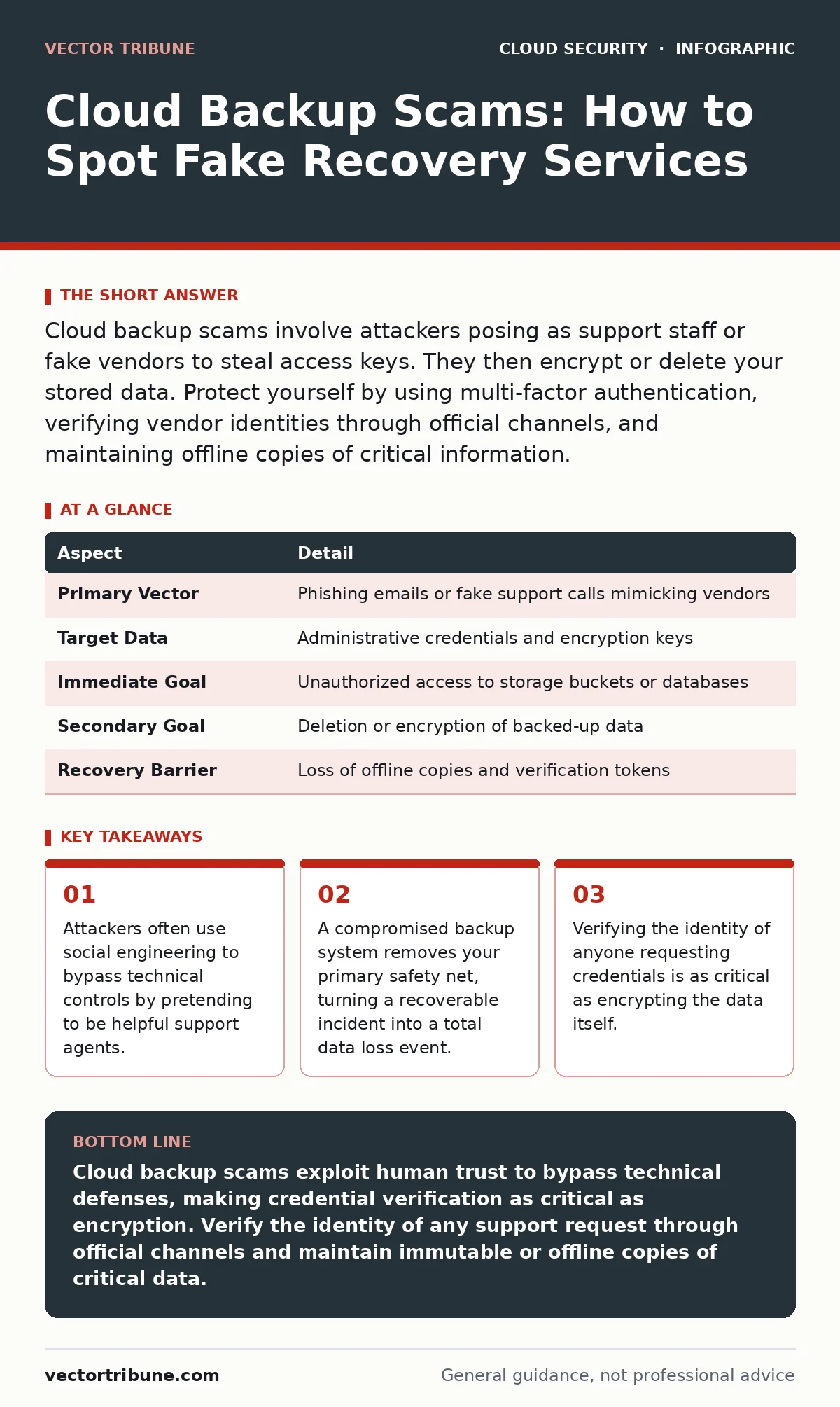
Cloud backup scams involve attackers posing as support staff or fake vendors to steal access keys. They then encrypt or delete your stored data. Protect yourself by using multi-factor authentication, verifying vendor identities through official channels, and maintaining offline copies of critical information.
Understanding the Mechanism of Fraud
Imagine you receive an urgent email about a failed backup job. The message looks official, uses your company’s logo, and provides a link to "restore" the data. You click the link, enter your credentials, and suddenly your access disappears. This scenario illustrates how cloud backup scams operate. The attacker does not need to hack your firewall directly. Instead, they trick you into handing over the keys to your digital vault.
Cloud backup scams target the trust relationship between you and your service provider. The fraudster creates a convincing imitation of a legitimate vendor or support interface. They know that backup systems hold the most sensitive copies of your information. By compromising these systems, they gain leverage over your entire infrastructure. The goal is rarely just theft. It is often destruction followed by extortion.
| Aspect | Detail |
|---|---|
| Primary Vector | Phishing emails or fake support calls mimicking vendors |
| Target Data | Administrative credentials and encryption keys |
| Immediate Goal | Unauthorized access to storage buckets or databases |
| Secondary Goal | Deletion or encryption of backed-up data |
| Recovery Barrier | Loss of offline copies and verification tokens |
How the Attack Unfolds Step by Step
The attack begins with reconnaissance. The attacker identifies your cloud provider and the specific backup service you use. They craft a communication that matches the visual style of that provider. This might be an email, a text message, or a phone call. The urgency is key. They claim a backup job failed, a subscription expired, or a security breach occurred.
You are directed to a login page that looks identical to the real one. The domain name is slightly different, often using a look-alike character. Once you enter your username and password, the attacker captures them. If your account uses multi-factor authentication, the attacker may prompt you to approve a login request on your device. They know you are already suspicious, so they frame the prompt as a necessary step to "secure" your account.
With access, the attacker navigates to your backup repositories. They do not always download the data immediately. Instead, they may install backdoors or change permission settings. This allows them to delete or encrypt the data at a later time. When you notice the loss, the attacker contacts you. They demand payment to restore the backups. Since the backups are your primary recovery source, you are in a weak position.
Who Faces the Greatest Risk
Any organization using cloud storage for business continuity is a target. Small businesses are often preferred targets because they may lack dedicated security teams. Large enterprises are targeted because the potential ransom payout is higher. The risk is not limited to specific industries. Healthcare, finance, and manufacturing are common targets, but so are media and education.
Developers and system administrators face unique risks. They often have elevated privileges that allow them to manage backup configurations. If an attacker compromises an admin account, they can disable logging and monitoring. This hides their activity until the damage is done. The technical sophistication of the victim matters less than their vigilance. A highly skilled team can fall for a well-crafted social engineering attack.
The risk increases when backup processes are fully automated without human verification. If an attacker gains access to the automation scripts, they can alter the retention policies. They might shorten the retention period to a few hours. This ensures that even if you detect the breach, there is no older data to restore from.
Common Misconceptions About Security
Many teams believe that encryption alone protects their backups. Encryption protects data at rest and in transit. It does not protect the credentials used to access the encrypted data. If an attacker steals your master key or your admin password, they can decrypt or delete the data. Encryption is a shield, not a lock on the door.
Another mistake is assuming that cloud providers handle all security responsibilities. The provider secures the infrastructure. You secure the data and the access. This shared responsibility model means you are liable for misconfigurations. If you leave a storage bucket public, the provider is not at fault. You must configure permissions correctly. See our guide on cloud misconfigurations for details on permission errors.
Teams often neglect to test their recovery process. They set up backups but never verify that the data can be restored. If the backup is corrupted or the restore process fails, you have a false sense of security. Regular testing ensures that your backups are usable. It also helps identify gaps in your recovery plan. Refer to cloud disaster recovery strategies for testing frameworks.
Detecting Signs of a Compromise
Look for unexpected changes in your backup logs. If a backup job fails repeatedly or completes unusually quickly, investigate. Check for new user accounts or permission changes. Attackers often create new accounts to maintain access. Review the access patterns of existing accounts. Look for logins from unfamiliar locations or at unusual times.
Monitor your storage metrics. A sudden drop in storage usage may indicate deletion. A spike in egress traffic may indicate data exfiltration. Set up alerts for these anomalies. Integrate your backup logs with your broader monitoring system. This allows you to correlate events across your environment. For more on tracking these signals, review cloud logging and monitoring best practices.
Be alert to communications that bypass normal channels. If someone claims to be from your provider but contacts you via personal email or social media, verify their identity. Do not click links in unsolicited messages. Navigate to the provider’s website manually and check for announcements. If the issue is real, it will be documented there.
See also: Detect Cloud Cryptojacking: Signs, Logs and Hidden Blind Spots · Cloud Metadata Service Attack Myths vs Reality
Preventing Future Incidents
Implement strict access controls. Use the principle of least privilege. Only give users the permissions they need to perform their jobs. Rotate credentials regularly. Do not share accounts. Each person should have their own identity. This allows you to track actions to specific individuals.
Use immutable storage options where available. Immutable storage prevents data from being deleted or modified for a set period. This protects against ransomware that tries to wipe backups. Even if an attacker gains access, they cannot remove the data immediately. This gives you time to detect and respond.
Maintain offline copies of critical data. An offline backup is disconnected from the network. It cannot be reached by remote attackers. While it is less convenient to restore from, it provides a final safety net. Ensure these copies are encrypted and stored securely.
Responding to a Breach
If you suspect a compromise, isolate the affected systems immediately. Disconnect them from the network to prevent further spread. Revoke all credentials associated with the compromised accounts. Generate new keys and passwords. Do not reuse old credentials.
Assess the extent of the damage. Determine which backups were affected and whether any data was exfiltrated. Check for backdoors or persistent access mechanisms. Clean the environment thoroughly before restoring data. Restore from the most recent known-good backup that was not affected.
Report the incident to your cloud provider and relevant authorities. Document every step you took. This documentation is critical for post-incident analysis and legal compliance. Review your security policies. Identify how the attacker gained access and update your controls to prevent a repeat. For a broader framework on security controls, consult the Cloud Controls Matrix.
Key takeaways
- Attackers often use social engineering to bypass technical controls by pretending to be helpful support agents.
- A compromised backup system removes your primary safety net, turning a recoverable incident into a total data loss event.
- Verifying the identity of anyone requesting credentials is as critical as encrypting the data itself.
Cloud backup scams exploit human trust to bypass technical defenses, making credential verification as critical as encryption. Verify the identity of any support request through official channels and maintain immutable or offline copies of critical data.
Frequently asked questions
Can antivirus software stop cloud backup scams?
Antivirus software detects malicious code on devices, but it cannot stop you from entering credentials on a fake website. It also cannot prevent an attacker from using stolen credentials to access your cloud account. Human verification is the primary defense.
Is multi-factor authentication enough to prevent these scams?
Multi-factor authentication significantly reduces risk, but it is not foolproof. Attackers can use phishing kits to intercept one-time codes in real-time. Using hardware security keys that cannot be phished provides stronger protection than SMS or app-based codes.
How do I know if my backup provider is legitimate?
Verify the provider through official channels. Do not trust contact information in unsolicited emails or messages. Visit the provider’s official website and use the contact information listed there. Check for consistent branding and domain names.
What is the first step if I suspect my backups are stolen?
Immediately revoke all access credentials for the affected accounts. Isolate the systems to prevent further data loss. Do not attempt to restore data until you have confirmed the environment is clean and the attacker no longer has access.
How this guide was produced: written by the Vector Tribune editorial team with AI assistance, checked against the public references listed below, and reviewed when the facts change. See our editorial policy or report an error.