
Detect Cloud Cryptojacking: Signs, Logs and Hidden Blind Spots
Cryptojacking often hides in plain sight by mimicking legitimate background processes and exploiting shared kernel resources across containers.
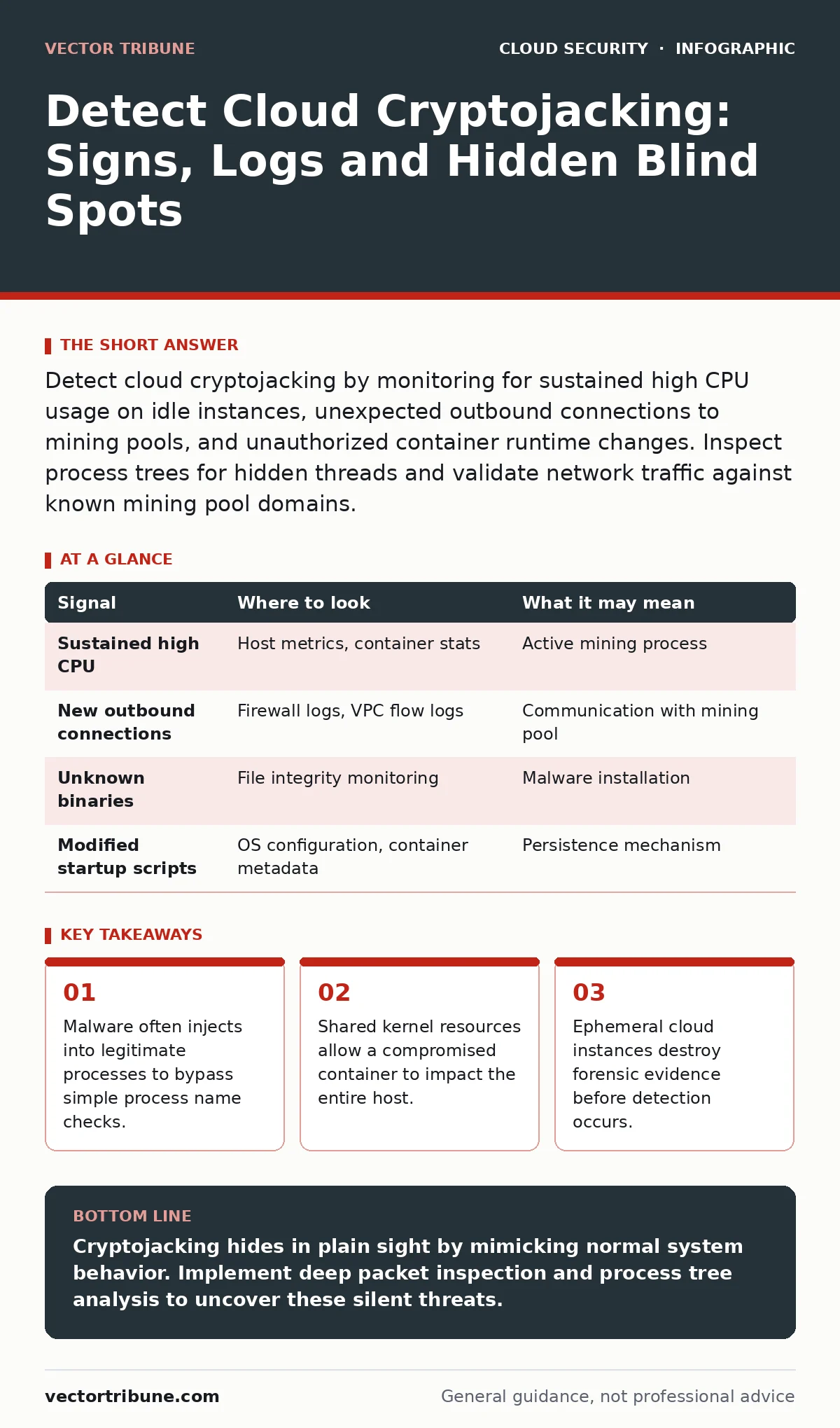
Detect cloud cryptojacking by monitoring for sustained high CPU usage on idle instances, unexpected outbound connections to mining pools, and unauthorized container runtime changes. Inspect process trees for hidden threads and validate network traffic against known mining pool domains.
The Anatomy of a Silent Thief
Cryptojacking is the unauthorized use of computing resources to mine cryptocurrency. In cloud environments, attackers do not need to steal data. They rent your hardware by running mining software in the background. The goal is to remain undetected for as long as possible to maximize profit.
Unlike ransomware, which screams for attention, cryptojacking whispers. It throttles its own resource usage to stay below alert thresholds. It hides within legitimate system processes. You might notice a slight slowdown in application response times or a modest increase in electricity costs. These are often dismissed as normal variance in cloud performance.
The attack vector is rarely the application code itself. It is usually a vulnerability in the infrastructure layer. A misconfigured container, an exposed API endpoint, or a weak default credential provides the initial foothold. Once inside, the attacker establishes persistence. They modify startup scripts, install cron jobs, or inject code into the container runtime.
Process Injection and Masquerading
Traditional endpoint detection relies on process names. Attackers know this. They use process injection to hide their mining threads inside trusted system binaries. A legitimate service like systemd or nginx may suddenly spawn a child process that consumes significant CPU cycles. The parent process looks normal. The child process is the miner.
You must inspect the process tree, not just the list of running processes. Look for parent-child relationships that do not make sense. A web server should not be spawning a command shell that executes a binary from a temporary directory. If you see a process with a generic name like "worker" or "helper" running with high privileges, investigate its origin.
Network Traffic Anomalies
Mining requires constant communication with a pool server. This creates a distinct network signature. The traffic is typically outbound, persistent, and uses specific protocols. While many miners use standard HTTP or HTTPS to blend in, the destination IP addresses are often geographically dispersed and rotate frequently.
Monitor for new outbound connections to unknown destinations. Look for consistent data exfiltration patterns that do not match your application’s normal behavior. A database server should not be sending small, frequent packets to a server in a different continent. Use network flow data to identify these connections.
Firewalls and security groups often allow all outbound traffic by default. This is a common misconfiguration. Restrict outbound traffic to only the destinations your applications explicitly need. If a container cannot reach the internet, it cannot send mined coins to an attacker. This also limits the damage from other types of compromise.
Resource Usage Patterns
CPU usage is the most obvious indicator, but it is also the easiest to miss. Modern mining software is designed to be stealthy. It may only run when the host is idle. You need to look for sustained high usage over time, not just spikes.
Memory usage can also be a clue. Some miners load large datasets into memory to speed up the hashing process. If a container’s memory usage grows steadily without a corresponding increase in application load, investigate further. Disk I/O is another metric. Miners may write temporary files or logs to disk, creating unusual I/O patterns.
| Signal | Where to look | What it may mean |
|---|---|---|
| Sustained high CPU | Host metrics, container stats | Active mining process |
| New outbound connections | Firewall logs, VPC flow logs | Communication with mining pool |
| Unknown binaries | File integrity monitoring | Malware installation |
| Modified startup scripts | OS configuration, container metadata | Persistence mechanism |
Container Runtime Risks
Containers share the host kernel. This is a fundamental design choice for efficiency. It is also a security risk. If an attacker escapes the container, they have access to the host kernel. They can install rootkits that hide their activities from standard monitoring tools.
Look for signs of container escape. This includes unexpected processes running on the host that are not part of any container. Check for new user accounts on the host. Verify that the container runtime is running with the least privileges necessary. Disable features that are not needed, such as privileged mode or host network access.
See also: Insecure Cloud APIs: Response and Recovery Steps · Detecting Cryptojacking: Signs, Logs, and Blind Spots
Ephemeral Evidence and Forensics
Cloud instances are ephemeral. When an instance is terminated, its memory and disk are wiped. This destroys forensic evidence. If you detect an attack, you must preserve the evidence before shutting down the instance. Take a snapshot of the disk. Capture the memory state if possible.
Do not power off the instance abruptly. This can corrupt the disk and make forensic analysis difficult. Instead, isolate the instance by removing its network interfaces. This stops the attack while preserving the evidence. Then, take a snapshot and terminate the instance.
Analyze the snapshot in a safe environment. Look for the initial entry point. Was it a vulnerable package? A misconfigured service? A weak password? Understanding the root cause is critical to preventing future attacks.
Common Blind Spots
One major blind spot is serverless functions. These are short-lived and difficult to monitor. Attackers can inject mining code into the function payload. The code runs briefly, mines a small amount of cryptocurrency, and then terminates. By the time you notice the increased compute costs, the attacker has moved on.
Another blind spot is the supply chain. Compromised base images or third-party libraries can contain mining code. If you build your containers from a compromised image, every instance you create is infected. Scan your base images regularly. Verify the integrity of your dependencies.
Tooling and Detection Strategies
You need a combination of tools to detect cryptojacking. Host-based intrusion detection systems can monitor for file changes and suspicious processes. Network monitoring tools can identify anomalous traffic. Cloud security posture management tools can check for misconfigurations.
Integrate these tools into your security operations center. Create alerts for sustained high CPU usage, new outbound connections, and unauthorized process creation. Tune these alerts to reduce false positives. A high rate of false positives will lead to alert fatigue, causing you to miss real attacks.
Regularly review your access logs. Look for unusual login times or locations. Check for unused credentials that could be exploited. Rotate keys and passwords regularly. This limits the window of opportunity for attackers.
Key takeaways
- Malware often injects into legitimate processes to bypass simple process name checks.
- Shared kernel resources allow a compromised container to impact the entire host.
- Ephemeral cloud instances destroy forensic evidence before detection occurs.
Cryptojacking hides in plain sight by mimicking normal system behavior. Implement deep packet inspection and process tree analysis to uncover these silent threats.
Frequently asked questions
Can cryptojacking damage my hardware?
No, it does not cause physical damage. It causes wear and tear through sustained high usage, which can reduce the lifespan of components.
How do I stop a cryptojacking attack immediately?
Isolate the affected instance from the network. Terminate the instance and take a forensic snapshot. Then, investigate the root cause.
Are serverless functions vulnerable?
Yes, attackers can inject code into serverless functions. Monitor for unusual compute usage and unexpected function invocations.
Does a WAF protect against cryptojacking?
No, a WAF protects against application-layer attacks. Cryptojacking often exploits infrastructure vulnerabilities or misconfigurations.
How this guide was produced: written by the Vector Tribune editorial team with AI assistance, checked against the public references listed below, and reviewed when the facts change. See our editorial policy or report an error.