
Cloud Disaster Recovery Mistakes That Cause Silent Data Loss
Most cloud recovery plans fail because they assume network access and permissions survive the outage, leaving critical systems unreachable when needed most.
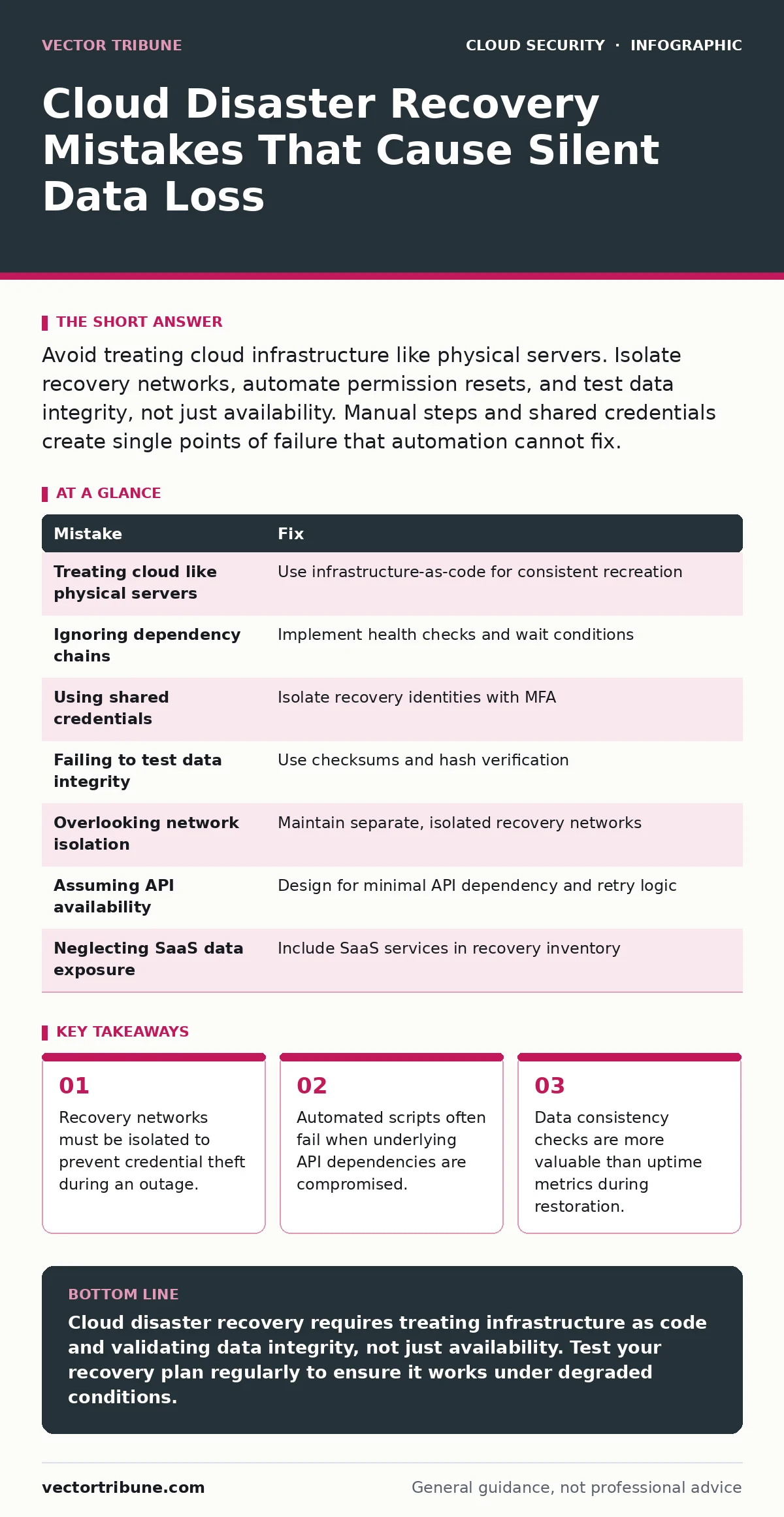
Avoid treating cloud infrastructure like physical servers. Isolate recovery networks, automate permission resets, and test data integrity, not just availability. Manual steps and shared credentials create single points of failure that automation cannot fix.
Mistake 1: Treating Cloud Infrastructure Like Physical Servers
You assume that because your data lives in the cloud, it is inherently resilient. This mindset ignores the specific failure modes of distributed systems. Physical servers fail in place; cloud resources can be deleted, corrupted, or inaccessible due to misconfigured policies.
Why it hurts: You rely on manual intervention to restore services that should be automated. When a widespread outage occurs, the cloud provider’s API may be degraded or unavailable. Your team cannot log in to fix what you have not automated.
The fix: Design your recovery plan around infrastructure-as-code scanning principles. Define your desired state in code, not in console clicks. If a resource is missing, the code recreates it. This removes human error from the restoration process and ensures consistency.
Mistake 2: Ignoring Dependency Chains in Recovery Scripts
Your recovery script restores the database, but it does not wait for the network configuration to stabilize. You assume that because the database instance is created, it is ready to accept connections. In reality, DNS propagation, security group rules, and IAM roles must align perfectly.
Why it hurts: The application starts but cannot connect to the data layer. You spend hours troubleshooting connectivity issues that are actually timing problems. The system appears down even though every component is technically running.
The fix: Implement health checks between each stage of the recovery. Do not proceed to the next step until the previous one reports a successful state. Use wait conditions in your automation tools to pause execution until dependencies are verified. This prevents cascading failures from minor timing mismatches.
Mistake 3: Using Shared Credentials for Recovery Access
You store the emergency recovery credentials in a shared document or a single password manager account. You assume that only authorized personnel will access this during a crisis. However, attackers often target these high-privilege accounts first during an incident.
Why it hurts: If the attacker compromises the primary identity provider, they also gain access to the recovery account. They can then prevent you from restoring your systems or alter the data during the recovery process. This is a common vector in cloud metadata service attacks.
The fix: Use separate, isolated identities for recovery operations. These identities should have no day-to-day access to production systems. Rotate these credentials regularly and require multi-factor authentication that does not rely on the primary identity provider. This limits the blast radius if the main account is compromised.
Mistake 4: Failing to Test Data Integrity, Not Just Availability
You verify that the backup files exist and can be downloaded. You assume that because the file is present, the data inside is correct. You do not check for silent corruption or logical inconsistencies in the restored data.
Why it hurts: You restore a database that looks complete but contains corrupted records. Your application starts, but users see errors or missing data. It takes days to discover the corruption, causing significant reputational damage. This is similar to the risks seen in data poisoning attacks, where bad data is introduced subtly.
The fix: Include checksums and hash verification in your recovery tests. Compare the restored data against the original source using cryptographic hashes. Automate these checks so they run every time a backup is created or restored. This ensures that the data is not just present, but valid.
Mistake 5: Overlooking Network Isolation in Recovery Environments
You restore your services into the same virtual network as your production environment. You assume that the isolation provided by the cloud provider is sufficient. You do not consider that a compromised production network could infect the recovery environment.
Why it hurts: If the initial incident involved a network breach, the recovery environment becomes infected immediately upon restoration. You spend resources restoring systems that are already compromised. This is a critical risk in multi-cloud security scenarios where lateral movement is possible.
The fix: Maintain a separate, isolated recovery network that has no direct connectivity to the production environment. Use a jump host or a bastion host to manage access to the recovery environment. This ensures that even if the production network is compromised, the recovery path remains clean.
See also: Container Escape: Definition, Mechanics, and Mitigation Strategies
Mistake 6: Assuming API Availability During Outages
You write your recovery scripts to rely heavily on the cloud provider’s API for status updates and resource creation. You assume that the API will be available even during major outages. You do not have a fallback mechanism for when the API is degraded.
Why it hurts: During a widespread outage, the API may be slow or unresponsive. Your recovery scripts fail or hang, delaying the restoration process. You are forced to use the console manually, which is slow and error-prone. This vulnerability is exacerbated by insecure cloud APIs that may be targeted during an incident.
The fix: Design your recovery plan to function with minimal API dependency. Use pre-configured templates and cached configurations where possible. Implement retry logic with exponential backoff to handle transient API failures. This ensures that your recovery process can continue even if the API is partially degraded.
Mistake 7: Neglecting SaaS Data Exposure in Recovery Plans
You focus on recovering your infrastructure and databases, but you forget about the data stored in third-party SaaS applications. You assume that the SaaS provider will handle the recovery. You do not have a process to verify the integrity of data in these external services.
Why it hurts: If the SaaS provider experiences an outage or data loss, your recovery plan does not account for this gap. You restore your infrastructure, but the critical data it relies on is missing or corrupted. This is a common issue in SaaS data exposure scenarios where data resides outside your direct control.
The fix: Include SaaS applications in your disaster recovery inventory. Verify the recovery point objectives (RPO) and recovery time objectives (RTO) for each SaaS service. Establish direct communication channels with SaaS providers to understand their recovery procedures. This ensures that your recovery plan covers all data dependencies.
| Mistake | Fix |
|---|---|
| Treating cloud like physical servers | Use infrastructure-as-code for consistent recreation |
| Ignoring dependency chains | Implement health checks and wait conditions |
| Using shared credentials | Isolate recovery identities with MFA |
| Failing to test data integrity | Use checksums and hash verification |
| Overlooking network isolation | Maintain separate, isolated recovery networks |
| Assuming API availability | Design for minimal API dependency and retry logic |
| Neglecting SaaS data exposure | Include SaaS services in recovery inventory |
Key takeaways
- Recovery networks must be isolated to prevent credential theft during an outage.
- Automated scripts often fail when underlying API dependencies are compromised.
- Data consistency checks are more valuable than uptime metrics during restoration.
Cloud disaster recovery requires treating infrastructure as code and validating data integrity, not just availability. Test your recovery plan regularly to ensure it works under degraded conditions.
Frequently asked questions
How often should I test my cloud disaster recovery plan?
Test your plan at least quarterly, and immediately after any significant infrastructure change. Regular testing ensures that your automation remains functional and your dependencies are up to date.
Can I use the same cloud region for recovery?
Using the same region increases risk if the region experiences a widespread outage. Consider using a secondary region for critical systems to ensure geographical diversity and resilience.
What is the role of infrastructure-as-code in disaster recovery?
Infrastructure-as-code allows you to recreate your environment quickly and consistently. It eliminates manual errors and ensures that your recovery state matches your desired configuration.
How do I handle data in third-party SaaS applications?
Verify the RPO and RTO for each SaaS service and establish communication with providers. Include these services in your recovery inventory and test data export/import procedures regularly.
How this guide was produced: written by the Vector Tribune editorial team with AI assistance, checked against the public references listed below, and reviewed when the facts change. See our editorial policy or report an error.