
Do I need security on my laptop and how to choose it
Leaving a portable computer unprotected exposes local storage to physical extraction methods that bypass network defenses entirely.
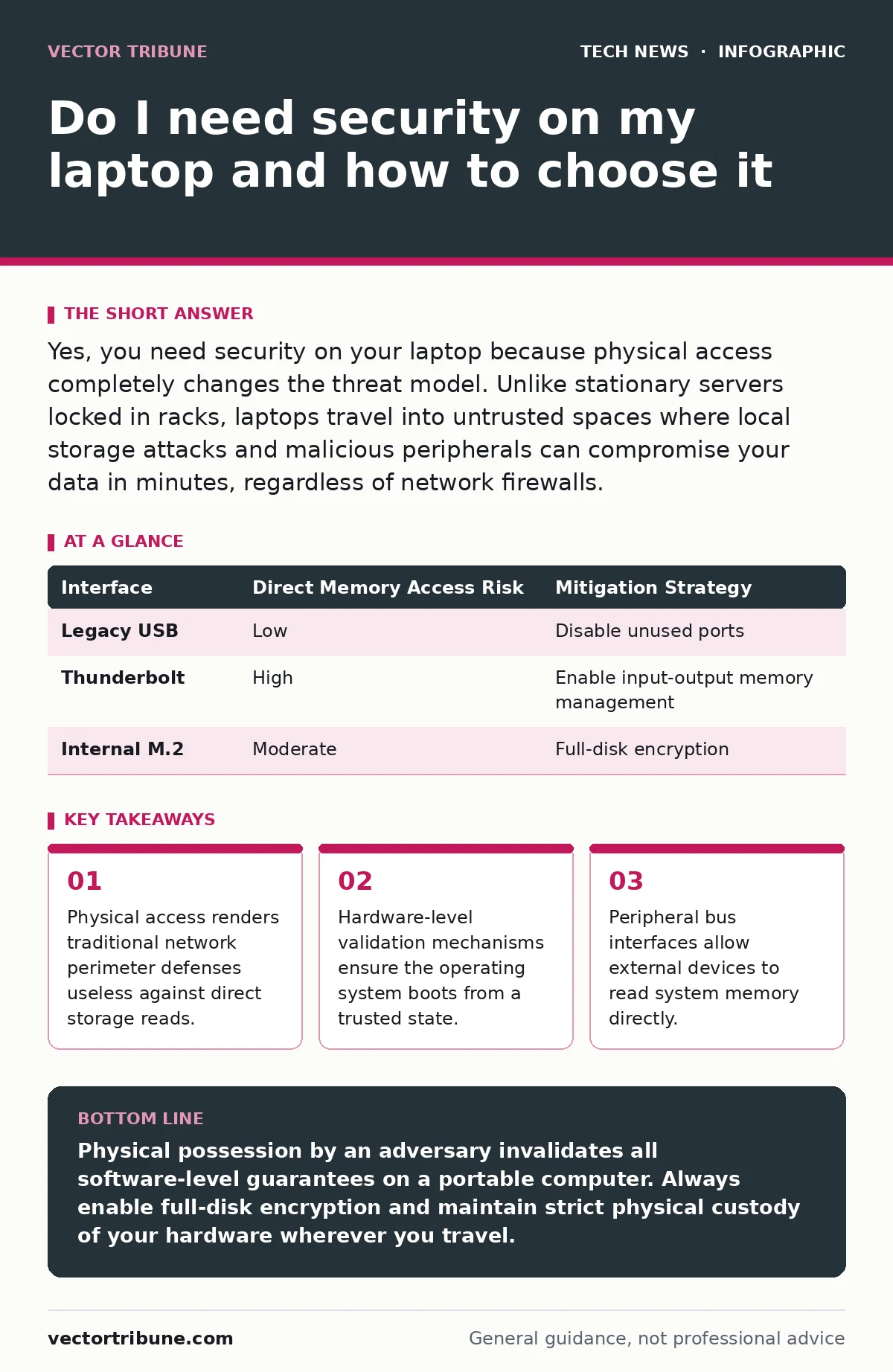
Yes, you need security on your laptop because physical access completely changes the threat model. Unlike stationary servers locked in racks, laptops travel into untrusted spaces where local storage attacks and malicious peripherals can compromise your data in minutes, regardless of network firewalls.
Do I need security on my laptop for everyday use?
You need security on your laptop because local adversaries and lost devices present constant risks. Mobile computers are frequently left unattended in coffee shops, hotel rooms, and transit vehicles. Software defenses and full-disk encryption ensure that an opportunistic thief cannot simply read your personal files by attaching the internal drive to another machine.
Full-disk encryption transforms plaintext data on storage media into ciphertext using mathematical algorithms that require a passphrase or hardware token to unlock. This process protects data at rest. However, encryption provides zero protection when the machine is running and unlocked, because the operating system keeps decryption keys in active memory for performance reasons.
Why does physical access change the threat model?
Physical access changes the threat model by allowing attackers to bypass software authentication entirely. An adversary with a few minutes alone with your laptop can manipulate firmware, install persistent hardware implants, or boot a malicious operating system from a universal serial bus drive. Network-based intrusion detection systems cannot see these local hardware modifications.
Modern systems rely on Secure Boot to establish a chain of trust from the motherboard firmware to the operating system kernel. This cryptographic verification stops unauthorized bootloaders from executing during startup. Yet, Secure Boot does not prevent someone from physically removing the storage drive and reading the raw NAND flash chips using specialized laboratory equipment.
How do malicious peripherals exploit internal buses?
Malicious peripherals exploit internal buses by leveraging high-speed interfaces like Thunderbolt or PCIe that grant direct memory access to connected hardware. These expansion ports were designed for performance, allowing external graphics cards and high-speed storage arrays to read and write system memory directly without involving the central processing unit.
An attacker can plug a rogue device into an exposed port and read encryption keys directly out of random access memory. Input-output memory management units mitigate this risk by translating device-visible addresses and restricting peripherals to allocated memory regions. You should disable unused ports in firmware and configure the operating system to block new USB devices while the screen is locked.
| Interface | Direct Memory Access Risk | Mitigation Strategy |
|---|---|---|
| Legacy USB | Low | Disable unused ports |
| Thunderbolt | High | Enable input-output memory management |
| Internal M.2 | Moderate | Full-disk encryption |
What role does firmware play in keeping machines safe?
Firmware plays a foundational role in keeping machines safe by initializing hardware components before the operating system ever loads. The basic input-output system or unified extensible firmware interface controls power management, hardware security modules, and boot sequence integrity. If this low-level code is compromised, no operating system security feature can be trusted.
Updating firmware is notoriously difficult because motherboard vendors frequently abandon older hardware models, leaving known vulnerabilities unpatched in the silicon microcode.
Can network defenses protect mobile workstations?
Network defenses cannot protect mobile workstations when they connect to hostile public Wi-Fi access points operated by unknown entities. When you travel, your laptop traverses networks that may attempt traffic interception or downgrade attacks. Proper use of HTTPS and virtual private networks protects data in transit across these untrusted environments, but local host firewalls remain necessary to block unauthorized incoming connections from other devices sharing the same local network segment.
Network monitoring tools can alert you to suspicious connection attempts, but they consume battery life and generate false positives on dynamic networks. A properly configured host-based firewall drops unsolicited inbound packets by default. This defense holds true whether you are connected to a secure home router or an open guest network at an airport.
How do you secure development environments on portable hardware?
Securing development environments on portable hardware requires isolating project dependencies and sensitive secrets from the host operating system. Developers frequently store API keys, database credentials, and private cryptographic keys inside plain text configuration files. If the laptop is compromised, these credentials grant attackers immediate access to cloud infrastructure and source code repositories.
Implementing secure software development practices on a laptop means storing all secrets in encrypted password managers and running build tools inside containerized environments. Containers limit the blast radius of a compromised dependency by restricting access to the host file system and kernel resources.
What happens when encryption keys reside in memory?
Encryption keys reside in memory because processors cannot perform cryptographic operations on ciphertext without decrypting it into working registers first. This operational reality creates a window where cold-boot attacks or direct memory inspection can recover active keys. Attackers achieve this by chilling the memory chips with compressed gas to preserve data remnants after power loss, then reading the contents on a separate machine.
Operating systems mitigate memory extraction by clearing sensitive keys upon shutdown and utilizing hardware security modules that perform cryptographic operations internally without exposing raw key material to the main system bus.
Key takeaways
- Physical access renders traditional network perimeter defenses useless against direct storage reads.
- Hardware-level validation mechanisms ensure the operating system boots from a trusted state.
- Peripheral bus interfaces allow external devices to read system memory directly.
Physical possession by an adversary invalidates all software-level guarantees on a portable computer. Always enable full-disk encryption and maintain strict physical custody of your hardware wherever you travel.
Frequently asked questions
Do I need antivirus software on a modern laptop?
You need endpoint protection to detect behavioral anomalies and known malware signatures that bypass operating system sandboxes. While modern operating systems include built-in scanning tools, additional behavioral monitoring catches novel attack vectors.
Does closing the laptop lid provide adequate security when walking away?
Closing the lid provides zero security unless the action explicitly triggers an immediate system lock and display sleep state. Many operating systems maintain an unencrypted active session for a grace period after the lid closes.
Are hardware security keys better than software passwords?
Hardware security keys offer superior protection against credential theft because they require physical presence and cryptographically bind authentication to the specific origin domain. They render traditional credential phishing techniques ineffective.
Can a guest user account compromise the primary operating system?
A guest account can potentially compromise the primary system if the underlying kernel contains privilege escalation vulnerabilities or misconfigured file permissions. Complete isolation requires separate encrypted installations or distinct hardware.
How this guide was produced: written by the Vector Tribune editorial team with AI assistance, checked against the public references listed below, and reviewed when the facts change. See our editorial policy or report an error.