
Detect Data Breaches: Hidden Signals in Logs and System Behavior
Most successful intrusions leave faint traces in routine system logs long before alerts trigger, requiring a shift from threat hunting to baseline anomaly detection.
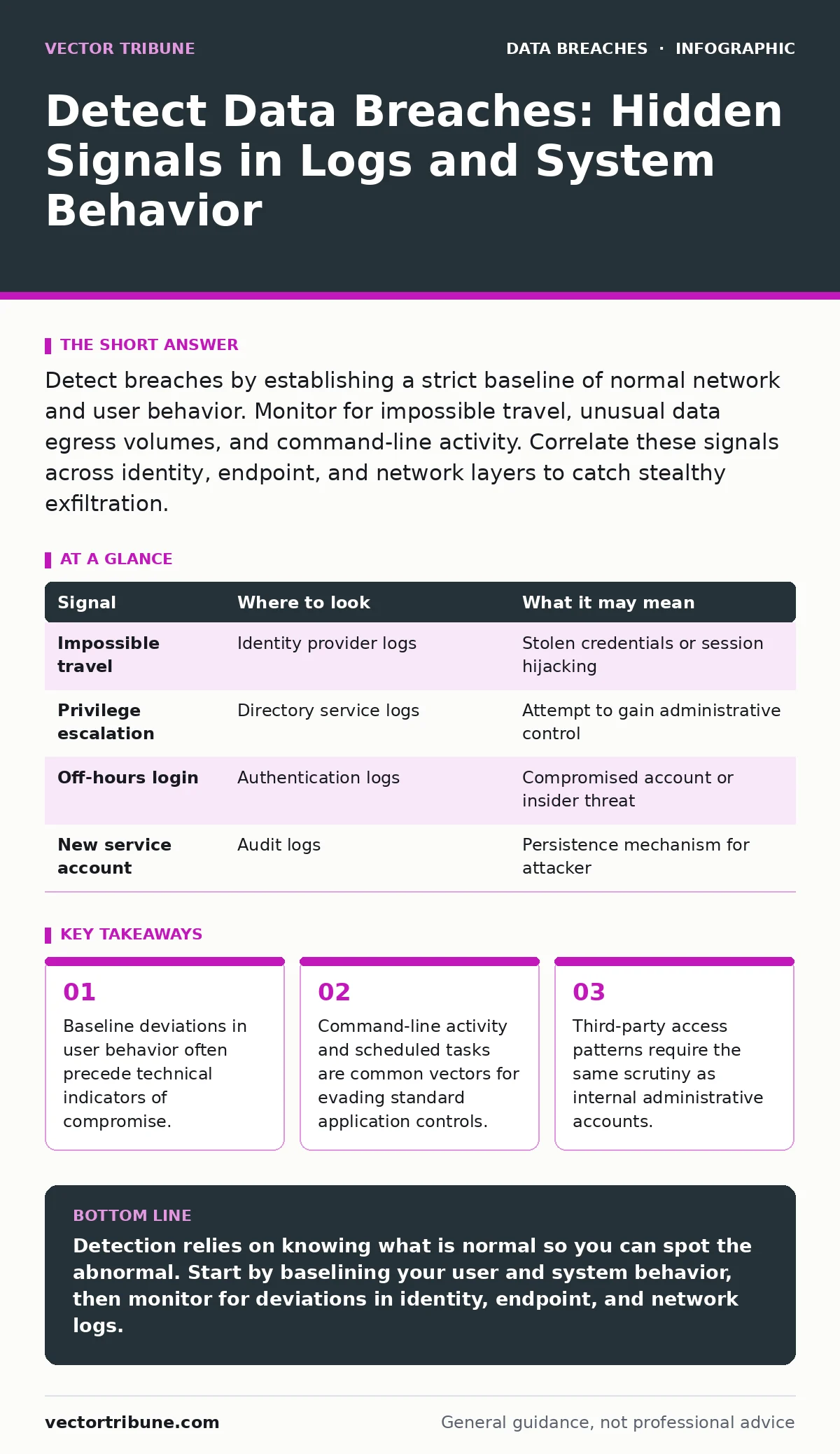
Detect breaches by establishing a strict baseline of normal network and user behavior. Monitor for impossible travel, unusual data egress volumes, and command-line activity. Correlate these signals across identity, endpoint, and network layers to catch stealthy exfiltration.
The Baseline of Normalcy
You cannot detect an anomaly if you do not define normal. Most detection strategies fail because they look for known bad signatures rather than unknown deviations. You must establish a precise baseline for every user, device, and service in your environment. This baseline includes typical login hours, usual data transfer volumes, and standard command executions.
When an account behaves outside this baseline, it generates a signal. A developer logging in at 3 AM from a new country is a signal. A web server sending 500 megabytes of data to an unknown external IP is a signal. These signals are not proof of a breach, but they are the only reliable starting point for investigation. Without a baseline, you are guessing.
Identity and Access Anomalies
Identity is the new perimeter. Attackers often steal credentials rather than break into systems directly. You must monitor for authentication failures followed by success, which indicates credential stuffing. Look for logins from geographically impossible locations, known as impossible travel. If a user logs in from New York and then from London ten minutes later, the account is likely compromised.
Also watch for privilege escalation. A standard user account suddenly accessing administrative shares or changing group memberships is a red flag. Attackers often try to gain higher privileges immediately after gaining initial access. Monitor for new service accounts being created or existing accounts being added to privileged groups. These changes often occur in the background, away from the main application logs.
| Signal | Where to look | What it may mean |
|---|---|---|
| Impossible travel | Identity provider logs | Stolen credentials or session hijacking |
| Privilege escalation | Directory service logs | Attempt to gain administrative control |
| Off-hours login | Authentication logs | Compromised account or insider threat |
| New service account | Audit logs | Persistence mechanism for attacker |
Endpoint Command-Line Activity
Modern malware often operates without files, running directly in memory. This is known as fileless malware. Since there is no executable file on the disk, traditional antivirus solutions may miss it. You must monitor command-line arguments on endpoints. Look for PowerShell, Bash, or CMD commands that encode data or download scripts from remote servers.
Attackers use legitimate system tools to perform malicious actions, a technique called living off the land. They might use certutil to download files or wmic to execute code. These tools are necessary for system administration, so you cannot block them entirely. Instead, you must alert on their use in unusual contexts. For example, a web server executing PowerShell is highly suspicious.
Network Egress and Data Exfiltration
Data breaches are defined by data leaving your environment. You must monitor outbound traffic for unusual volumes or destinations. Look for large data transfers to unknown external IP addresses or domains. Attackers often use DNS tunneling to exfiltrate data by encoding it in DNS queries. This traffic looks like normal web browsing but carries stolen data in the domain names.
Also watch for encrypted traffic to unfamiliar destinations. If a database server suddenly starts sending encrypted traffic to an external IP, it may be exfiltrating data. You cannot inspect the contents of encrypted traffic, but you can see the volume and destination. Correlate network logs with application logs to understand what data is moving. If the application logs show no user activity but the network logs show high outbound traffic, investigate immediately.
Third-Party and Supply Chain Risks
Your security posture is only as strong as your weakest partner. Third-party data breaches often originate from vendors with access to your systems. You must monitor the activity of all third-party accounts. These accounts should have limited privileges and be monitored with the same rigor as internal accounts.
Imagine a vendor uses a compromised laptop to access your API. The attack originates from their network, not yours. Your logs will show unusual activity from their IP range or service account. You must have visibility into third-party access patterns. If you cannot see what a vendor is doing, you cannot trust them with your data. Consider the principles in our guide on third-party data breaches for managing these risks.
See also: Command and Control Traffic: Definition, Detection, and Risk Reduction · Designing Emergency Stops for AI Systems: Best Practices
Blind Spots in Detection
Most organizations have blind spots where they do not collect or analyze logs. One common blind spot is cloud storage services. Attackers often exfiltrate data to cloud storage buckets that are not monitored by traditional network tools. Another blind spot is internal administrative traffic. Many organizations assume internal traffic is safe and do not inspect it for lateral movement.
Another blind spot is the lack of correlation between different log sources. A suspicious login in one system may seem harmless until you correlate it with a data download in another system. You need a centralized logging solution that can correlate events across identity, endpoint, and network layers. Without correlation, you are looking at isolated incidents rather than a coordinated attack.
The Cost of False Positives
As you increase your detection capabilities, you will generate more alerts. Not all alerts are breaches. Many are false positives caused by legitimate user behavior or system updates. If you alert on everything, your team will suffer from alert fatigue and miss real threats. You must tune your detection rules to reduce noise.
Focus on high-fidelity alerts that require immediate investigation. Use machine learning or behavioral analytics to identify subtle anomalies that rule-based systems miss. However, do not rely solely on automation. Human analysis is required to understand the context of an alert. A machine can tell you that an event is unusual, but only a human can determine if it is malicious.
Integrating Detection with Response
Detection is useless without response. When you identify a potential breach, you must have a clear plan for containment and eradication. This plan should include isolating affected systems, resetting credentials, and blocking malicious IPs. You cannot wait for the investigation to complete before acting. Speed is critical in limiting the damage of a breach.
Regularly test your detection and response capabilities through tabletop exercises. Simulate a breach and walk your team through the steps they would take. This reveals gaps in your detection logic and response procedures. It also ensures that your team is prepared to act under pressure. Remember that securing AI agents requires similar vigilance, as they can become new attack surfaces if not properly monitored.
Key takeaways
- Baseline deviations in user behavior often precede technical indicators of compromise.
- Command-line activity and scheduled tasks are common vectors for evading standard application controls.
- Third-party access patterns require the same scrutiny as internal administrative accounts.
Detection relies on knowing what is normal so you can spot the abnormal. Start by baselining your user and system behavior, then monitor for deviations in identity, endpoint, and network logs.
Frequently asked questions
How do I distinguish between a legitimate off-hours login and a breach?
Correlate the login with other activity. If the user accesses sensitive data or performs unusual commands, it is likely a breach. If they simply check email, it may be legitimate.
What is the most common blind spot in breach detection?
Internal lateral movement. Many organizations monitor external traffic but ignore traffic between internal systems, allowing attackers to move undetected.
Do I need a SIEM to detect breaches?
A SIEM helps correlate logs from multiple sources, but it is not strictly necessary. You can detect breaches with centralized logging and manual analysis, though it is less efficient.
How often should I review my detection rules?
Review them regularly, at least quarterly. As your environment changes, your baselines change. Outdated rules will generate false positives or miss new threats.
How this guide was produced: written by the Vector Tribune editorial team with AI assistance, checked against the public references listed below, and reviewed when the facts change. See our editorial policy or report an error.