
Difference Between Typosquatting and Brand Impersonation: Detection
Typosquatting exploits address bar errors while brand impersonation fakes content, requiring distinct detection strategies for each vector.
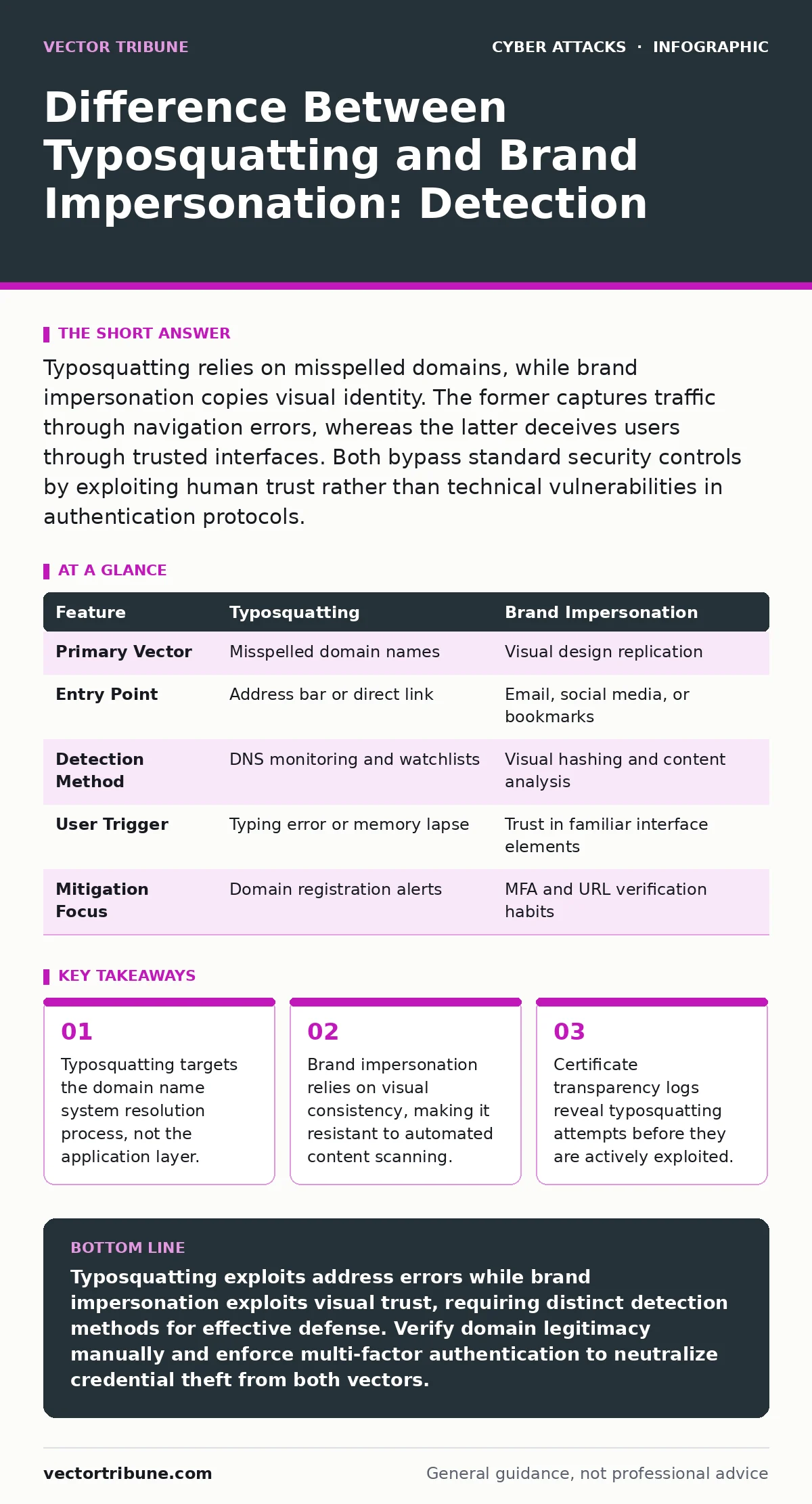
Typosquatting relies on misspelled domains, while brand impersonation copies visual identity. The former captures traffic through navigation errors, whereas the latter deceives users through trusted interfaces. Both bypass standard security controls by exploiting human trust rather than technical vulnerabilities in authentication protocols.
What is the difference between typosquatting and brand impersonation?
Typosquatting and brand impersonation are distinct attack vectors that exploit different stages of the user interaction cycle. Typosquatting registers domain names that resemble legitimate brands, relying on human typing errors or memory lapses. Brand impersonation creates fake websites or communications that visually mimic a legitimate service, relying on design replication rather than address confusion. You must treat them as separate threats because they require different detection mechanisms and mitigation strategies.
How does typosquatting capture user traffic?
Typosquatting captures traffic by registering domain names that are one character off from legitimate domains. Attackers predict common typing errors, such as swapping adjacent keys or omitting letters. When you type the wrong address, the browser resolves the malicious domain instead of the intended one. This method works because the Domain Name System does not validate the intent behind a query. The attacker gains control over the destination without needing to convince you of anything initially.
How does brand impersonation deceive users?
Brand impersonation deceives users by replicating the visual layout, logos, and language of a trusted service. The attacker creates a website that looks identical to the real login page. You interact with the interface believing it is legitimate. The deception relies on your recognition of the brand’s design elements rather than the URL. This method succeeds even if you type the correct address, provided you arrived via a malicious link or bookmark. It is closely related to phishing campaigns that distribute these cloned interfaces via email.
Why do automated security tools miss these attacks?
Automated security tools often miss these attacks because they operate at different network layers. Traditional firewalls inspect packet headers and known malicious IP addresses. They do not analyze the visual content of a webpage or the semantic similarity of a domain name. A typosquatting domain may serve valid HTTPS traffic, satisfying cryptographic checks. An impersonation site may use a valid certificate for a different domain. Your browser trusts the connection encryption, not the legitimacy of the content provider. This gap allows attackers to operate within standard protocol behaviors.
| Feature | Typosquatting | Brand Impersonation |
|---|---|---|
| Primary Vector | Misspelled domain names | Visual design replication |
| Entry Point | Address bar or direct link | Email, social media, or bookmarks |
| Detection Method | DNS monitoring and watchlists | Visual hashing and content analysis |
| User Trigger | Typing error or memory lapse | Trust in familiar interface elements |
| Mitigation Focus | Domain registration alerts | MFA and URL verification habits |
What is the hidden cost of domain monitoring?
The hidden cost of domain monitoring is the high rate of false positives in automated alerts. You cannot simply block every domain that resembles your brand. Legitimate competitors, misspellings by customers, or new startups may register similar names. Investigating each alert consumes significant security analyst time. This overhead forces teams to prioritize alerts based on risk scoring rather than volume. You must balance detection sensitivity with operational capacity. Failure to manage this trade-off leads to alert fatigue, where genuine threats are ignored due to noise.
See also: How Privileged Access Management Works: The Hidden Mechanics · Passkeys Best Practices: Secure Authentication Without Passwords
How do you verify a domain’s legitimacy?
You verify a domain’s legitimacy by checking the WHOIS registration data and the SSL certificate details. Look for the registration date and the registrant’s organization field. New domains registered within days of a major product launch are suspicious. Verify that the certificate issuer matches the expected authority. Use browser extensions that highlight the domain portion of the URL, separating it from the path. Do not rely on the page title or favicon, as these are easily forged. This manual check adds seconds to your workflow but prevents catastrophic credential loss.
What defense mechanisms stop credential theft?
Credential theft from both vectors is stopped by enforcing multi-factor authentication. Even if you enter your password on a typosquatting or impersonation site, the attacker cannot complete the login without the second factor. Implement hardware security keys or app-based codes. Avoid SMS-based verification, which is vulnerable to SIM swapping. This approach shifts the security burden from detecting the fake site to verifying the user’s identity. It renders the stolen credentials useless for further access. This principle aligns with privileged access management best practices that limit credential exposure.
How does this relate to other attack vectors?
These attacks often serve as entry points for more complex campaigns. A typosquatting site may host watering hole attacks that exploit browser vulnerabilities in visiting users. Impersonation emails may lead to vendor email compromise scenarios where attackers redirect payments. Understanding the initial deception helps you trace the attack chain back to its source. You should correlate domain registration data with email authentication failures. This holistic view prevents siloed defenses from missing the broader context.
What is the long-term strategy for prevention?
The long-term strategy for prevention combines technical monitoring with user education. Monitor trademark databases and DNS zones for new registrations. Implement DMARC policies to prevent email spoofing that leads to impersonation sites. Train users to verify URLs before entering credentials. Encourage the use of passkeys where supported, as they are bound to the specific domain and cannot be phished to a different address. This reduces the effectiveness of both typosquatting and impersonation significantly.
Key takeaways
- Typosquatting targets the domain name system resolution process, not the application layer.
- Brand impersonation relies on visual consistency, making it resistant to automated content scanning.
- Certificate transparency logs reveal typosquatting attempts before they are actively exploited.
- Multi-factor authentication mitigates credential theft from both attack vectors equally.
Typosquatting exploits address errors while brand impersonation exploits visual trust, requiring distinct detection methods for effective defense. Verify domain legitimacy manually and enforce multi-factor authentication to neutralize credential theft from both vectors.
Frequently asked questions
Can a firewall block typosquatting websites automatically?
Standard firewalls cannot block typosquatting automatically because the malicious domains are technically valid and may not be on known threat lists until after an incident occurs.
Does HTTPS protection stop brand impersonation?
No, HTTPS only encrypts the connection and verifies the certificate’s validity for that specific domain, but it does not guarantee the website’s content is legitimate or safe.
How can I tell if a domain is a typo of a real site?
Compare the domain character-by-character with the official site, looking for swapped letters, missing characters, or unusual top-level domains that deviate from the brand’s standard.
Are passkeys effective against typosquatting?
Yes, passkeys are cryptographically bound to the specific domain origin, meaning they will not function on a typosquatting site, even if the user enters the correct passkey details.
How this guide was produced: written by the Vector Tribune editorial team with AI assistance, checked against the public references listed below, and reviewed when the facts change. See our editorial policy or report an error.