Passkeys Best Practices: Secure Authentication Without Passwords
Passkeys eliminate the need for shared secrets by using cryptographic keys stored on your device, making credential theft virtually impossible.
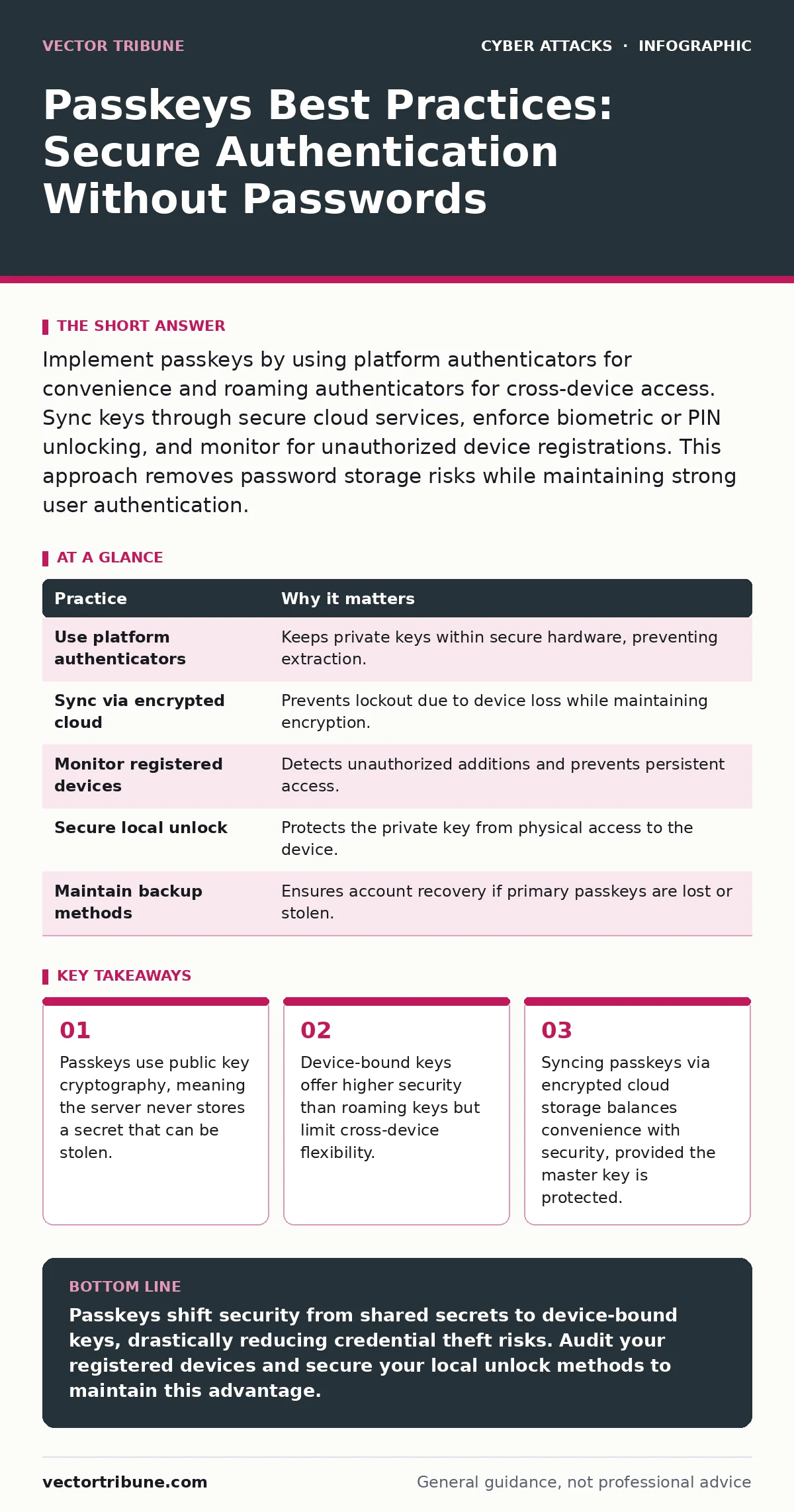
Implement passkeys by using platform authenticators for convenience and roaming authenticators for cross-device access. Sync keys through secure cloud services, enforce biometric or PIN unlocking, and monitor for unauthorized device registrations. This approach removes password storage risks while maintaining strong user authentication.
The Cryptographic Advantage of Passkeys
Passkeys replace passwords with a pair of cryptographic keys: a private key that stays on your device and a public key that is stored by the service. When you log in, the device signs a challenge from the server using the private key. The server verifies this signature against the public key it holds. This process proves you possess the private key without transmitting it.
Unlike passwords, which are shared secrets known to both you and the server, passkeys ensure the server never knows the secret. This architecture eliminates the risk of server-side database breaches exposing user credentials. It also neutralizes phishing attempts because the signature is tied to the specific domain requesting authentication.
Choosing Between Platform and Roaming Authenticators
You generally have two choices for storing passkeys: platform authenticators and roaming authenticators. A platform authenticator is built into your device, such as a smartphone’s secure enclave or a laptop’s TPM. These keys never leave the hardware, offering the highest level of security. A roaming authenticator is a separate device, like a security key or a software app on a different phone. This allows you to log in from a computer that does not natively support passkeys. The trade-off is clear. Platform authenticators are more secure but less flexible. Roaming authenticators offer flexibility but introduce a separate attack surface.
Imagine you are traveling and lose your primary phone. If you rely solely on platform authenticators, you are locked out of every account until you recover the device. If you use a roaming authenticator, you can log in from a borrowed laptop. However, if that roaming device is lost, an attacker with physical access might extract the keys, depending on the device’s security features.
Securing the Local Unlock Mechanism
A passkey is only as strong as the local unlock method that protects the private key. Most devices use biometrics, such as fingerprints or facial recognition, or a PIN to unlock the passkey. If an attacker can bypass your biometric or PIN, they can use your passkeys. Therefore, the local authentication is the critical control point. You must ensure your device’s screen lock is robust. A simple four-digit PIN is often insufficient against determined attackers who can observe or guess it. A longer alphanumeric password or a complex biometric setup provides better protection.
Leveraging Cloud Sync for Redundancy
Modern operating systems allow you to sync passkeys across devices using encrypted cloud storage. This feature is designed to prevent lockout if you lose or replace your device. The sync data is encrypted with a key derived from your device’s lock screen credentials. When you set up a new device, you restore the passkeys by verifying your identity. This creates a redundant copy of your keys without exposing them in plaintext. However, this introduces a dependency on the cloud provider’s security. If your cloud account is compromised, an attacker might gain access to your synced passkeys.
To mitigate this, ensure your cloud account is protected with its own passkey or strong multi-factor authentication. This creates a layered defense. The attacker must first breach your cloud account and then bypass the encryption key, which is tied to your device’s local lock.
Monitoring Device Registrations
Services that support passkeys often allow multiple devices to be registered for a single account. This is convenient but creates a potential attack vector. If an attacker gains temporary access to your account, they can register their own device as a new authenticator. They can then log in to your account from that device, even if you revoke access from the original source. You must regularly review the list of trusted devices associated with your accounts. Remove any device you do not recognize or no longer use. This limits the window of opportunity for an attacker to maintain persistence.
Suppose an attacker steals your phone while it is unlocked. They can quickly register their own device as a passkey holder for your email or banking accounts. By the time you notice the theft, they have established a foothold. Regular audits of registered devices help you detect and remove unauthorized entries before they cause significant damage.
Handling Service Migration and Backup
Not all services support passkeys equally. Some may only support them for login, while others support them for account recovery. When migrating to a new device or operating system, you must ensure you can access your passkeys. Relying solely on cloud sync can be risky if the sync service experiences an outage or if you are locked out of the sync account. Maintain a backup method for critical accounts. This could be a secondary passkey stored on a separate device or a traditional password as a last resort.
Integrating with Enterprise Security Policies
For organizations, passkeys offer a way to reduce the attack surface related to credential theft. They can be integrated with existing identity providers to streamline user authentication. This reduces the burden on users to remember complex passwords while increasing security. However, organizations must manage the lifecycle of these keys. This includes enforcing device compliance, monitoring for anomalous authentication patterns, and ensuring that IT departments can revoke access when employees leave.
Passkeys complement other security measures. They do not replace the need for strong network security or application security. They specifically address the weakness of shared secrets. By removing passwords, you eliminate the possibility of credential stuffing attacks, where attackers use leaked passwords from one site to access another.
| Practice | Why it matters |
|---|---|
| Use platform authenticators | Keeps private keys within secure hardware, preventing extraction. |
| Sync via encrypted cloud | Prevents lockout due to device loss while maintaining encryption. |
| Monitor registered devices | Detects unauthorized additions and prevents persistent access. |
| Secure local unlock | Protects the private key from physical access to the device. |
| Maintain backup methods | Ensures account recovery if primary passkeys are lost or stolen. |
Understanding the Limits of Passkeys
Passkeys are not a silver bullet. They protect against credential theft and phishing, but they do not protect against malware that captures screen content or keylogs the local unlock PIN. If an attacker has control of your device at the operating system level, passkeys offer limited protection. Additionally, passkeys require both the user and the service to support the standard. If a service does not support passkeys, you must still use a password. In these cases, use a password manager to generate and store unique, complex passwords.
Key takeaways
- Passkeys use public key cryptography, meaning the server never stores a secret that can be stolen.
- Device-bound keys offer higher security than roaming keys but limit cross-device flexibility.
- Syncing passkeys via encrypted cloud storage balances convenience with security, provided the master key is protected.
Passkeys shift security from shared secrets to device-bound keys, drastically reducing credential theft risks. Audit your registered devices and secure your local unlock methods to maintain this advantage.
Frequently asked questions
Can passkeys be used on any website?
Passkeys work on any website that supports the WebAuthn standard. Many major services support them, but smaller sites may still require passwords.
What happens if I lose my phone?
If you have synced your passkeys to the cloud, you can restore them on a new device using your cloud account credentials. Without sync, you may need account recovery options.
Are passkeys safer than two-factor authentication?
Passkeys are generally safer because they eliminate the password, which is the weakest link in two-factor authentication. They also resist phishing better than SMS or authenticator app codes.
Do passkeys work offline?
Yes, passkeys can be generated and used without an internet connection, as the cryptographic operations happen locally on your device.
How this guide was produced: written by the Vector Tribune editorial team with AI assistance, checked against the public references listed below, and reviewed when the facts change. See our editorial policy or report an error.