Tracker Blockers: How They Work and What They Break
Blocking trackers reduces your digital footprint but can break site functionality and mask your true browsing habits from security tools.
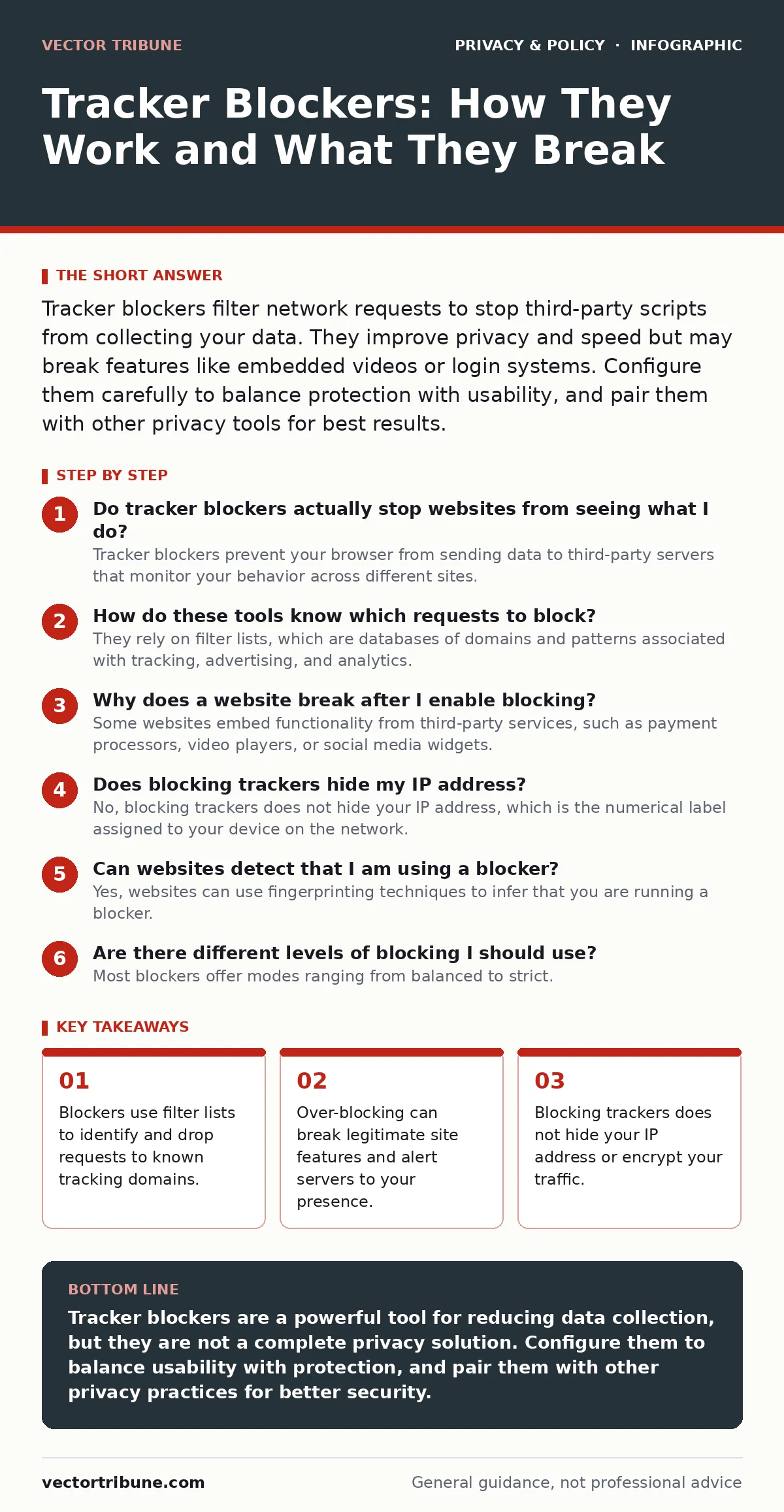
Tracker blockers filter network requests to stop third-party scripts from collecting your data. They improve privacy and speed but may break features like embedded videos or login systems. Configure them carefully to balance protection with usability, and pair them with other privacy tools for best results.
Do tracker blockers actually stop websites from seeing what I do?
Tracker blockers prevent your browser from sending data to third-party servers that monitor your behavior across different sites. They do not stop the website you are currently visiting from seeing your activity on its own pages. The site owner can still log your IP address, device type, and time spent on their pages. Blockers only cut off the external parties that aggregate this data to build a profile of you.
How do these tools know which requests to block?
They rely on filter lists, which are databases of domains and patterns associated with tracking, advertising, and analytics. When your browser attempts to load a resource, the blocker checks the request against these lists. If there is a match, the request is dropped before it leaves your device. This process happens in milliseconds, so you rarely notice the interference unless a feature breaks.
Why does a website break after I enable blocking?
Some websites embed functionality from third-party services, such as payment processors, video players, or social media widgets. When a blocker drops the request to these services, the embedded feature fails to load. This is not a bug in the blocker but a consequence of how the web is architected. You often have to allow specific domains for these features to work correctly.
Does blocking trackers hide my IP address?
No, blocking trackers does not hide your IP address, which is the numerical label assigned to your device on the network. The website you visit always receives your IP address to deliver content to you. To hide your IP address, you need a different tool, such as a virtual private network or the Tor network. Blockers only stop the side-channel data collection, not the primary connection.
Can websites detect that I am using a blocker?
Yes, websites can use fingerprinting techniques to infer that you are running a blocker. They may load a known tracking pixel and check if it returns a response. If the request fails, the site assumes a blocker is active. Some sites then display a warning or refuse service, forcing you to disable protection to proceed. This creates a cat-and-mouse dynamic where blockers must constantly update their methods to remain undetected.
See also: Email Aliases Checklist: Protect Identity and Filter Spam · Is End-to-End Encryption Safe? The Real Risks and Limits
Are there different levels of blocking I should use?
Most blockers offer modes ranging from balanced to strict. Balanced mode blocks known malicious trackers and invasive ads while allowing some analytics that help sites function. Strict mode blocks almost all third-party requests, which maximizes privacy but increases the likelihood of broken pages. You should adjust this setting based on the trust level of the site you are visiting.
| Mode | Privacy Level | Usability Impact | Best For |
|---|---|---|---|
| Balanced | Moderate | Low | Daily browsing and trusted news sites |
| Strict | High | High | Sensitive research or public Wi-Fi |
| Off | None | None | Banking portals or complex web apps |
Do I still need to manage consent if I block trackers?
Consent management platforms ask you to agree to data collection, but blocking the trackers renders this consent technically irrelevant for the blocked scripts. However, the website may still process some data locally or use first-party analytics that blockers do not touch. You should still review consent settings, but understand that a blocker provides a layer of protection that consent alone cannot. For more on navigating these choices, see our guide on consent management.
Will blocking trackers slow down my browsing?
Blocking trackers usually speeds up your browsing because your browser does not have to download and execute heavy tracking scripts. These scripts often compete for bandwidth and processing power. By dropping them, you reduce the number of connections your device makes. The initial setup of filter lists may take a moment, but the ongoing effect is typically faster page loads.
How do blockers interact with other privacy tools?
Blockers work best when combined with other privacy measures. They do not replace the need for secure connections or careful account management. For example, using email aliases can prevent sites from linking your browsing history to your real identity. Similarly, understanding browser cookies helps you see what data remains on your device even if trackers are blocked. You should also review smartphone privacy settings, as apps often use different tracking mechanisms than web browsers.
What happens when I visit a site that relies on third-party logins?
If a site uses a third-party service for authentication, such as logging in with a social media account, the blocker may interfere with the handshake process. This can result in login failures or errors. You must explicitly allow the authentication domain in your blocker settings. This is a common edge case where privacy tools conflict with convenience features.
Is there a hidden cost to using aggressive blocking?
Aggressive blocking can fragment the web by breaking shared functionality and increasing the load on developers who must work around these restrictions. It can also make your browser fingerprint more unique, potentially making you easier to track by sophisticated actors who look for the absence of expected scripts. This is a non-obvious consequence: by trying to hide, you may stand out more to those who know what to look for.
How do I keep my filter lists up to date?
Filter lists change frequently as new trackers emerge and old ones change their domains. Most blockers update these lists automatically in the background. You should ensure your software is set to update regularly. Outdated lists may fail to block new threats or may incorrectly block legitimate services. This maintenance is passive but necessary for continued effectiveness.
Key takeaways
- Blockers use filter lists to identify and drop requests to known tracking domains.
- Over-blocking can break legitimate site features and alert servers to your presence.
- Blocking trackers does not hide your IP address or encrypt your traffic.
Tracker blockers are a powerful tool for reducing data collection, but they are not a complete privacy solution. Configure them to balance usability with protection, and pair them with other privacy practices for better security.
Frequently asked questions
Can a tracker blocker protect me on mobile apps?
Most standard browser blockers do not protect mobile apps, which use different tracking methods. You need specific app-level privacy tools or firewall software for that protection.
Do tracker blockers prevent malware infections?
Blockers reduce the risk of malicious ads, but they do not replace antivirus software. They stop data collection, not all forms of code execution.
Is it legal to use tracker blockers?
In most jurisdictions, using a tracker blocker is legal for personal use. However, it may violate the terms of service of some websites, which can refuse you access.
Can trackers see what I type on a website?
If the website itself has a vulnerability or malicious script, it can see your input. Blockers only stop third-party scripts, not the first-party code running on the page you visit.
How this guide was produced: written by the Vector Tribune editorial team with AI assistance, checked against the public references listed below, and reviewed when the facts change. See our editorial policy or report an error.