
Prevent PyPI Package Vulnerabilities: Code and Supply Chain Defense
Most Python attacks bypass signature checks by exploiting trust in the package index rather than breaking cryptographic seals on the files themselves.
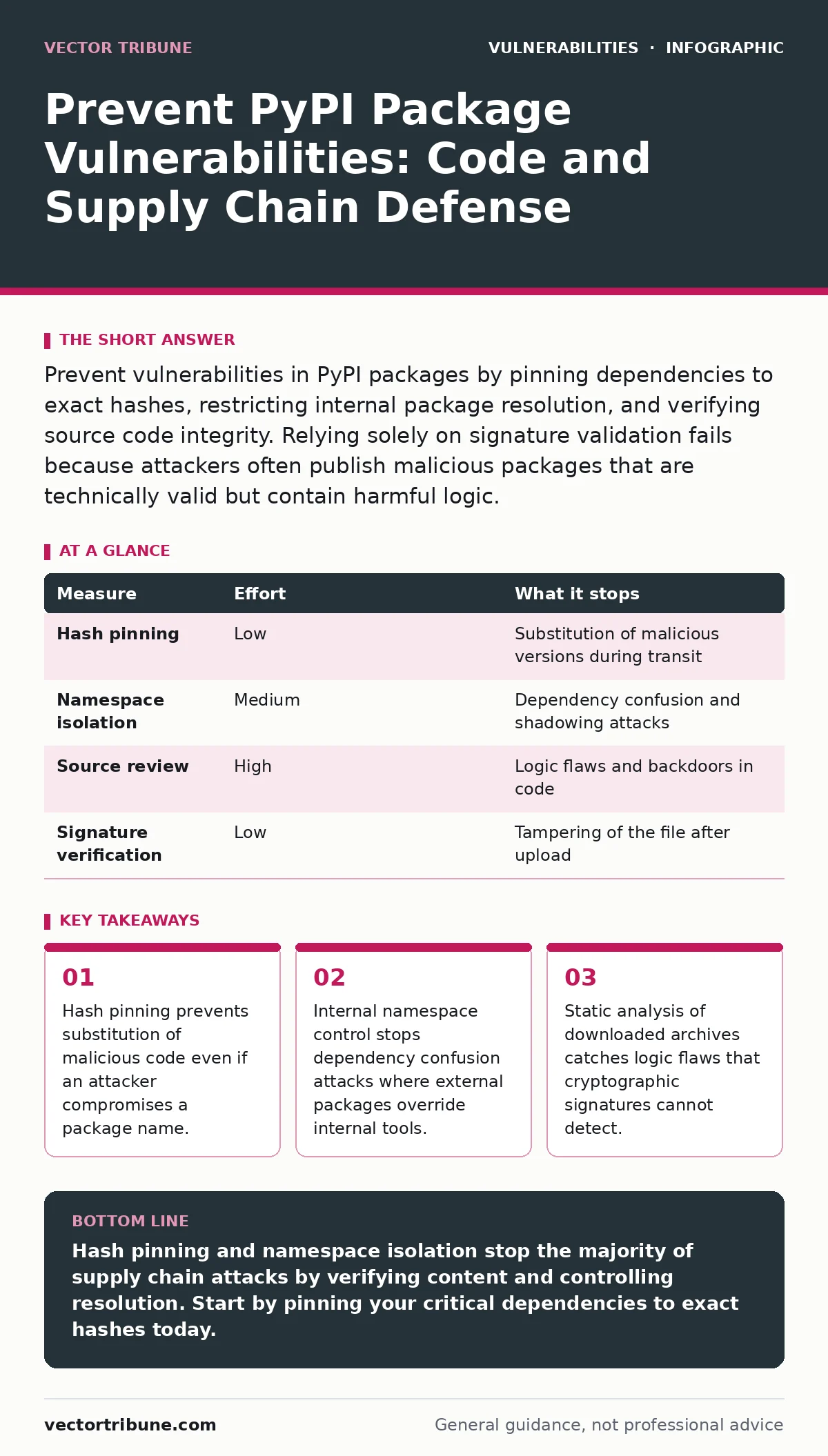
Prevent vulnerabilities in PyPI packages by pinning dependencies to exact hashes, restricting internal package resolution, and verifying source code integrity. Relying solely on signature validation fails because attackers often publish malicious packages that are technically valid but contain harmful logic.
Why Standard Verification Fails for Python
You assume that downloading a package from PyPI is safe because the index verifies uploader identity. This assumption creates a blind spot. The index confirms that a specific user uploaded a file, not that the file is benign. Attackers frequently register new accounts, publish a malicious version of a popular library, and wait for automated systems to pull it. Your build system accepts the file because the cryptographic signature matches the uploader’s key. The code executes anyway.
This mechanism means that standard integrity checks only prove authorship, not safety. You need controls that verify the content, not just the container. Understanding this distinction is the first step in securing your supply chain. Without it, you are defending against file tampering while ignoring code injection.
| Measure | Effort | What it stops |
|---|---|---|
| Hash pinning | Low | Substitution of malicious versions during transit |
| Namespace isolation | Medium | Dependency confusion and shadowing attacks |
| Source review | High | Logic flaws and backdoors in code |
| Signature verification | Low | Tampering of the file after upload |
Pin Dependencies to Exact Hashes
Pinning dependencies to specific versions is common practice, but it is insufficient. An attacker can upload a malicious version with the same version number if they control the namespace. You must pin to the cryptographic hash of the archive file. This technique, known as hash pinning, ensures that the exact bits you tested are the bits you run. If an attacker replaces the file, even with a valid signature, the hash will not match. Your build fails immediately.
Most modern Python tools support this feature. You specify the expected SHA256 hash alongside the package name and version. The tool downloads the file, computes its hash, and compares it. A mismatch aborts the installation. This method removes the risk of supply chain substitution entirely. It adds a small maintenance overhead when you update packages, but this is a necessary trade-off for security. You verify the hash once during the update process, and then trust it until the next update.
Isolate Internal Package Namespaces
Dependency confusion attacks exploit the way package managers resolve names. Many organizations host internal packages on private repositories that mirror PyPI. If the private repository does not block external packages, an attacker can publish a package with an internal name to PyPI. When your build system requests that package, it may pull the malicious external version instead of the internal one. This happens because the manager checks PyPI when the private source returns nothing.
You must configure your package manager to prefer internal sources or to block specific namespaces. Some tools allow you to define a list of allowed domains for package resolution. Others require you to explicitly declare which packages come from which source. This configuration prevents external packages from shadowing internal ones. It is a critical control for organizations with private infrastructure. Without it, your internal tools are vulnerable to external manipulation.
Verify Source Code Before Installation
Cryptographic controls protect the file, but they do not protect the logic. You must verify the source code before it runs in your environment. This step involves downloading the package archive, extracting it, and reviewing the code for anomalies. Look for unexpected network calls, file system access, or execution of external commands. These patterns often indicate backdoors or data exfiltration attempts.
Automated static analysis tools can help with this review. They scan the code for known vulnerability patterns and suspicious behaviors. However, they are not perfect. You should combine automated scans with manual review for high-risk packages. This dual approach catches both known flaws and novel attacks. It requires more effort than simple pinning, but it provides a deeper layer of defense. You are checking the intent of the code, not just its integrity.
Restrict Execution Permissions in Build Environments
Your build environment should not trust any code by default. Restricting execution permissions limits the damage if a malicious package does run. Use sandboxes or containers to isolate package installation from the main build process. This isolation prevents the package from accessing sensitive data or modifying system files. If the package tries to execute a command, the sandbox blocks it.
This measure does not prevent the vulnerability from existing. It prevents the vulnerability from causing harm. It is a containment strategy. You should use it in conjunction with other measures, not as a replacement. Sandboxing adds complexity to your build pipeline, but it reduces the attack surface significantly. You are trading convenience for safety. This trade-off is worthwhile for production systems.
See also: Patch Prioritization: Benefits, Limits, and When to Skip It · Medical Device Vulnerabilities: 7 Mistakes That Leave Systems Open
Monitor for New Package Versions
Attackers often publish malicious packages and then delete them quickly. They rely on the time window between publication and deletion to infect systems. Monitoring for new versions of your dependencies helps you detect these attempts early. You can set up alerts for new versions of packages in your dependency tree. This allows you to investigate suspicious releases before they are widely adopted.
This monitoring should be automated. Manual checks are too slow to catch short-lived attacks. Use tools that track package metadata and notify you of changes. You should also verify the identity of the uploader. If a new version is uploaded by a different user, treat it with suspicion. This practice helps you stay ahead of attackers who try to exploit the speed of automated builds.
Implement a Strict Update Policy
Your update policy determines how quickly you react to vulnerabilities. A strict policy requires that all updates are reviewed and tested before deployment. This review includes checking the source code and verifying the hash. It also involves testing the package in a staging environment. This process slows down updates, but it ensures that you do not introduce new vulnerabilities.
You should balance speed with security. Waiting too long to update leaves you exposed to known flaws. Updating too quickly exposes you to new attacks. Find a middle ground that works for your team. Automate the review process where possible to reduce the burden on developers. This approach ensures that your dependencies remain secure without stifling development.
Close the Loop with Continuous Verification
Security is not a one-time event. You must continuously verify the integrity of your dependencies. This includes re-checking hashes and monitoring for new vulnerabilities. You should also review your access controls regularly. Ensure that only authorized users can publish packages to your internal repositories. This prevents insider threats from compromising your supply chain.
Continuous verification requires investment in tools and processes. It is not a quick fix. But it is necessary for long-term security. You are building a system that resists attacks over time. This system relies on multiple layers of defense, each catching what the others miss. By combining these measures, you create a resilient supply chain.
Checklist for Immediate Action
You can start securing your PyPI dependencies today. These three steps provide immediate risk reduction. They are simple to implement and have a high impact.
- Pin all dependencies to exact hashes in your project configuration.
- Configure your package manager to block external packages from overriding internal names.
- Enable alerts for new versions of critical dependencies.
These actions address the most common attack vectors. They do not require significant changes to your codebase. You can implement them incrementally. Start with your most critical projects and expand from there. This approach ensures that you reduce risk quickly while maintaining development velocity.
Key takeaways
- Hash pinning prevents substitution of malicious code even if an attacker compromises a package name.
- Internal namespace control stops dependency confusion attacks where external packages override internal tools.
- Static analysis of downloaded archives catches logic flaws that cryptographic signatures cannot detect.
Hash pinning and namespace isolation stop the majority of supply chain attacks by verifying content and controlling resolution. Start by pinning your critical dependencies to exact hashes today.
Frequently asked questions
Does signing my packages prevent supply chain attacks?
No, signing only proves who uploaded the file. It does not verify that the code is safe or that the package name is legitimate.
How do I handle transitive dependencies?
You must pin the hashes of transitive dependencies as well. Use tools that generate a lock file with all hashes included.
Is it safe to use packages from private repositories?
Only if you restrict namespace resolution and verify the source code. Private repositories can be targeted by dependency confusion attacks.
What if a package maintainer stops updating?
Fork the package and host it internally. Pin your dependency to your internal version and maintain it yourself.
How this guide was produced: written by the Vector Tribune editorial team with AI assistance, checked against the public references listed below, and reviewed when the facts change. See our editorial policy or report an error.