Insider Data Theft Explained: How Internal Access Becomes External Risk
The most dangerous data exfiltration often comes from accounts that already have permission to read the files, bypassing perimeter defenses entirely.
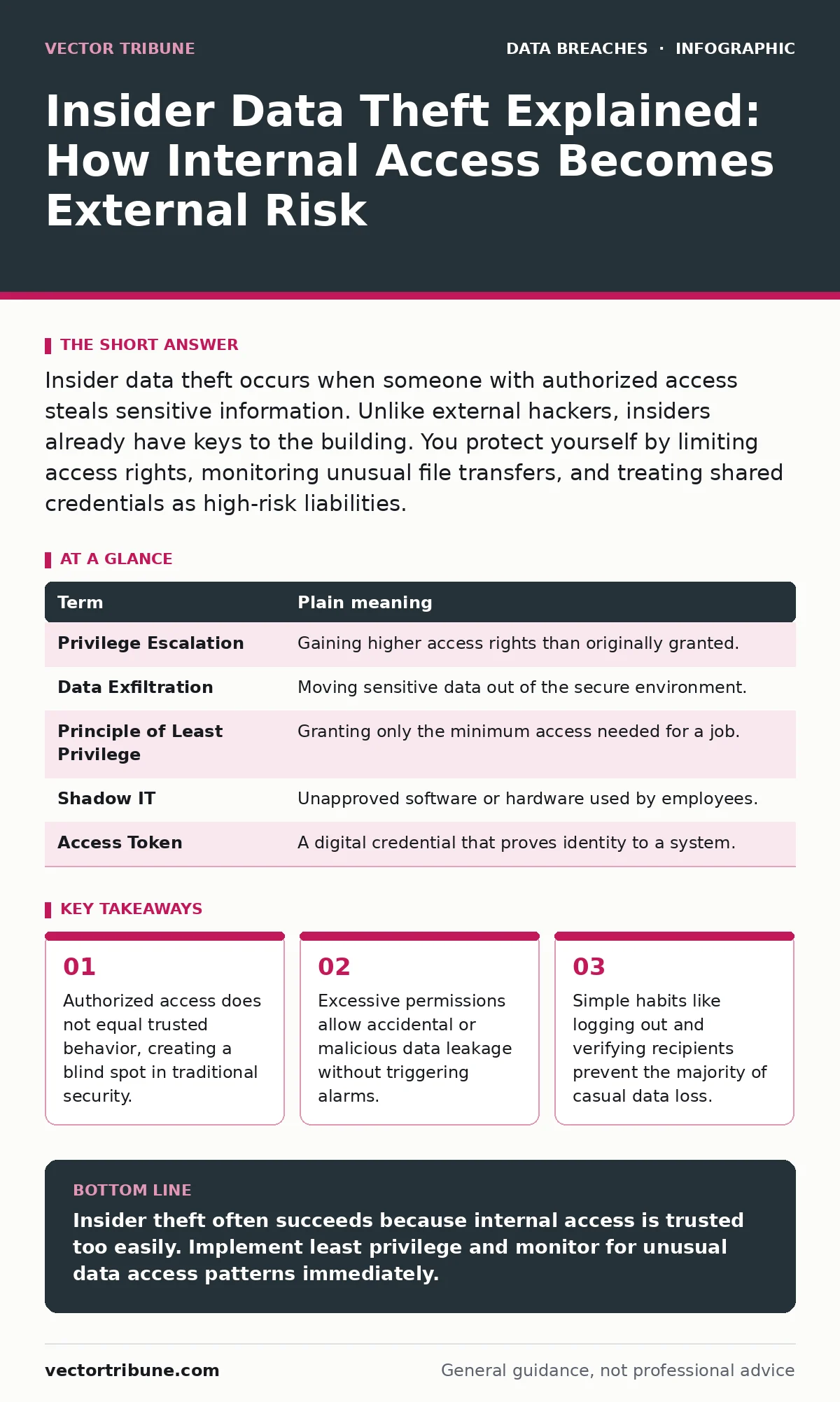
Insider data theft occurs when someone with authorized access steals sensitive information. Unlike external hackers, insiders already have keys to the building. You protect yourself by limiting access rights, monitoring unusual file transfers, and treating shared credentials as high-risk liabilities.
The Office Keycard Analogy
Imagine your company is a secure office building. External hackers are people trying to pick the lock or break a window to get in. Insider data theft is different. The insider already has a keycard. They walk through the front door, swipe into the server room, and copy files onto a USB drive. No alarms sound because the system sees a valid employee badge. The threat is not breaking in; it is someone inside who decides to take what they can touch.
This analogy helps you understand why firewalls often fail to stop insider threats. Firewalls are the building walls. They stop strangers. They do not stop the accountant from walking out with a box of documents. You must treat internal access as a privilege that can be abused, not a guarantee of safety.
Key Terms for Internal Threats
Understanding the mechanics requires precise language. These terms define how insiders operate and how systems respond.
| Term | Plain meaning |
|---|---|
| Privilege Escalation | Gaining higher access rights than originally granted. |
| Data Exfiltration | Moving sensitive data out of the secure environment. |
| Principle of Least Privilege | Granting only the minimum access needed for a job. |
| Shadow IT | Unapproved software or hardware used by employees. |
| Access Token | A digital credential that proves identity to a system. |
Why Perimeter Defenses Fail
Traditional security focuses on the edge. You build high walls to keep attackers out. This approach assumes that if you can keep the bad guys out, your data is safe. This assumption fails when the threat is inside. An insider does not need to bypass the firewall. They already have a session active within the network.
Consider a developer who needs access to production databases. If they have full read access, they can download everything. If they leave the company on bad terms, that access remains until IT revokes it. The delay between termination and revocation is the window for theft. This is a hidden cost of convenience. You granted broad access to make their job easier, and that ease became your vulnerability.
The Accidental Insider Threat
Not all insiders are malicious. Many are careless. Imagine an employee who connects their personal laptop to the office network to charge it. That laptop has malware that scans for sensitive files. The malware uses the employee’s active session to copy data. The employee did not intend to steal anything. They simply failed to isolate their personal device.
This scenario highlights a non-obvious consequence of modern work habits. Personal devices are not just entry points for viruses. They are bridges that allow malware to use your legitimate credentials. Your identity becomes the weapon. The malware does not hack the system. It rides on your trusted status. This is why separating personal and professional devices matters more than installing antivirus software.
Simple Safety Habits for Users
You can reduce your risk with small, consistent actions. These habits limit the damage if your account is compromised or if you make a mistake.
- Log out of shared computers. Never assume the next user will be careful. A locked screen is the first line of defense.
- Verify email recipients before sending attachments. A misdirected email is a form of data loss. Check the address twice.
- Use personal devices only for personal tasks. Keep work data on work machines. This prevents cross-contamination.
These steps seem minor. They address the most common failure points. Most data leaks are not sophisticated heists. They are simple errors. You send a file to the wrong person. You leave a screen unlocked. You use a weak password. These small gaps allow data to escape.
See also: What Does Full Disk Encryption Protect Against: A Technical Deep Dive · Encryption in a Sentence: How Scrambling Data Protects Your Digital Life
Limiting Access Rights
The most effective control is limiting what people can see. If an employee only needs to read sales reports, they should not have access to customer passwords. This is the principle of least privilege. It reduces the blast radius of any single account compromise.
Imagine a library. Not every patron gets a key to the archives. Only librarians do. If a librarian leaves, you take back their key. You do not leave the key on the desk. In digital systems, you must automate this. When an employee’s role changes, their access should change immediately. Manual reviews are too slow. Automated systems ensure that access matches current job duties.
Monitoring for Anomalies
You cannot watch every user all the time. You must look for patterns that break the norm. An analyst who downloads 10,000 records at 2 AM is suspicious. An engineer who accesses HR files is unusual. These anomalies trigger alerts.
This monitoring is not about spying on employees. It is about protecting data. You want to catch mistakes before they become breaches. If a user accidentally uploads a sensitive file to a public cloud, the system should flag it. Early detection allows you to contain the issue. You can revoke access, delete the file, and investigate the cause.
The Role of Encryption
Encryption protects data even if it is stolen. If an insider copies files and they are encrypted, the thief needs the key to read them. Without the key, the data is useless. This is why encryption at rest is a critical control. It ensures that stored data is unreadable without authorization.
However, encryption is not a silver bullet. If the insider has access to the decryption keys, encryption fails. This is why encryption key management is vital. You must separate the data from the keys. Different people should manage the keys than those who manage the data. This separation prevents a single insider from accessing everything.
Bottom Line for Ordinary Users
Insider threats are real and often overlooked. You are not just defending against strangers. You are defending against the potential for internal failure. By limiting access, monitoring behavior, and using encryption, you create layers of protection. No single measure stops all threats. Together, they make theft difficult and detectable.
Review your own habits. Do you leave screens unlocked? Do you share passwords? Small changes in your behavior can significantly reduce risk. Security is a shared responsibility. You play a part in keeping data safe.
Key takeaways
- Authorized access does not equal trusted behavior, creating a blind spot in traditional security.
- Excessive permissions allow accidental or malicious data leakage without triggering alarms.
- Simple habits like logging out and verifying recipients prevent the majority of casual data loss.
Insider theft often succeeds because internal access is trusted too easily. Implement least privilege and monitor for unusual data access patterns immediately.
Frequently asked questions
How do I know if my account has been used by an insider?
Check your login history for unknown locations or times. Look for files you did not create or modify. Report any anomalies to your security team immediately.
Can encryption stop a malicious insider?
Encryption protects data at rest. If the insider has the decryption keys, they can read the data. You must manage keys separately to ensure protection.
How this guide was produced: written by the Vector Tribune editorial team with AI assistance, checked against the public references listed below, and reviewed when the facts change. See our editorial policy or report an error.