
Prompt Injection in AI Desktop Apps Mechanics and Defense
Local artificial intelligence applications execute untrusted data inputs as system instructions when unstructured text buffers blend user commands with retrieved data.
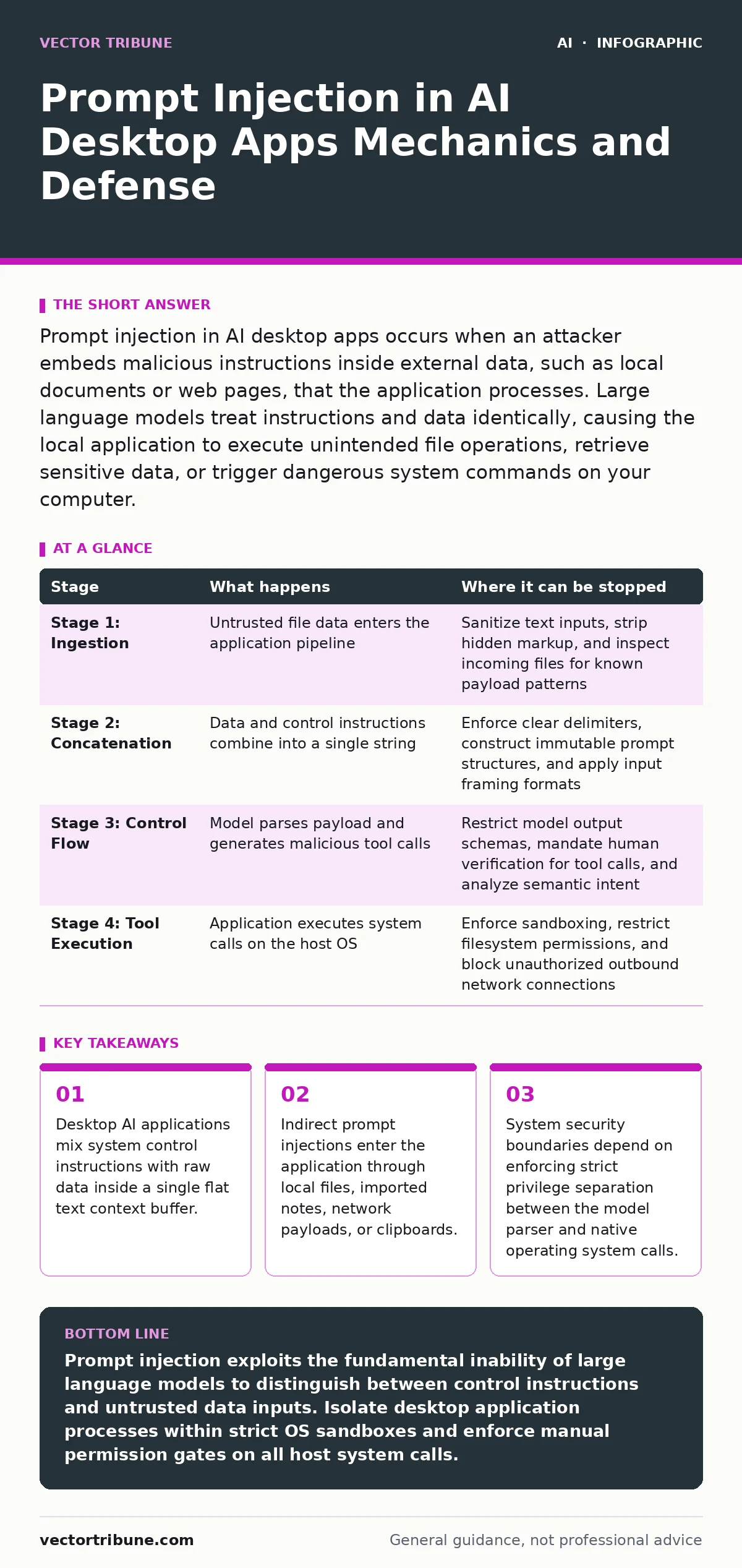
Prompt injection in AI desktop apps occurs when an attacker embeds malicious instructions inside external data, such as local documents or web pages, that the application processes. Large language models treat instructions and data identically, causing the local application to execute unintended file operations, retrieve sensitive data, or trigger dangerous system commands on your computer.
The Mechanics of Desktop Large Language Model Contexts
Local artificial intelligence desktop applications rely on an inference engine, which is the software binary that executes deep learning models on local graphics hardware or central processing units. You interact with these applications by feeding text into a context window, the bounded memory space containing the active conversation, background instructions, and retrieved documents.
Operating systems separate executable code from static data to prevent unauthorized memory execution. Neural networks do not enforce this boundary because every token within the context window exerts equal mathematical influence over subsequent word generation. When software developers pass unstructured text from external files directly into the context window, the underlying model cannot distinguish between author instructions and raw document text.
Desktop applications present expanded attack vectors compared to cloud interfaces because local models often hold direct system access. Applications capable of reading local file directories, executing shell commands, or invoking system protocol handlers turn text parsing vulnerabilities into immediate system compromise risks. Implementing retrieval-augmented generation security ensures that local files imported into the context window remain strictly bounded within structural data schemas.
The Lifecycle of a Desktop Prompt Injection Attack
Indirect prompt injection vulnerabilities manifest through sequential processing phases as untrusted content moves from the host file system into the application memory.
Stage 1: Ingestion of Untrusted Data
Attackers place formatted instruction sequences inside external assets such as PDF documents, markdown notes, emails, or source code files. You trigger this stage by opening the file or instructing your application to index a directory. The desktop application reads the raw bytes from disk and parses the file into plain text.
Stage 2: Context Buffer Concatenation
The application constructs the final prompt by stringing together system instructions, past chat history, and the newly parsed file content. Unstructured concatenation places the untrusted document text alongside administrative instructions. The model processes the unified buffer as a single coherent stream of operational commands.
Stage 3: Control Flow Hijacking
The inference engine evaluates the token sequence and encounters the embedded instructions within the document data. These instructions override previous user prompts, directing the model to alter its internal state or construct specialized tool invocations. The model outputs structured commands intended for host system execution functions.
Stage 4: Native Tool Execution
The desktop application receives the generated command from the inference engine and executes native operating system functions. These actions include reading sensitive local configuration files, writing malicious scripts to startup directories, or launching external network connections. The local execution context inherits the user privileges of the running desktop process.
Interruption Matrix Across Attack Boundaries
Defending desktop software requires distinct defensive controls at each operational phase of data processing.
| Stage | What happens | Where it can be stopped |
|---|---|---|
| Stage 1: Ingestion | Untrusted file data enters the application pipeline | Sanitize text inputs, strip hidden markup, and inspect incoming files for known payload patterns |
| Stage 2: Concatenation | Data and control instructions combine into a single string | Enforce clear delimiters, construct immutable prompt structures, and apply input framing formats |
| Stage 3: Control Flow | Model parses payload and generates malicious tool calls | Restrict model output schemas, mandate human verification for tool calls, and analyze semantic intent |
| Stage 4: Tool Execution | Application executes system calls on the host OS | Enforce sandboxing, restrict filesystem permissions, and block unauthorized outbound network connections |
Structural Isolation for Local Application Boundaries
Traditional operating system controls provide the primary line of defense against compromise when logical context boundaries fail. Applications executing within an unprivileged sandbox container cannot access sensitive user files even when a model attempts to read them. System calls must pass through strict kernel-level access control lists to limit process reach.
Developers frequently install background components that grant local software extensive access without adequate validation controls. Reviewing architectural risks outlined in insecure AI plugins and agents reveals how third-party tools introduce hidden system access points. Blocking unauthorized cross-process calls ensures that an injected instruction cannot trigger secondary binaries on the desktop machine.
Deterministic permission gates must sit between the model output parser and system execution functions. When the model requests a file operation, system command, or network request, the application runtime must interrupt execution and demand explicit user confirmation. Displaying the exact file paths and destination targets prevents silent background exploitation.
Unintended System Calls and Protocol Handler Risks
Operating systems process unique URI schemes to route requests to specific local applications automatically. Attackers construct prompt injection payloads that force local inference engines to generate malicious system protocol requests. The desktop host then launches associated binaries without explicit user consent.
Manipulating model output streams to generate local command strings creates severe secondary risks. System security measures detailed in AI agent hijacking demonstrate how unchecked model outputs convert text processing errors into remote code execution events. Sanitizing model outputs before parsing prevents the application from executing arbitrary shell commands or launching unregistered protocol handlers.
Developers often overlook the risk of indirect data exfiltration through embedded media elements. An injected prompt can instruct the model to render markdown images targeting attacker-controlled web addresses, appending sensitive local data as URL query parameters. Disabling arbitrary remote image rendering inside desktop rendering windows blocks this stealthy exfiltration channel.
See also: Securing AI Agents: Concrete Benefits and Hard Limits
Secure Architecture Patterns for Unstructured Input Processing
Hardening local applications demands strict architectural separation between untrusted inputs, context orchestration, and native system capabilities.
- Implement Privilege Separation: Run the model parsing runtime inside a low-privilege process completely isolated from system file access and network sockets.
- Apply Output Schema Validation: Reject any tool execution request that does not match a rigid JSON specification defined at compile time.
- Enforce Human-in-the-Loop Gateways: Require manual graphical approval for any operation that modifies local files, accesses network interfaces, or executes system scripts.
- Isolate Renderer Contexts: Disable external network calls and active web content execution within local text display components.
Adopting operational frameworks found in AI in security operations helps teams monitor execution traces for anomalous model actions. Regular audit procedures ensure that process boundaries, permission gates, and input filters operate correctly across system updates.
Key takeaways
- Desktop AI applications mix system control instructions with raw data inside a single flat text context buffer.
- Indirect prompt injections enter the application through local files, imported notes, network payloads, or clipboards.
- System security boundaries depend on enforcing strict privilege separation between the model parser and native operating system calls.
Prompt injection exploits the fundamental inability of large language models to distinguish between control instructions and untrusted data inputs. Isolate desktop application processes within strict OS sandboxes and enforce manual permission gates on all host system calls.
Frequently asked questions
What is the main cause of prompt injection in AI desktop apps?
Prompt injection in AI desktop apps occurs because large language models process user instructions and raw incoming data within a single, unified text buffer. The model cannot reliably distinguish system instructions from unverified data supplied by external files.
How does indirect prompt injection differ from direct prompt injection?
Direct prompt injection involves a user typing malicious instructions straight into the chat prompt window. Indirect prompt injection occurs when the application reads malicious instructions hidden inside external data sources, such as imported documents, web pages, or local files.
Can traditional antivirus software prevent prompt injection attacks?
Traditional antivirus software cannot prevent prompt injection because the attack payload consists of plain readable text rather than malicious binary code. Security must be enforced at the application layer through structural isolation, privilege separation, and strict tool validation.
What structural precautions stop local prompt injections from executing commands?
Local prompt injections are stopped by implementing 3 primary controls: 1. Process sandboxing to restrict operating system access. 2. Deterministic permission prompts for any native tool execution. 3. Strict schema validation on all text generated by the inference engine.
How this guide was produced: written by the Vector Tribune editorial team with AI assistance, checked against the public references listed below, and reviewed when the facts change. See our editorial policy or report an error.